R&S
®
ZVA / R&S
®
ZVB / R&S
®
ZVT Programming Examples
Condensed Programming Examples
Operating Manual 1145.1084.12 – 30 1097
Condensed Programming Examples
This section contains short program examples for select issues. The comments have been commented in
concise style; for more detailed information on the commands refer to the SCPI Reference chapter.
If the example you are looking for is not in this section, we suggest you to refer to the short command
sequences in the reference chapter. Proceed as follows:
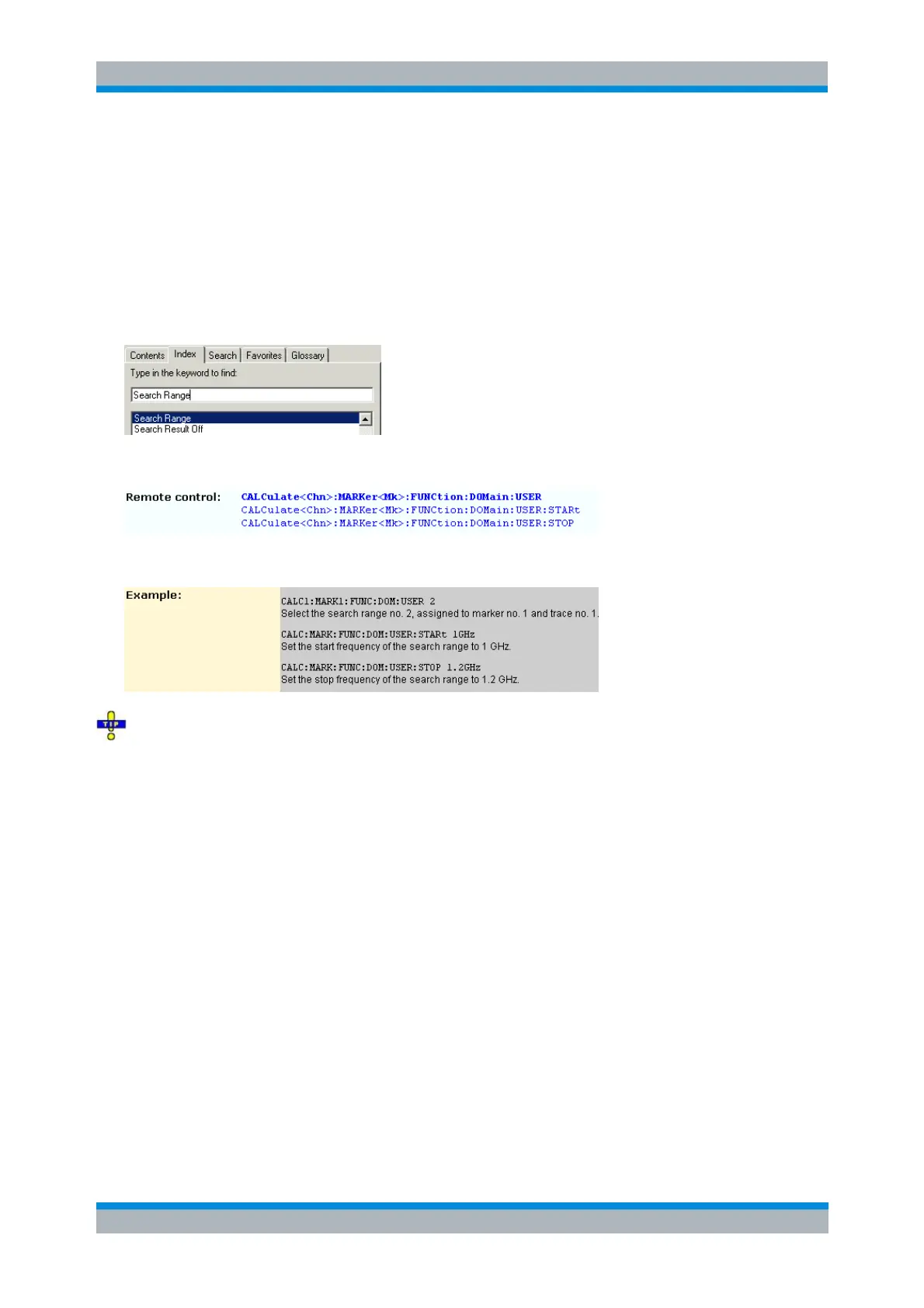
1. Find your subject in the help system, preferably using context-sensitivity (of the help system on your
network analyzer) or the index:
2. Activate the link to the command description:
3. A short example appears at the end of each command description:
The command SYSTEM:DISPLAY:UPDATE ON precedes some of the command scripts so that you
can watch the progress of the script on the screen. For maximum performance, simply omit this command.
Assigning Channels, Traces, and Diagram Areas
The following example is a short version of section Creating Traces and Channels.
// Reset the analyzer
*RST
:SYSTEM:DISPLAY:UPDATE ON
// Create a new trace for S21 with the name TrcDisp
:CALCULATE1:PARAMETER:SDEFINE "TrcDisp","S21"
// Display the trace in the display area 1
:DISPLAY:WINDOW1:TRACE9:FEED 'TrcDisp'
:DISPLAY:WINDOW1:TRACE9:DELETE



 To Next Page