R&S
®
ZVA / R&S
®
ZVB / R&S
®
ZVT Remote Control
Remote Control: Introduction
Operating Manual 1145.1084.12 – 30 580
Combining Manual and Remote Control
Using a remote control script is the quickest and easiest way of performing complicated tasks which need
to be repeated many times. On the other hand, it is often preferable to control a previously configured
measurement manually in order to observe the result on the screen.
The analyzer provides a number of tools for combining manual and remote control:
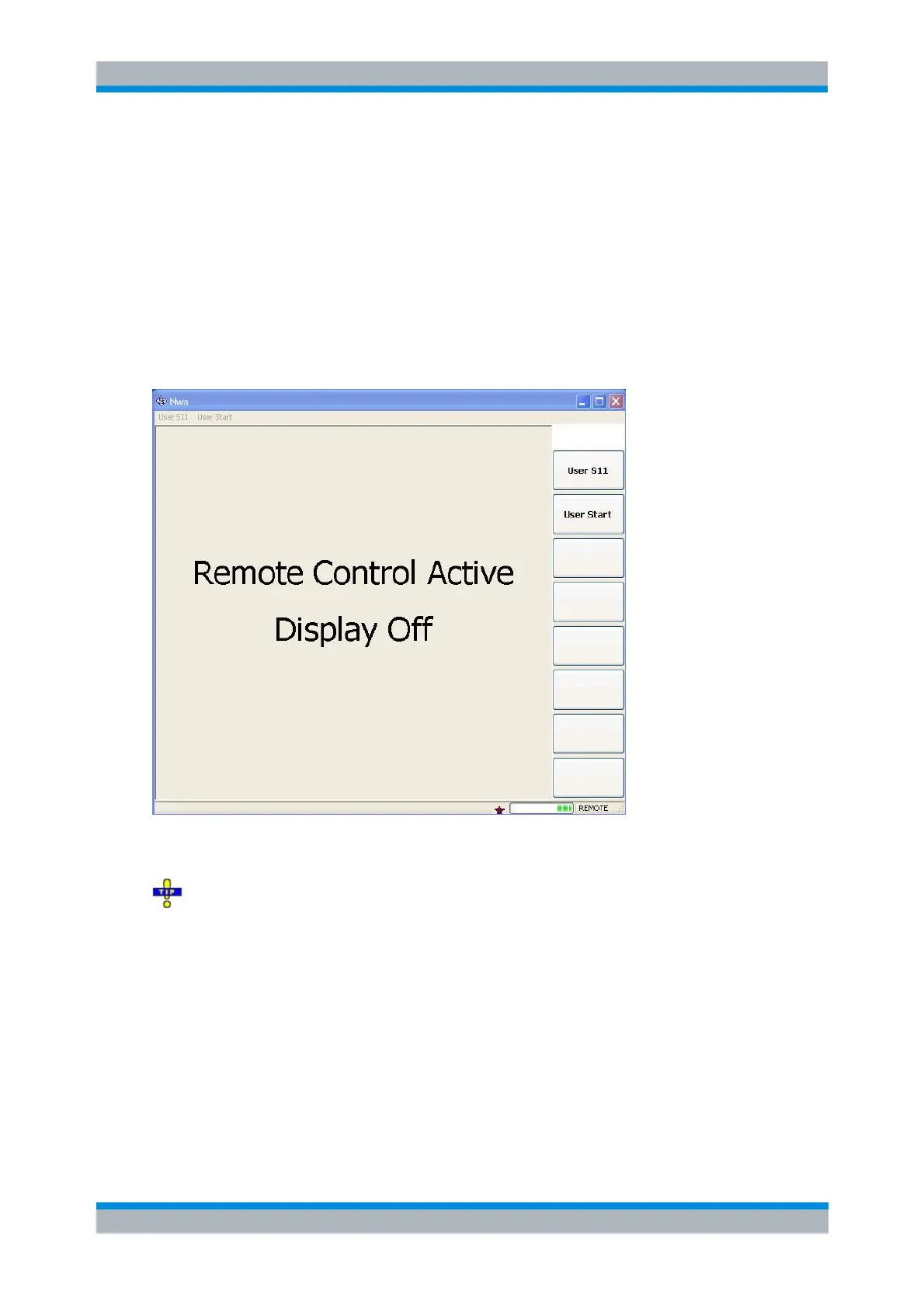
User Keys
The remote control commands SYSTem:USER:KEY... place up to 8 softkeys with arbitrary
functionality on the remote screen. The softkeys replace the default softkeys Go to Local and
Display On/Off.
Pressing a user softkey or clicking the corresponding command across the top of the remote
screen executes the assigned functionality.
If you want to use more than 8 user keys, you can easily introduce additional levels: Simply
reserve one key for re-defining the entire user key bar. If you press or click the key, your remote
script should re-assign the labels and functions of the existing keys. If you use this procedure
repeatedly, you can emulate an arbitrary number of manual control features on your remote
screen.
Menu key commands
The commands in the DISPlay:MENU:KEY... subsystem open the manual control screen,
activate menus or submenus for manual control, or execute a specified menu command.
DISPlay:MENU:KEY:EXECute '<menu_key>' can be used in different ways:
o If the menu key causes an event (e.g. selection of the measured quantity: S11, S12 etc.),
the function is executed immediately. No further action is required; the instrument remains
in remote control mode.



 To Next Page