R&S
®
ZVA / R&S
®
ZVB / R&S
®
ZVT GUI Reference
Trace Menu
Operating Manual 1145.1084.12 – 30 221
Sweep Progress tracking means that the active marker follows the latest valid measurement points and
thus monitors the sweep progress. This complements the progress indication in the status bar below the
diagram area.
Tracking mode properties
The tracking mode is available for all search modes, i.e. for minimum/maximum search, target search and
bandfilter search. The Marker Tracking function in the Search submenu is valid for an active
minimum/maximum and target search; bandfilter tracking can be activated separately. Tracking is marker-
specific but can be switched on for several markers simultaneously.
A change of the marker positions of the search modes does not affect the tracking mode.
Tracking is a toggle function: Selecting the function repeatedly switches the tracking mode on and off.
CALCulate<Chn>:MARKer<Mk>:SEARch:TRACking
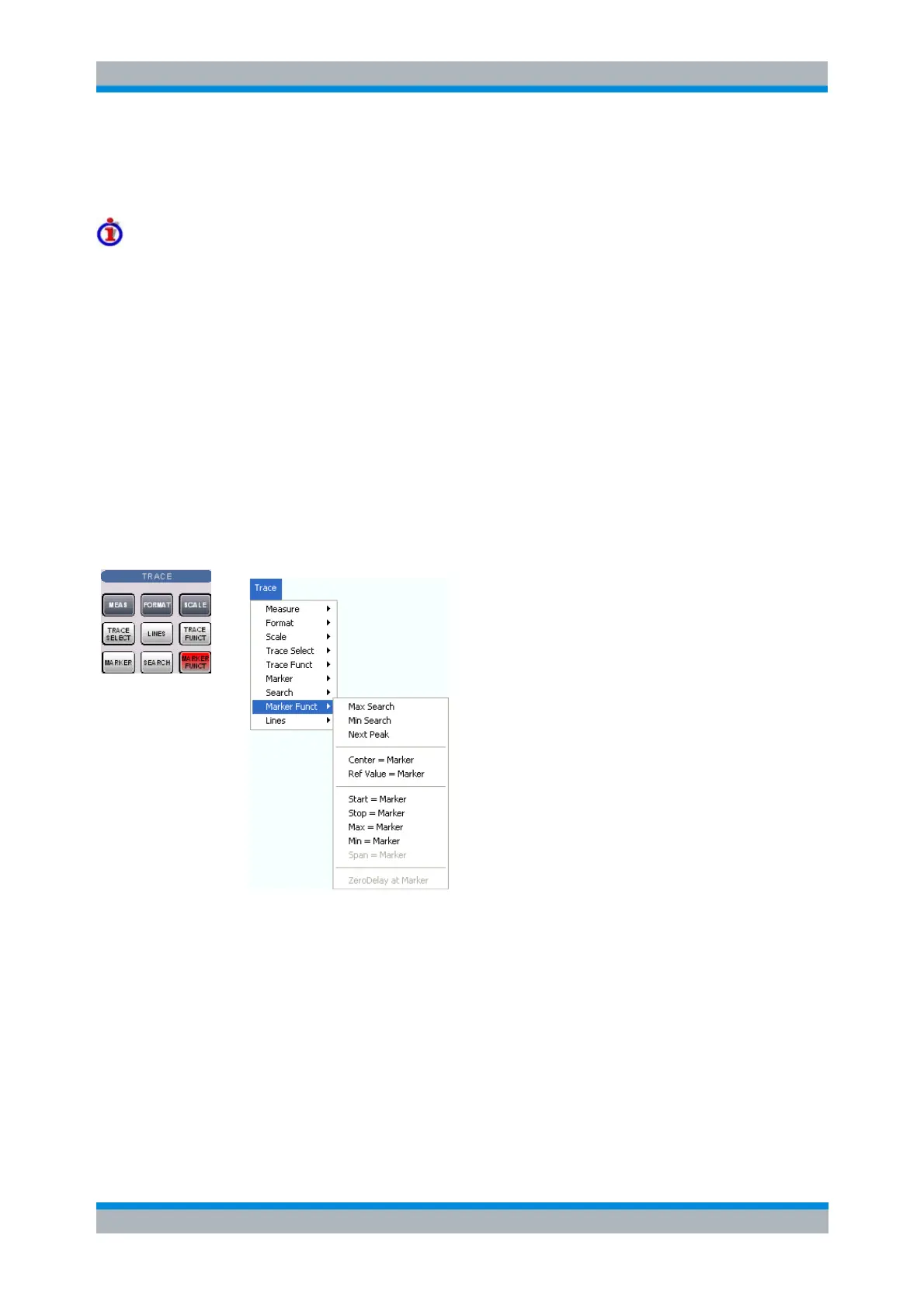
Marker Funct
The Marker Functions use the active marker to define the sweep range, scale the diagram and introduce
an electrical length offset.
The functions in the upper section are also provided in the Search submenu:
Max Search sets the active marker to the absolute maximum in the search range.
Min Search sets the active marker to the absolute minimum in the search range.
Next Peak sets the active marker to the next maximum or minimum in the search range,
depending on the current search criterion.
The following functions use the stimulus value of the active marker to define the sweep range:
Center = Marker sets the center of the sweep range equal to the marker value.
Start = Marker sets the beginning of the sweep range equal to the marker value.
Stop = Marker sets the end of the sweep range equal to the marker value.



 To Next Page