R&S
®
ZVA / R&S
®
ZVB / R&S
®
ZVT GUI Reference
Trace Menu
Operating Manual 1145.1084.12 – 30 218
equal to the marker response value minus n dB.
Upper Band Edge is the closest frequency above the active marker position where the trace is
equal to the marker response value minus n dB.
Loss is the response value of the active marker.
For a Bandpass/Bandstop Absolute Level search, the following modified definitions apply (x denotes the
<x dB Bandwidth> value):
Lower Band Edge is the closest frequency below the peak frequency where the trace is equal to –
x dB.
Upper Band Edge is the closest frequency above the peak frequency where the trace is equal to –
x dB.
CALCulate<Chn>:MARKer<Mk>:BWIDth?
CALCulate<Chn>:MARKer<Mk>SEARch:BFILter:RESult[:STATe]
CALCulate<Chn>:MARKer<Mk>:SEARch:TRACking
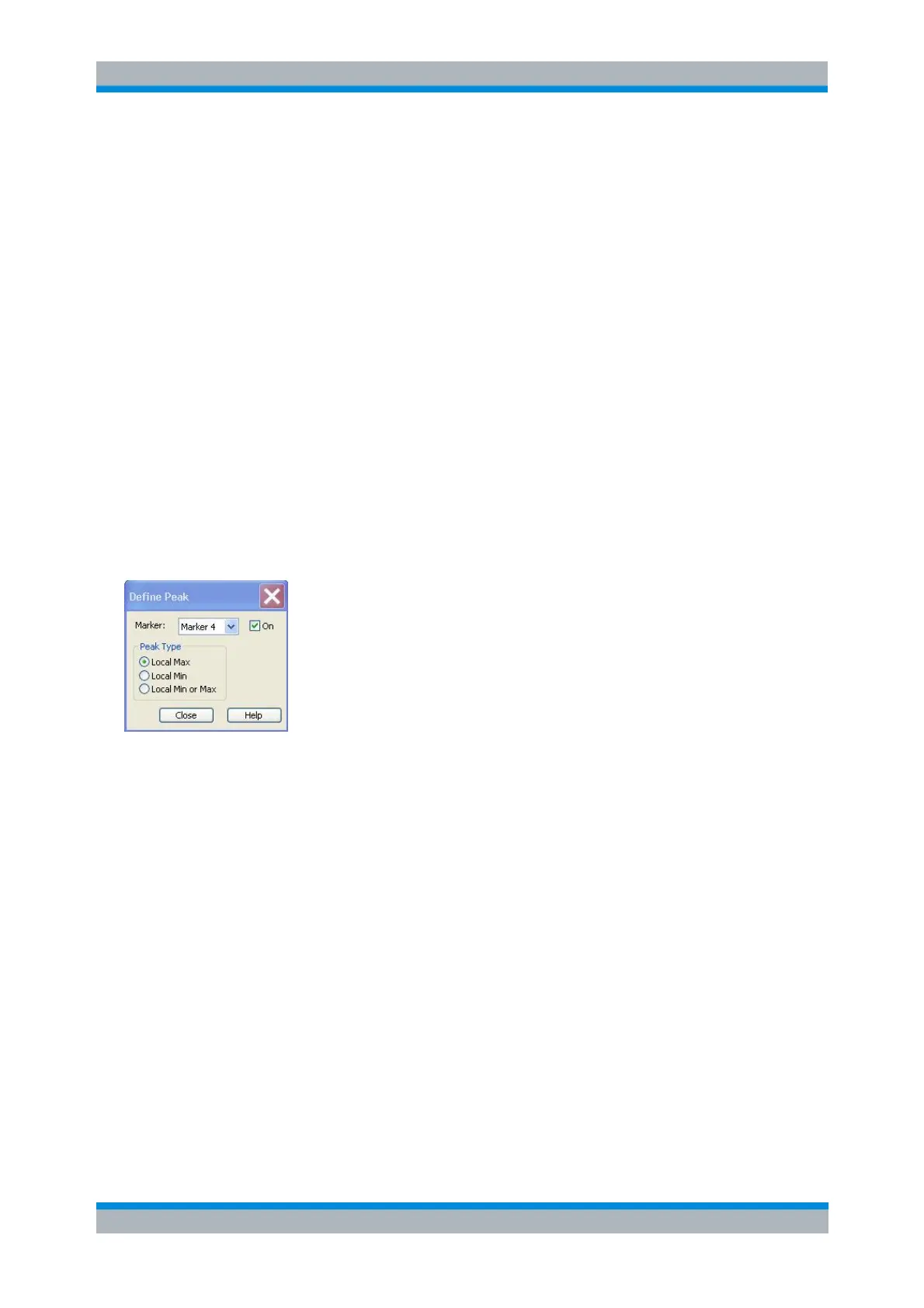
Define Peak
Opens a dialog to define the peak type to be searched for.
It is possible to select the peak type up to ten times for each trace and assign the selection to the markers
no. 1 to 10.
Marker Selects one of the ten markers that can be assigned to the trace. If a selected marker
does not exist, it is created as soon as On is checked. A created marker is displayed in the center
of the search range.
The radio buttons in the Peak Type panel offer the following alternative peak types:
Local Max activates the peak search for local maxima only. The response value at a local
maximum is larger than the values in the vicinity.
Local Min activates the peak search for local minima only. The response value at a local minimum
is smaller than the values in the vicinity.
Local Min or Max activates the peak search for both local maxima and minima.
Search Range
Opens the Search Range Dialog.



 To Next Page