R&S
®
ZVA / R&S
®
ZVB / R&S
®
ZVT GUI Reference
Trace Menu
Operating Manual 1145.1084.12 – 30 214
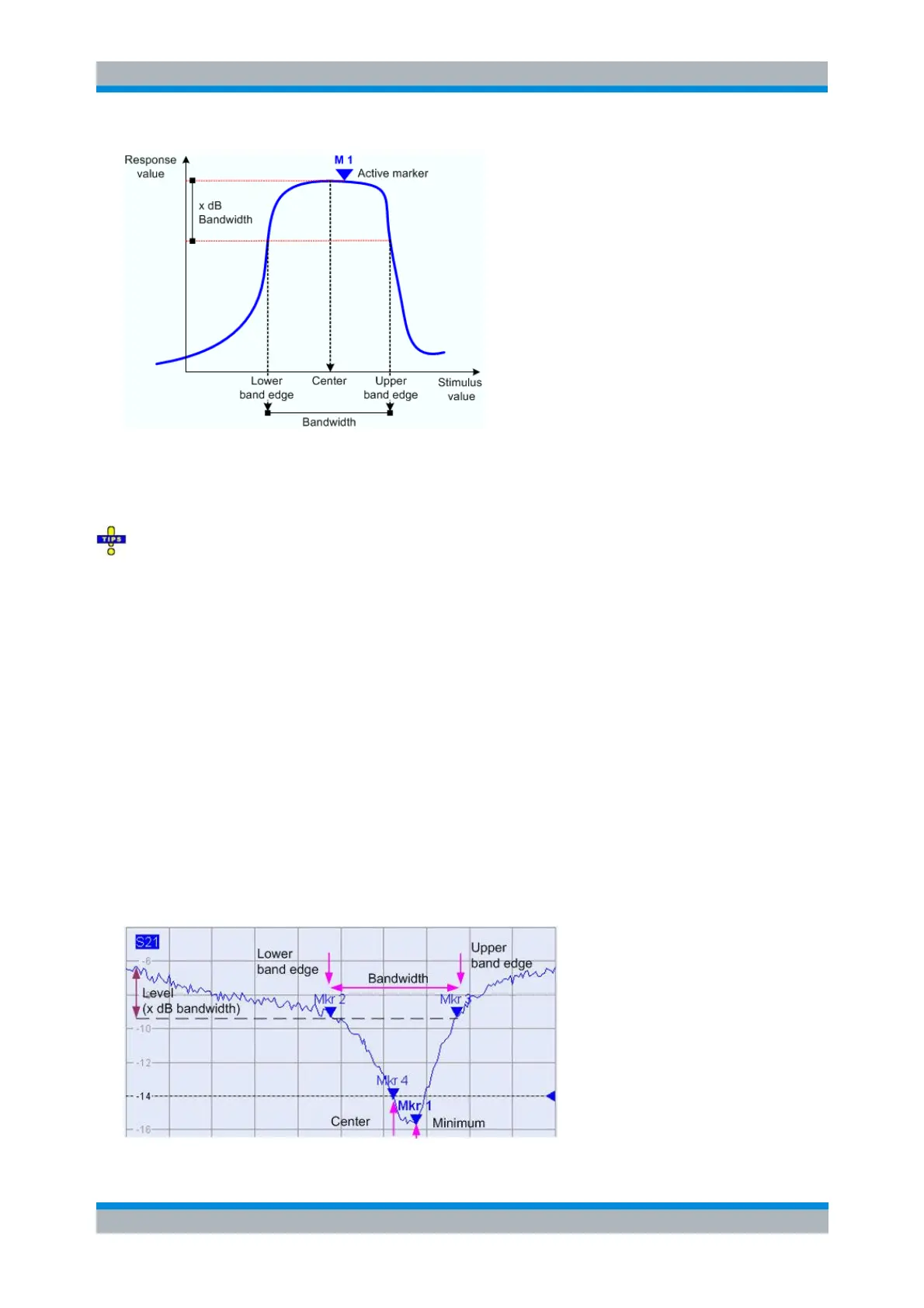
In contrast to a Bandpass Search Ref to Max, the Bandpass Search Ref to Marker does not change the
position of the active markers. The Loss is the response value at the marker position; the bandfilter search
results are displayed in the bandfilter info field. The Lower Band Edge and the Upper Band Edge must fall
into the search range, otherwise the bandfilter search results are invalid.
Bandpass Search Ref to Marker is particularly suitable for bandfilters with known center frequency,
with the active marker placed onto this center frequency. You can also use a peak search to place the
active marker on the maximum of the trace. Notice that, if the active marker is off the peak, both band
edges are more than x dB below the peak response value.
To search for a bandstop region in the vicinity of the active marker, use Bandfilter Tracking – Bandstop
Search Ref to Marker.
CALCulate<Chn>:MARKer<Mk>:FUNCtion:BWIDth:MODE BPRMarker |
BSRMarker
CALCulate<Chn>:MARKer<Mk>:FUNCtion:EXECute BFILter
Bandstop Search Ref to Max
Activates the search for a bandstop region on the active trace and activates bandfilter Tracking. A
bandstop region is the lowest peak (local minimum) in the search range, provided that its level is at least
<x dB Bandwidth> below the maximum (passband value).
When Bandstop Search is activated the analyzer uses (or creates) the four markers M 1 to M 4 to locate
the bandstop region.



 To Next Page