R&S
®
ZVA / R&S
®
ZVB / R&S
®
ZVT GUI Reference
Trace Menu
Operating Manual 1145.1084.12 – 30 212
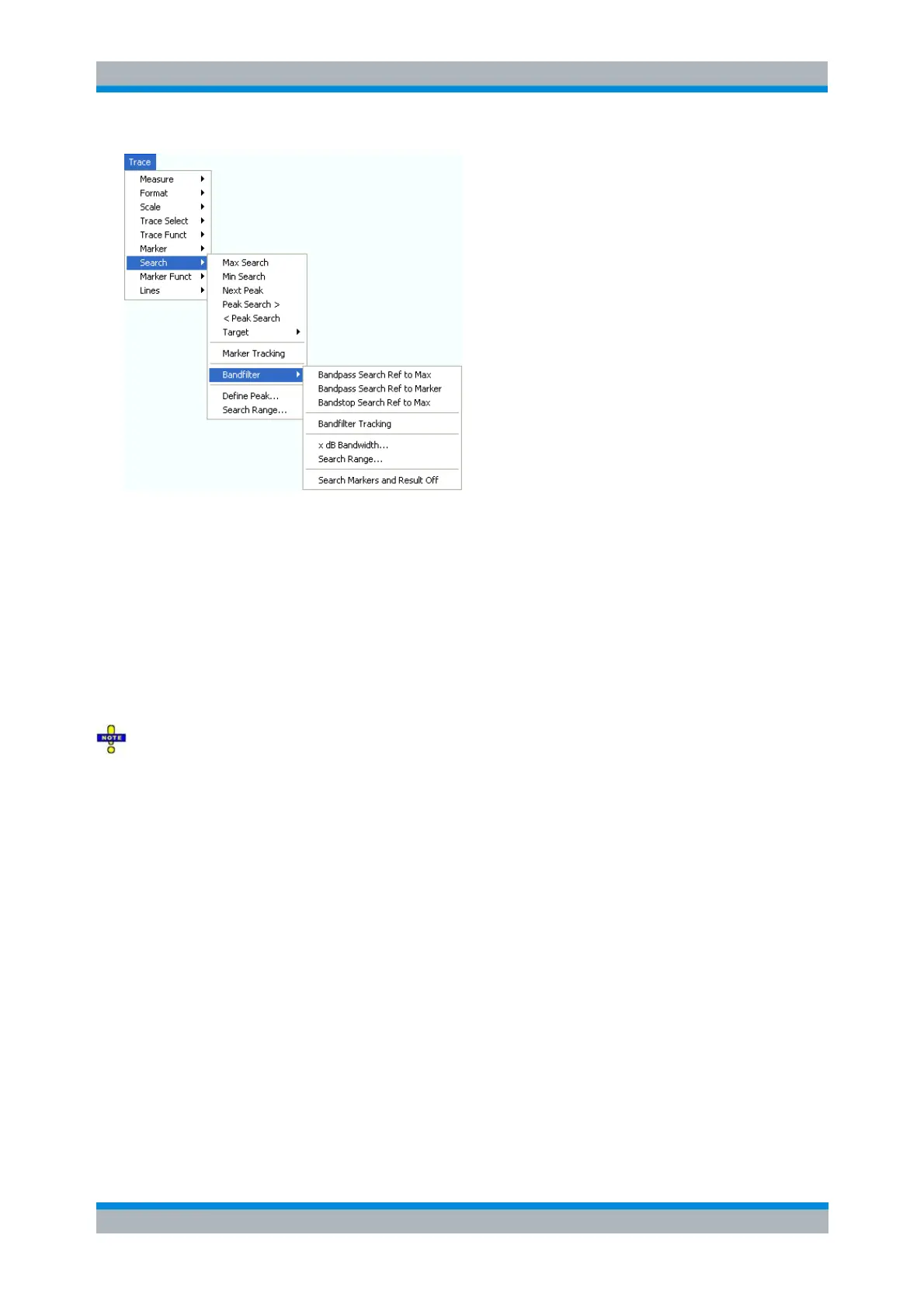
Bandpass Search Ref to Max activates the search for a bandpass region in the active trace.
Bandpass Search Ref to Marker activates the search for a bandpass region in the active trace,
starting at the position of the active marker.
Bandstop Search Ref to Max activates the search for a bandstop region in the active trace.
Bandfilter Tracking causes the bandfilter search to be repeated after each sweep.
x dB Bandwidth... sets the level defining the filter bandwidth.
Search Range... confines the search to a subrange of the sweep.
Search Markers and Result Off hides the markers and bandfilter parameters in the diagram area.
Bandfilter mode can be selected for a broad range of measured quantities (Trace – Measure),
provided that the display format is dB Mag. To obtain real filter parameters, the measured quantity must
be a transmission S-parameter and a frequency sweep must be performed. For other quantities (e.g
reflection parameters), the Bandfilter functions are still useful to analyze general trace properties. In some
display formats (e.g. Phase) the bandfilter search is disabled.
Bandpass Search Ref to Max
Activates the search for a bandpass region on the active trace and activates bandfilter Tracking. A
bandpass region is the tallest peak in the search range with a minimum excursion specified by means of
the x dB Bandwidth parameter.
When Bandpass Search is activated the analyzer uses (or creates) the four markers M 1 to M 4 to locate
the bandpass region.



 To Next Page