R&S
®
ZVA / R&S
®
ZVB / R&S
®
ZVT System Overview
Screen Elements
Operating Manual 1145.1084.12 – 30 33
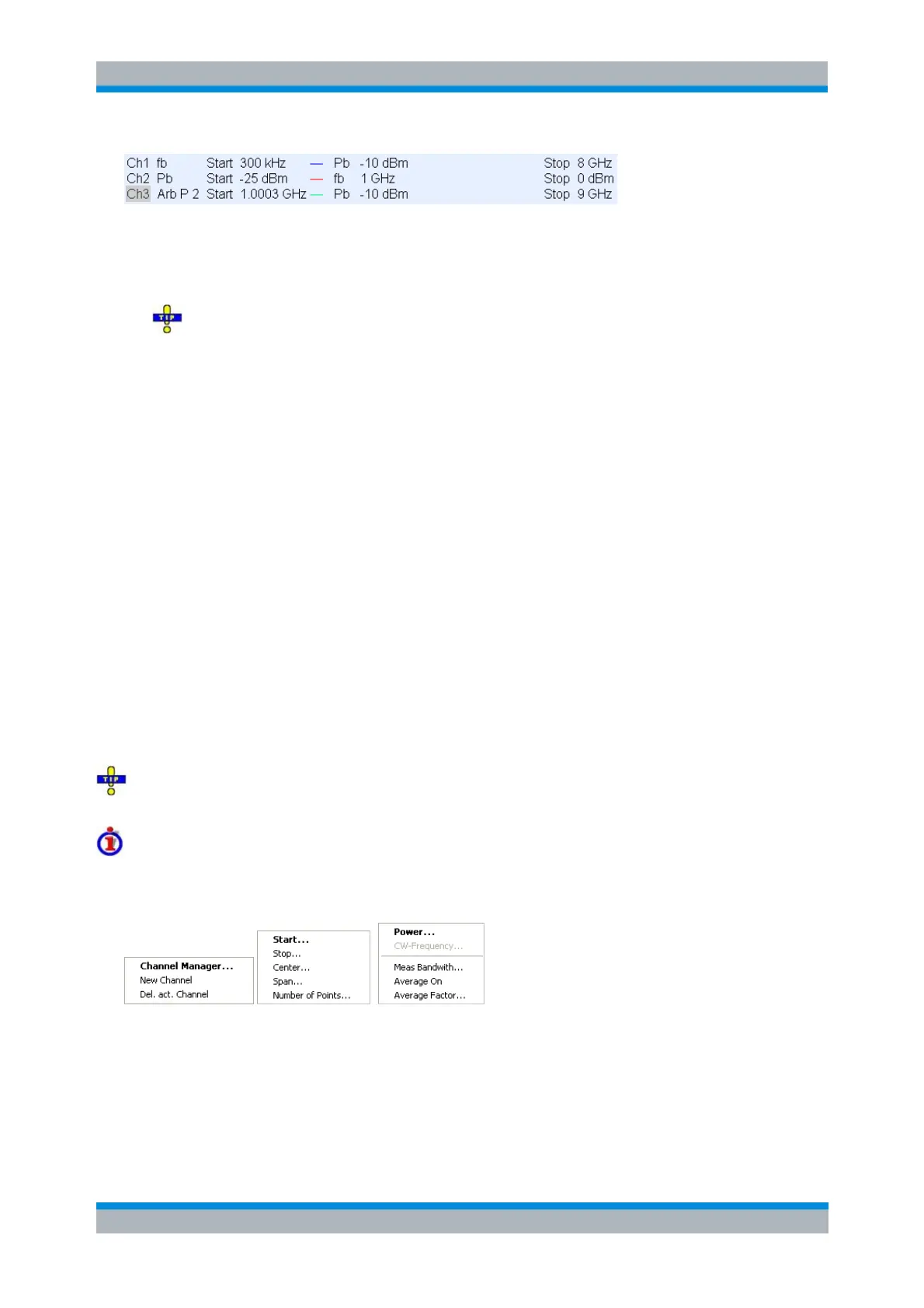
Each line in the channel list describes a single channel. The channel of the active trace is highlighted. The
lines are divided into several sections with the following contents (from left to right):
Channel name indicates the current channel name. The default names for new channels are
Ch<n> where <n> is a current number.
Right-click the section and call the Channel Manager from the context menu to change the
channel name.
Measurement mode identifier (optional) indicates a special test mode of the channel, e.g. the
measurement of a 2nd harmonic (H2), a 3rd harmonic (H3), the mixer mode (Mix), or an arbitrary
frequency conversion mode (Arb).
Stimulus axis shows the frequency or power stimulus axis currently selected in the Channel –
Mode – Port Configuration – Stimulus dialog. fb denotes the channel base frequency; Pb the
channel base power; P 1 the port 1 source frequency or power, Gen 1 an external generator
source frequency or power, Rec the receiver frequency (all ports). This information is particularly
valuable if different port frequencies and power levels are specified (with option R&S ZVA-K4).
Start value of the sweep indicates the lowest value of the sweep variable (e.g. the lowest
frequency measured), corresponding to the left edge of the Cartesian diagram.
Color legend shows the display color of all traces assigned to the channel. The colors are
different, so the number of colors is equal to the numbers of traces assigned to the channel.
Additional stimulus parameter shows either the power of the internal signal source (for frequency
sweeps and time sweeps), including the power stimulus axis defined in the Channel – Mode –
Port Configuration – Stimulus dialog, or the CW frequency (for power sweeps), including the
selected frequency stimulus axis. fb denotes the channel base frequency; Pb the channel base
power.
Stop value of the sweep indicates the highest value of the sweep variable (e.g. the highest
frequency measured), corresponding to the right edge of the Cartesian diagram.
Right-click any of the sections in the trace list (except Color legend) to open a context menu and
access the most common tasks related to the section.
Context menus of the channel list
A right mouse click on the channel name, the sweep range, and the additional parameter section of the
channel list opens the following context menus, respectively:
The settings correspond to the most common commands in the Channel – Channel Select, Channel –
Stimulus and Channel – Power Bandwidth Average menus.



 To Next Page