R&S
®
ZVA / R&S
®
ZVB / R&S
®
ZVT GUI Reference
Trace Menu
Operating Manual 1145.1084.12 – 30 156
Scale shows which traces use common scaling and format settings.
Rules for trace names
The analyzer can define mathematical relations between different traces and calculate new mathematical
traces (User Def Math). The trace names are used as operands in the mathematical expressions and
must be distinguished from the mathematical operators +, -, *, /, (, ) etc. This places some restrictions on
the syntax of trace names:
The first character of a trace name can be either one of the upper case letters A to Z, one of the
lower case letters a to z, an underscore _ or a square bracket [ or ].
For all other characters of a trace name, the numbers 0 to 9 can be used in addition.
The analyzer does not accept illegal trace names. If an illegal name is specified, the input field in the
Trace Manager turns red.
CALCulate<Ch>:PARameter:SDEFine <Trace Name>, <Meas Parameter>
CONFigure:CHANnel<Ch>:TRACe:REName
CONFigure:TRACe<Trc>:CATalog?
CONFigure:TRACe<Trc>:NAME
CONFigure:TRACe<Trc>:NAME:ID?
CONFigure:TRACe:REName
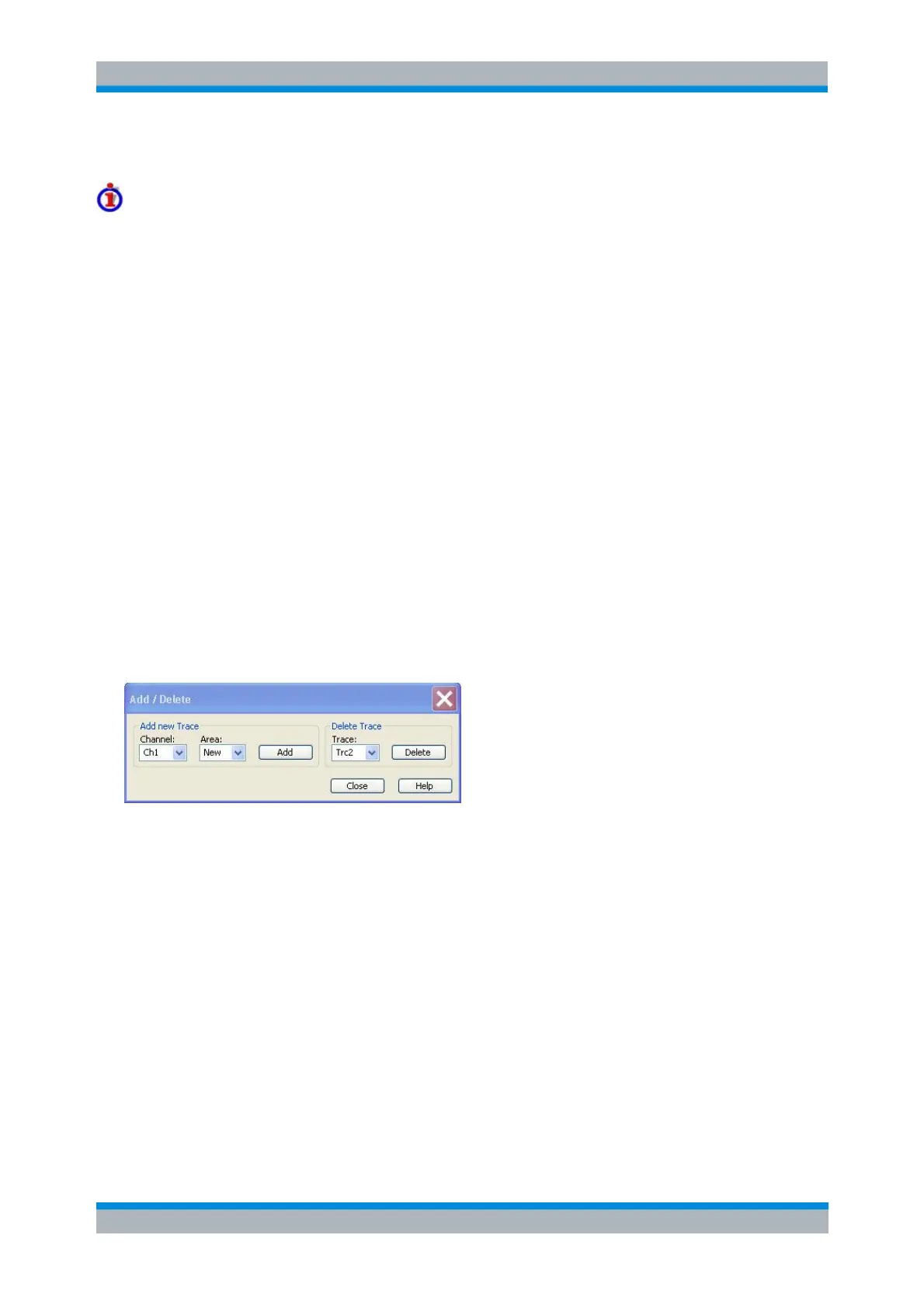
Add/Delete
Opens a dialog to add a new trace or delete a trace.
Add creates a new trace and adds it to the list in the Trace Manager, assigning it to the channel
and diagram area selected in the drop-down lists. It is possible to create a New channel and/or
diagram area for the new trace.
Delete deletes the selected trace, removing it from the list in the Trace Manager and from the
screen. This button is disabled if the setup contains only one trace: In manual control, each setup
must contain at least one diagram area with one channel and one trace.
CALCulate<Ch>:PARameter:SDEFine <Trace Name>, < Meas Parameter>
DISPlay:WINDow<Wnd>:TRACe<WndTr>:FEED <Trace Name>
DISPlay[:WINDow<Wnd>]:TRACe:EFEed <Trace Name>
CALCulate<Ch>:PARameter:DELete <Trace Name>
Coupling
Selects common or independent channel or scale settings for all traces in the Trace Manager dialog.



 To Next Page