R&S
®
ZVA / R&S
®
ZVB / R&S
®
ZVT Annexes
Increasing the Monitor Resolution
Operating Manual 1145.1084.12 – 30 1127
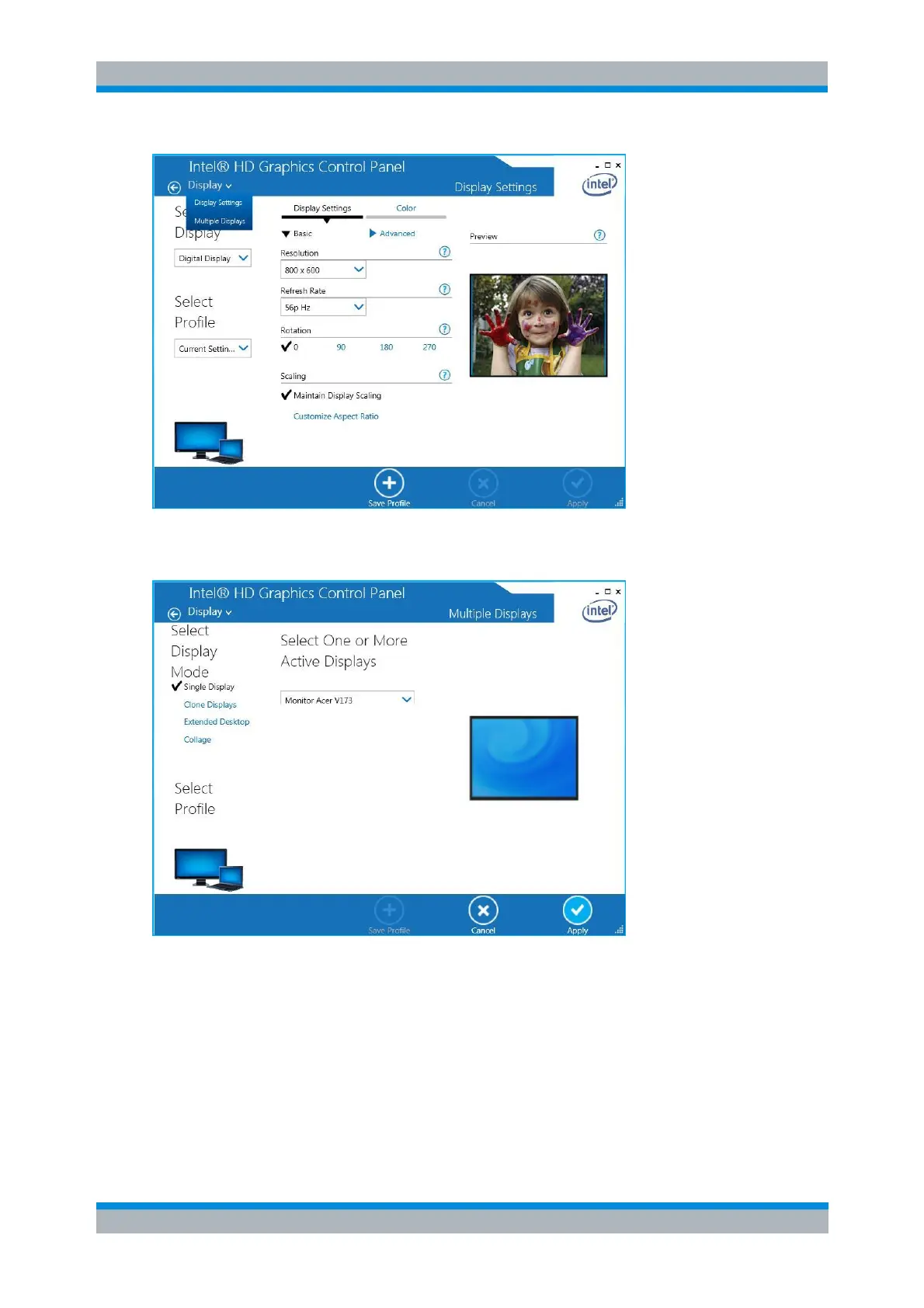
2. Select Multiple Displays from the Display drop-down menu.
3. On the left hand side of the modified dialog select the Single Display mode and, in the center
select the external monitor:
4. Press Apply and in the following confirmation dialog press OK.
5. Select Display Settings from the Display drop-down menu and change the display settings for the
external monitor as needed:



 To Next Page