R&S
®
ZVA / R&S
®
ZVB / R&S
®
ZVT Annexes
Configuration Files for External Devices
Operating Manual 1145.1084.12 – 30 1166
Hardware-related settings:
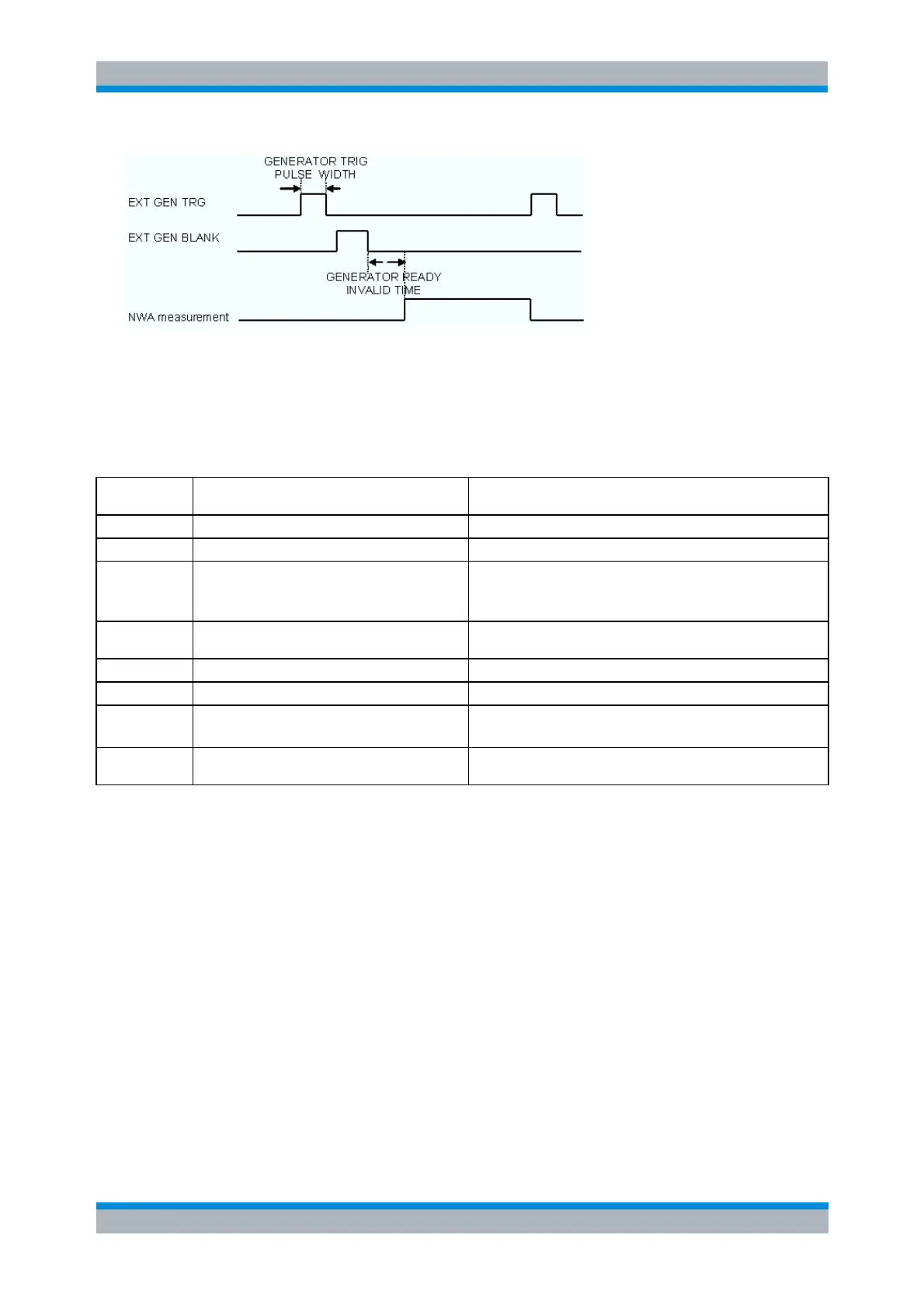
EXT GEN TRG signal: The network analyzer uses a positive edge to trigger the generator. The
correct trigger edge polarity has to be set in the GENERATORINIT command.
EXT GEN BLANK signal: The signal duration can be set at the generator.
The following list shows the Rohde & Schwarz signal generators that support the fast sweep mode.
List mode characteristics
RF analog up to 3 GHz / 6 GHz
RF analog up to 6 GHz / 12 GHz
Microwave generator 43 GHz
Must set OUTPut:BLANk:MODE ON
(After every *RST command, BLANk:MODE will be reset to
AUTO).
Microwave generator, cost-effective, 20 GHz 40
GHz
RF vector high-end up to 6 GHz
RF vector = SMU200A without GUI, only remote
RF vector signal generator
up to 6 GHz
Requires LEARN command after every list selection and
modification.
Required settings to operate the instrument in list mode:
1. Create a list.
A list is created by selecting a list which does not exist yet using the command
GENERATORSELECTLISTBYNAME.
2. Fill the list with values.
GENERATORFREQLIST / GENERATORFREQLISTBLOCK (Frequency data)
GENERATORLEVELLIST / GENERATORLEVELLISTBLOCK (Power data)
All list components must be of the same length.
3. Select a list.
GENERATORSELECTLISTBYNAME


 To Next Page