R&S
®
ZVA / R&S
®
ZVB / R&S
®
ZVT Remote Control
Remote Control: Introduction
Operating Manual 1145.1084.12 – 30 578
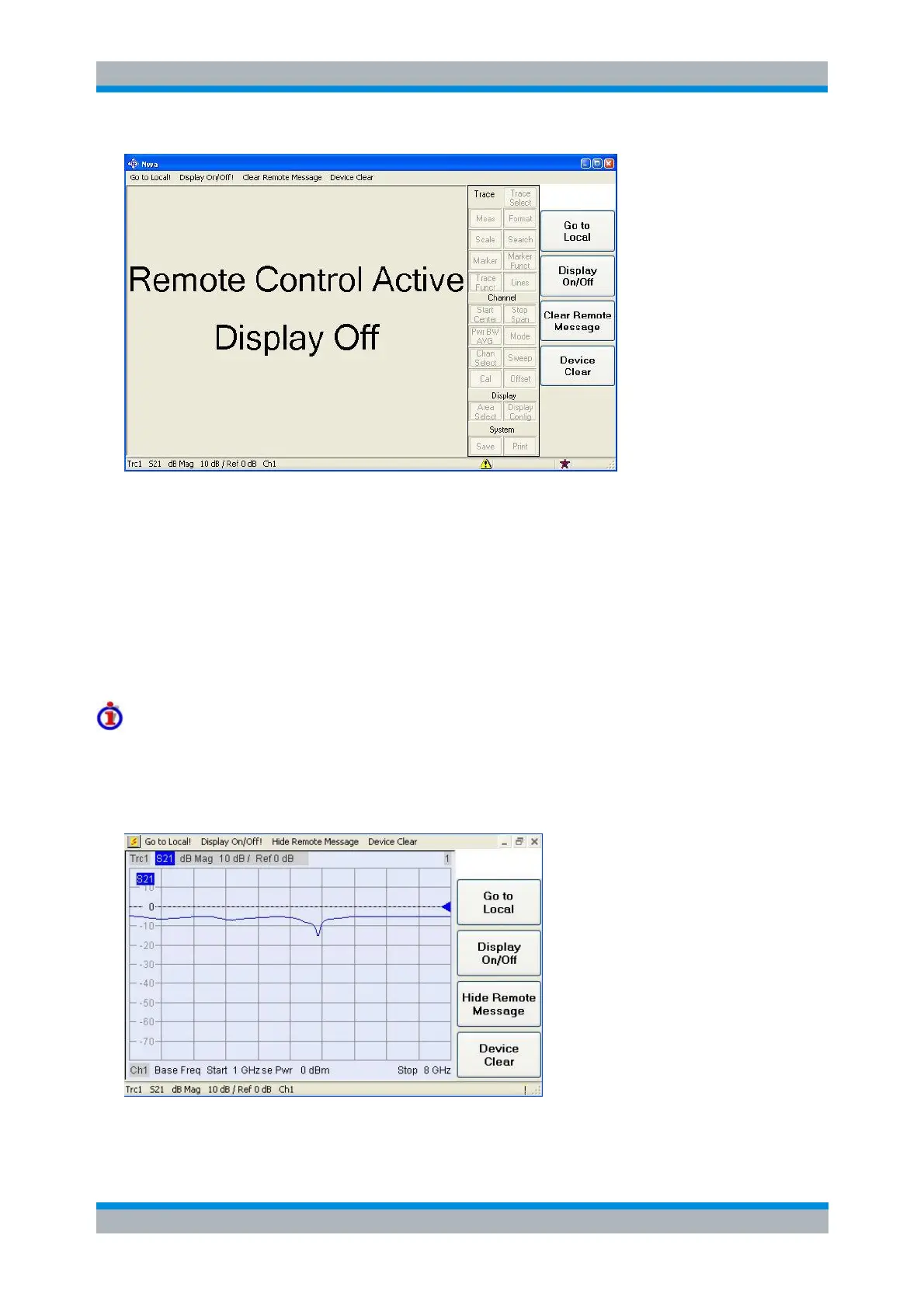
The softkeys in the remote screen are used to modify or quit the remote state:
Go to Local switches the instrument to local state. This key is locked while a sequential command
is executed; see Command Synchronization.
Display On/Off switches the display on or off.
Clear Remote Message removes the current remote error tooltip; see tips below. Manual control
messages/tooltips are not affected.
Device Clear aborts command execution and resets the command processing software to its initial
state. You can use this softkey to unlock the Go to Local key while a sequential command is
executed. Device Clear does not change the analyzer settings.
Display On/Off states
Switching on the display means that the analyzer shows the measurement screen with the current setups,
diagram areas and traces without leaving the remote state. In this operating mode, it is possible to
observe the screen while a remote control script is executed and the control elements on the front panel
are still disabled:
Switching on the display is ideal for program test purposes but tends to slow down the measurement.
Therefore it is recommended to switch off the display in real measurement applications where a tested



 To Next Page