R&S
®
ZVA / R&S
®
ZVB / R&S
®
ZVT Measurement Examples
Calibration
Operating Manual 1145.1084.12 – 30 80
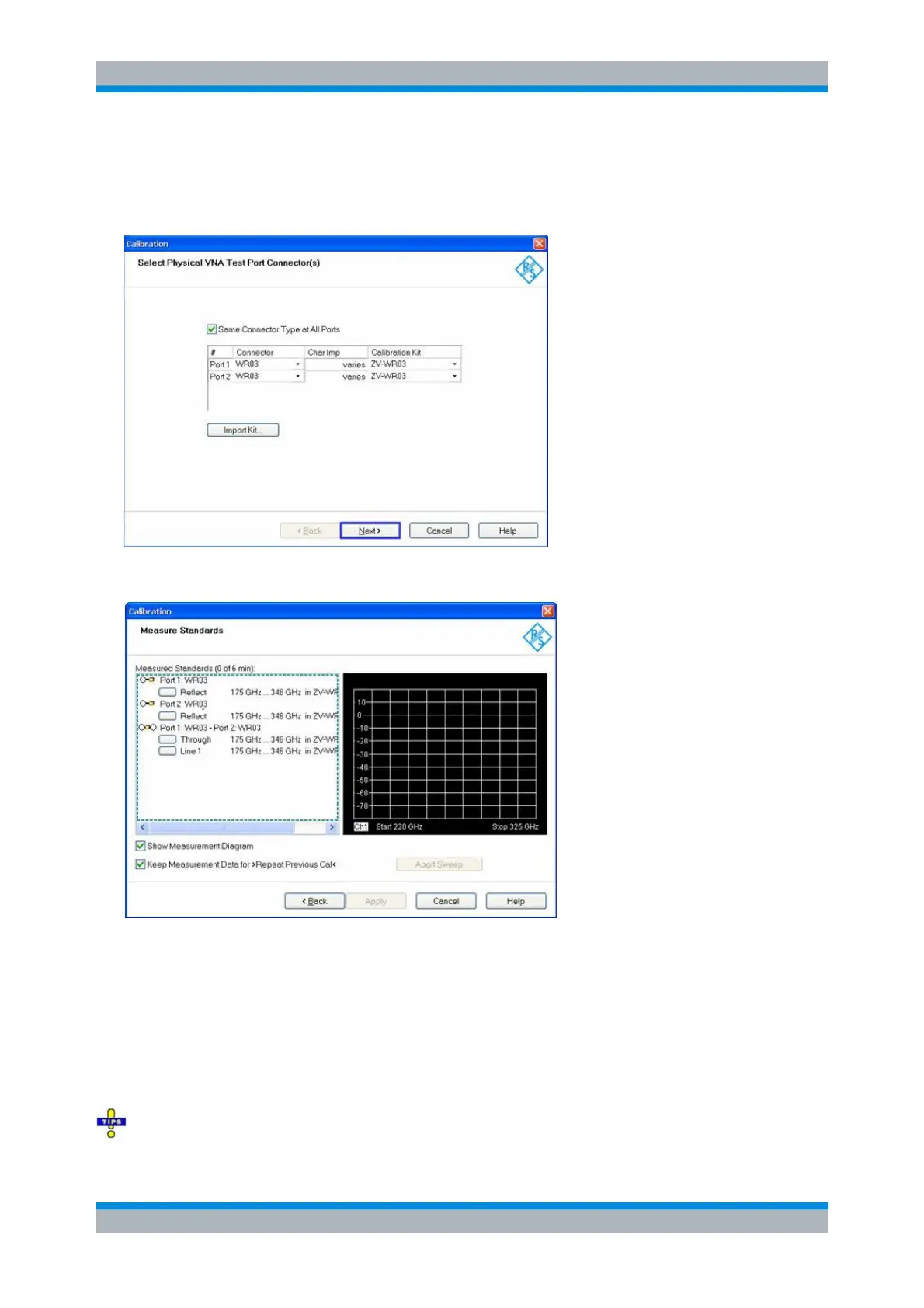
2. Click “Channel” > “Start Cal” > “Two Port P1 P2” > “TRL”.
The calibration kit R&S ZV-WR03 is preinstalled. It is displayed in the “Select Physical VNA Test Port
Connector(s)” dialog, together with the appropriate connector type.
3. Click “Next” to proceed to the “Measure Standards” dialog.
4. Connect the Short standard from the calibration kit to the frequency converter no. 1 (the converter
with RF IN connected to the analyzer port no. 1) and click “Port 1: WR03” > “Reflect” to initiate the
calibration sweep.
5. Proceed in a similar way, using the Short at Port 2.
6. Establish the through connection using the Shim #1 between the ports.
7. Establish the line connection using the Shim #2 between the ports.
8. Click “Apply” to calculate and apply the system error correction data and close the wizard.
With calibration techniques involving a match standard (M) you can use the sliding match instead of



 To Next Page