R&S
®
ZVA / R&S
®
ZVB / R&S
®
ZVT Measurement Examples
Trace Evaluation
Operating Manual 1145.1084.12 – 30 82
2. Click Trace – Trace Select – Add Trace to add a new trace to the diagram area. The new trace is
automatically assigned a trace name (e.g. Trc3) and selected as the active trace.
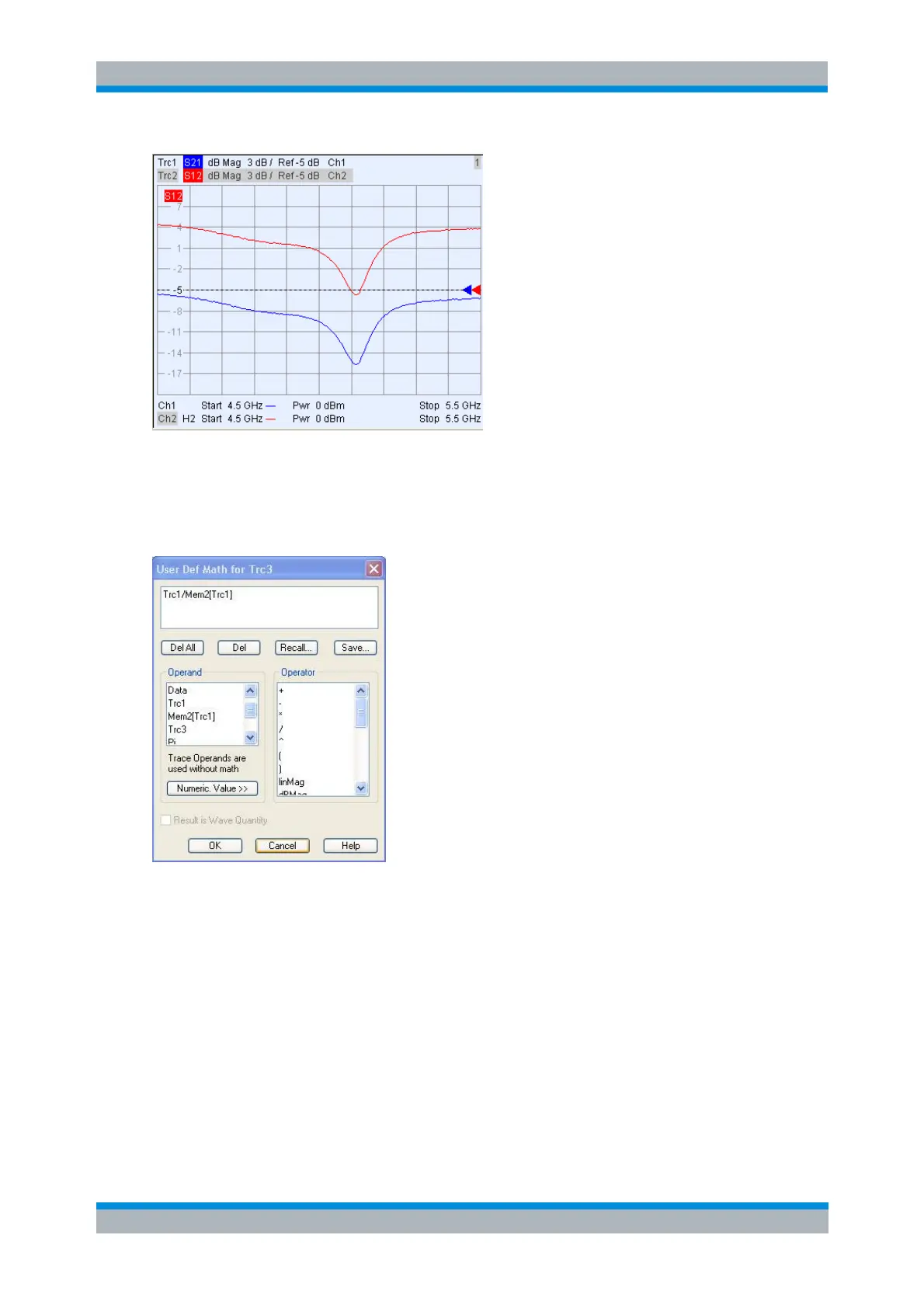
3. Click Channel – Trace Funct – User Def Math to open the User Def Math for Trc3 dialog and enter
the following mathematical relation for the new trace: Trc1/Mem2[Trc1]. Click OK to confirm your
definition and close the dialog
4. Select Trace – Trace Funct – Math = User Def to display Trc3 as a mathematical trace.
The mathematical relation Trc1/Mem2[Trc1] is applied to the linear trace data. In logarithmic
representation, the effect is a subtraction of the two traces. The mathematical trace shows the difference
of the dB Mag values of Trc1 and Mem2[Trc1]. In our example the difference trace is approximately
constant.



 To Next Page