STONEX R2
⑩ When there are at least 2 points and
1 side are measured, the station
coordinate can be calculated and
displayed.
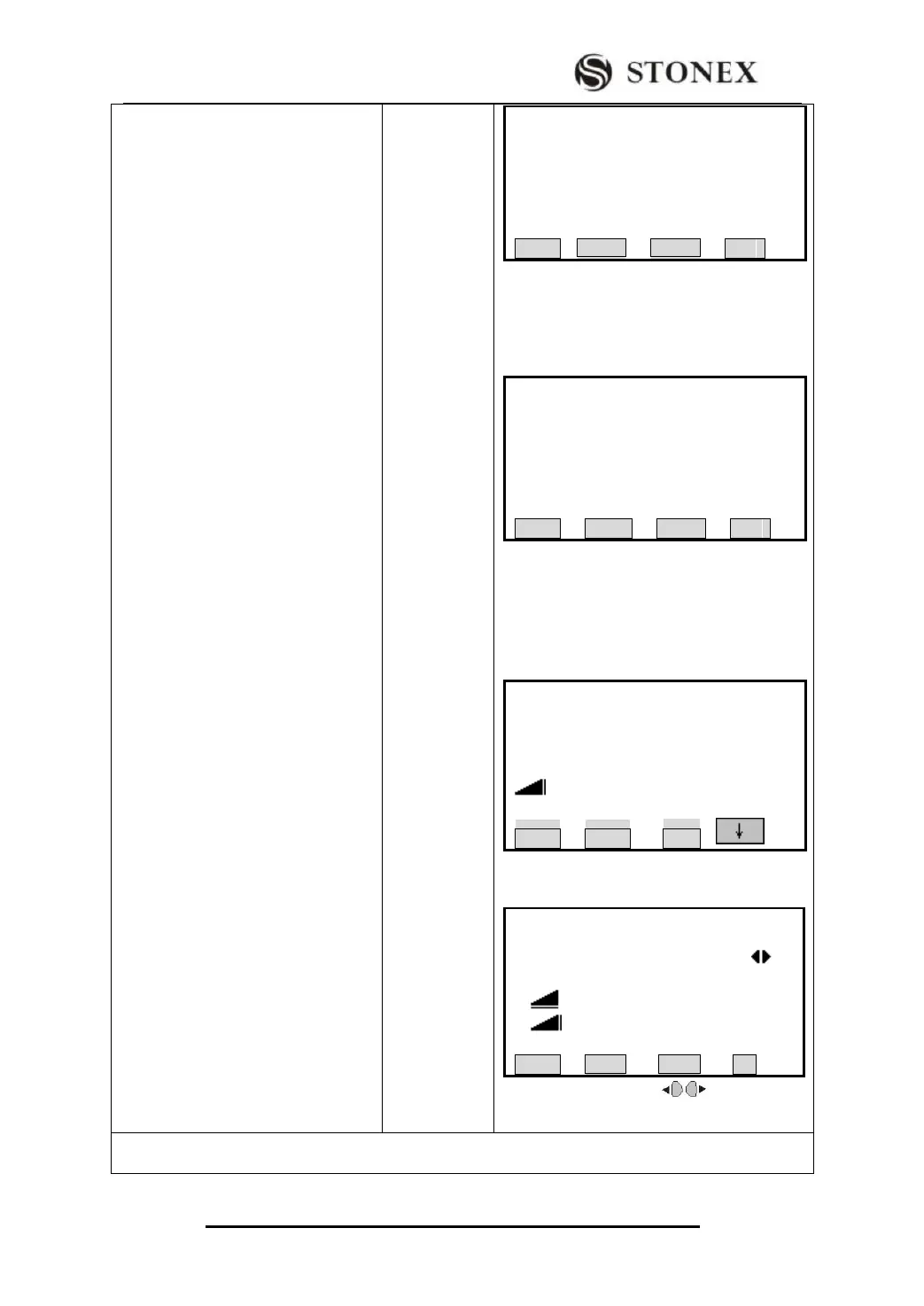
Press [F1] to view the result that shows
the coordinate limit between the result
and station point. Press [F4] (OK) to
display the station coordinate.
St.Dev E0,N0, H0: Standard deviation of the
station coordinates
St.DevAng : Standard deviation of the
orientation
Press[OK]:
(Press [F2] to display the residuals. Press
[F3] to display to standard deviation. Press
[F4] to set the displayed coordinates and
instrument height as new station.)
Press [BACK] to measure a known point.
Press[F2]to display the residuals:
Residual = Calculated value – Measured value
Press navigation key to view the
residual of each point.
【Limit Check】
St.DevX0 : 1.001 m
St.DevY0: 1.569 m
St.DevH0 : 10.000 m
Continue?
BACK OK
【Free-Station Result】
Stn.ID : OCC1
INS.Ht: 1.569 m
X0/N0 : 10.000 m
Y0/E0 : 10.001 m
H0 : 10.000 m
BACK RESID StdDev OK
【Free-Station Measure】 1/5
PtID: 2
R.HT: 2.000 m
HZ : 38°20′06″
V: 20°00′05″
: ---.--- m
BACK NextPt All
【Free-ST Residuals】 1/2
PtID : 2
△Hz : 0°00′01″
△ : 0.001 m
△ : 0.002 m
BACK OK
‴1) Target point can be called up from job via [SEARCH] and [LIST], and also can be input manually.
Please refer to 5.2 Setting Station for detailed instruction.



 To Next Page