Applications Guide
Network Busy Lamp Field (BLF)
A-14 Strata CIX Programming Vol.1 12/09
Attendant Console BLF
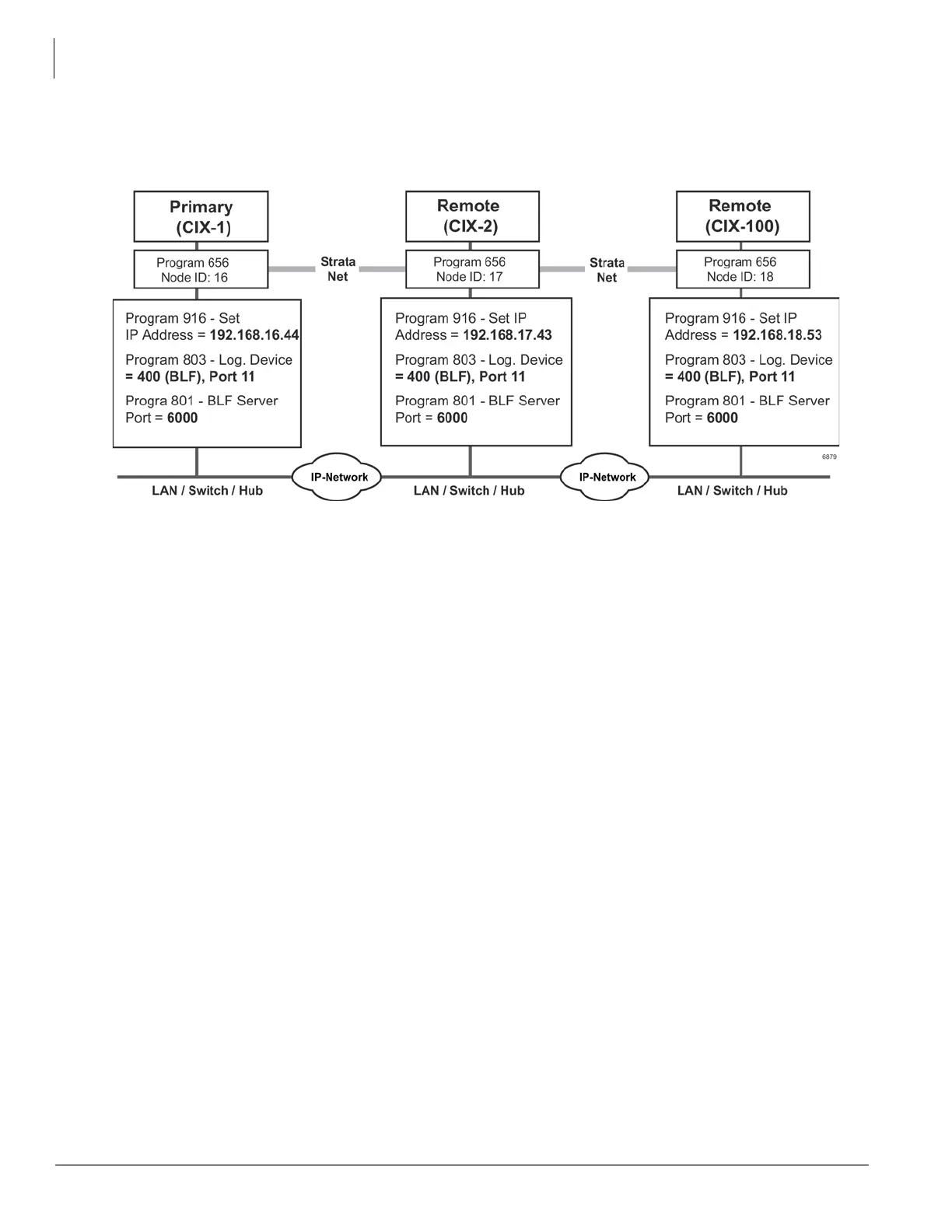
Follow these steps to program Network BLF as shown in Figure 3:
Figure A-3 Network BLF Example
Important! See steps for programming Network BLF from Strata eManager and CIX attendant console
on the following pages.
Step 1:
Program Network BLF from Network eManager for CIX Attendant Console
Perform the all of the following steps on the local CIX first, then repeat them on each of the remote CIXs.
1. Create the Node ID in “102 Flexible Access Codes” on page 4-3.
Note If you have already created the node ID using Strata Net, skip Step 1 and go to the next step.
2. Set up the IP address of the primary CIX using Program “916 IP Configuration” on page 10-10.
3. In Network eManager, select Strata Net > Node ID to set the primary node ID. Refer to “656 Node ID
Assignment” on page 9-33.
4. Select System > I/O Device. Refer to Program “803 Application Port Assignments” on page 4-36.
• field 00 Logical Device No. = 400 (BLF)
• field 01 Device Connection = LAN
• Port Index No. = 11
5. Define the LAN Device port number (11 in the example above). Select System > I/O Device and select
the LAN Device tab. Refer to “801 Network Jack LAN Device Assignment” on page 4-39. Make the
following selections:
• 00 LAN Port No. = 11
• 01 Protocol = TCP
• 02 Application Type = Server
• 03 Data Flow = Asynchronization
• 04 Server Port No. = 6000
• 05 Client IP 1-4 No. = Default
• 06 Client Port No. = Default



 To Next Page