3
Evolution 200 Series Spectrophotometers
Spectrophotometer Basics
110 Evolution 200 Series User Guide Thermo Scientific
The system supports these USB devices:
•External USB mouse
•External USB keyboard
• Portable USB memory
• Windows-compatible USB printer
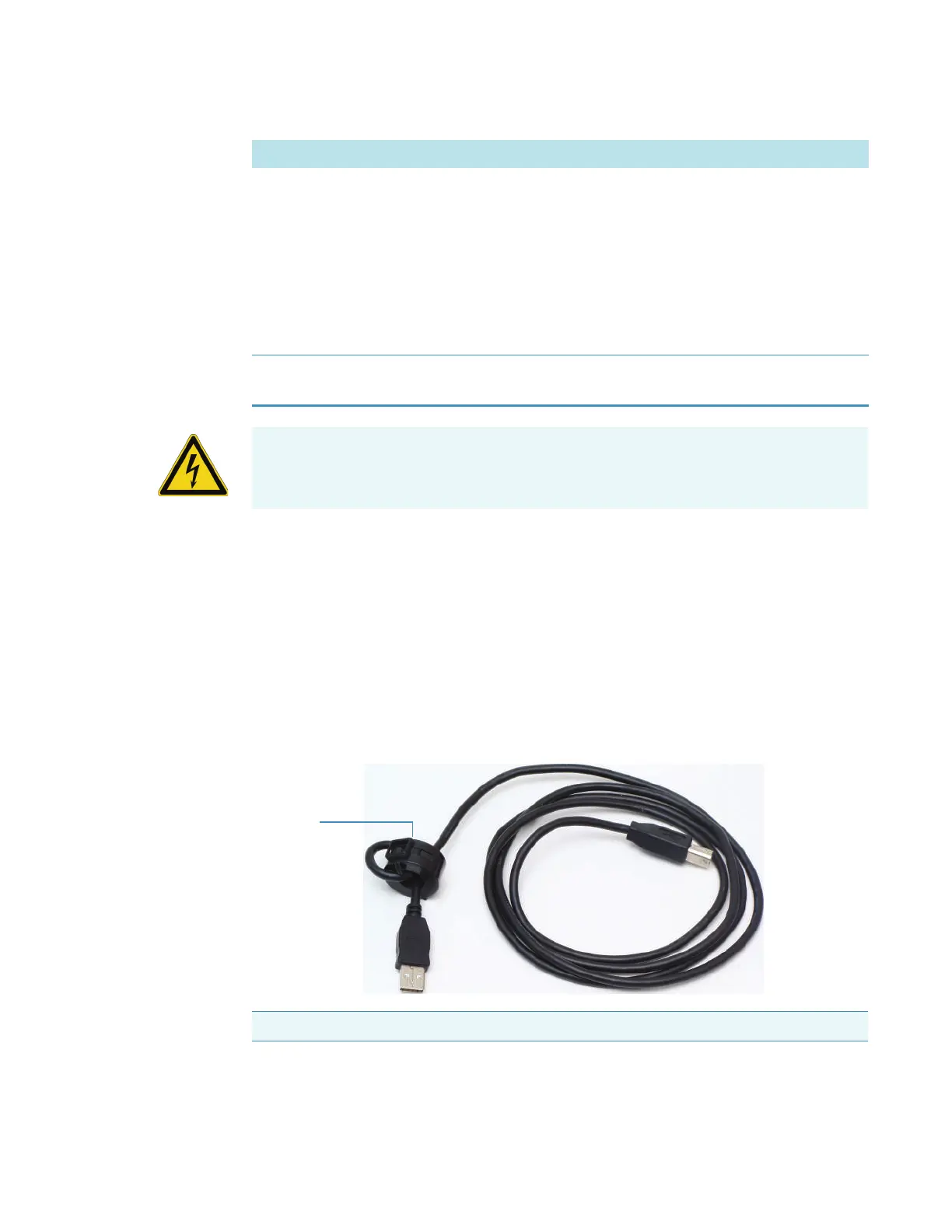
To ensure proper shielding of USB devices, install a Ferrite ring (samples provided) on the end
of any USB cable connected to the instrument. Loop the cable once and clamp the ring over
the loop as shown below.
Related Topics
Tr i g g e r i n g
Trigger Connects to optional accessories that accommodate external trigger
input or output. See Attaching Cables and Probes.
INSIGHT can be used to send a 3.3V TTL output signal that triggers
an installed accessory to begin an operation. The signal can be sent at the
start or end of a measurement. See Options > Preferences > Triggering.
INSIGHT accepts a contact closure input trigger (equivalent to pressing
Run on the instrument keypad).
USB General purpose USB connectors (Local Control systems only). See
below for proper shielding of USB cables.
Label Function
WARNING Avoid shock hazard. Power off the spectrophotometer and disconnect the
power cord from the wall outlet or power strip before disconnecting the power cord from
the spectrophotometer.
Note The spectrophotometer does not support high power USB devices.









 To Next Page