3
Evolution 200 Series Spectrophotometers
Spectrophotometer Basics
Thermo Scientific Evolution 200 Series User Guide 109
Outside Cover
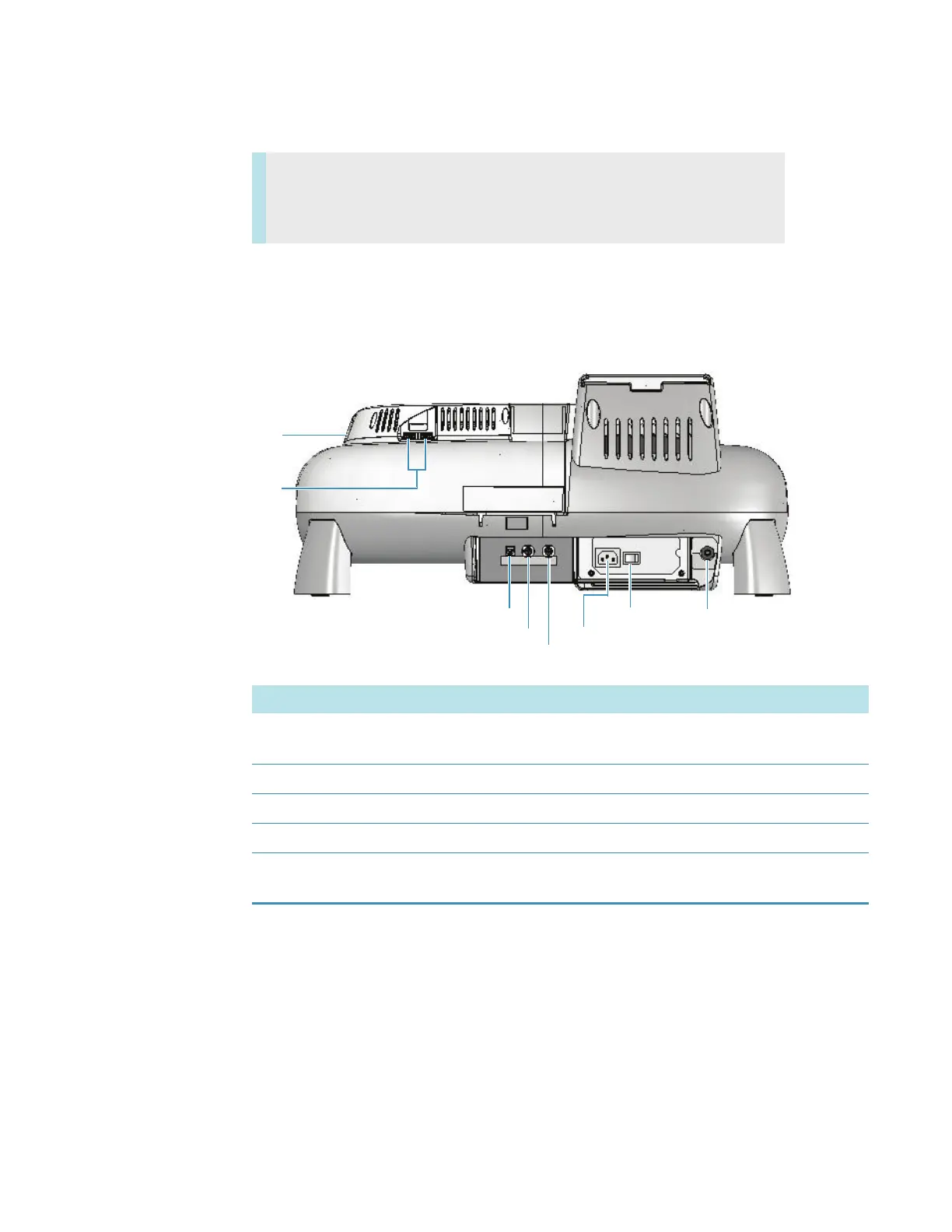
This illustration shows the connectors on the instrument outside cover.
Back view
Contents
• Outside Cover
• Inside the Sample Compartment
Purge
USB
USB
Computer
Power
Power switch
Hg lamp
Trigger
Label Function
Computer Dedicated USB port for connecting an external computer. See
Computer Control Instruments.
Hg lamp Connects to optional Mercury Lamp.
Power Connects to main power cord.
Power switch System power On/Off switch.
Purge Connects to optional purge source. See Purging the Sample
Compartment.









 To Next Page