26
SPE-8W Smart Peltier Linear Cell Changer
392 Evolution 200 Series User Guide Thermo Scientific
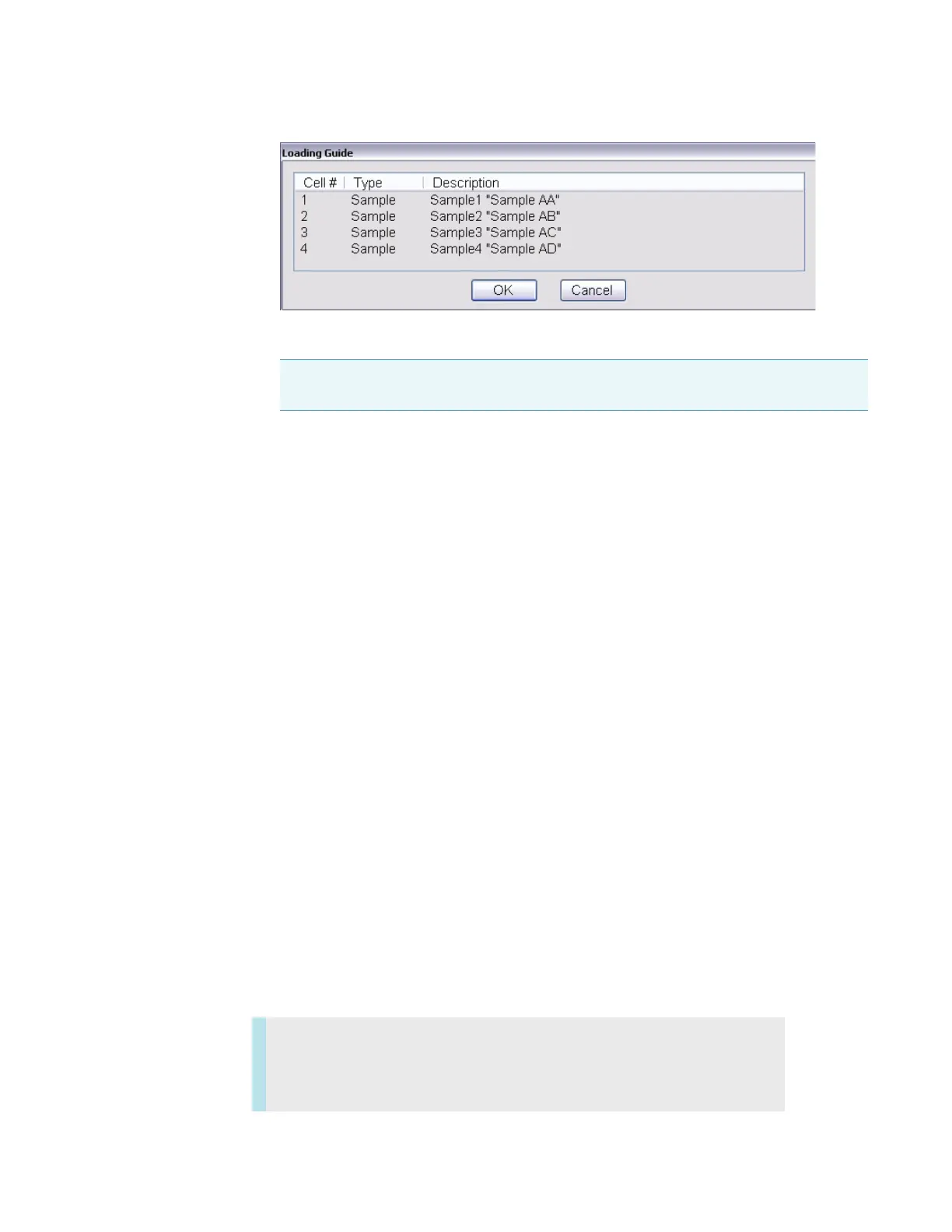
12. Place the cuvettes in the correct cell changer positions.
13. Click OK or press Run on the instrument keypad.
To cancel, click Cancel or press Stop on the instrument keypad.
If a blank is required, it will be measured first, followed by the samples in order.
If the sample list has more entries than there are spaces in the cell changer, the Loading
Guide reappears after the last cuvette is measured.
14. If the loading guide appears, remove all cuvettes from the cell changer and fill it with the
next set of samples as defined in the loading guide.
15. Click OK.
16. Continue as above until all entries in the sample list have been measured.
Related Topics
Calibrating the Cell Changer
Initializing the Cell Changer
Setting the Target Temperature and Stir Speed
Configuring the Cell Changer
Operation
Maintenance
Note If the application requires a blank and it was not measured in step 4, the first
cell changer position will be measured as the blank.
Contents
• Routine Maintenance
• Cleaning the Accessory









 To Next Page