12
Calibrated Validation Carousel (CVC)
250 Evolution 200 Series User Guide Thermo Scientific
Installing the Carousel on the Smart Base Unit
If purchased as “carousel only”, install the CVC on a Smart base supplied with the Rotary Cell
Changer.
1. Remove the Rotary Cell Changer (if installed).
Turn the knurled knob counterclockwise on the top of the cell changer and pull it
upwards.
2. Install the CVC.
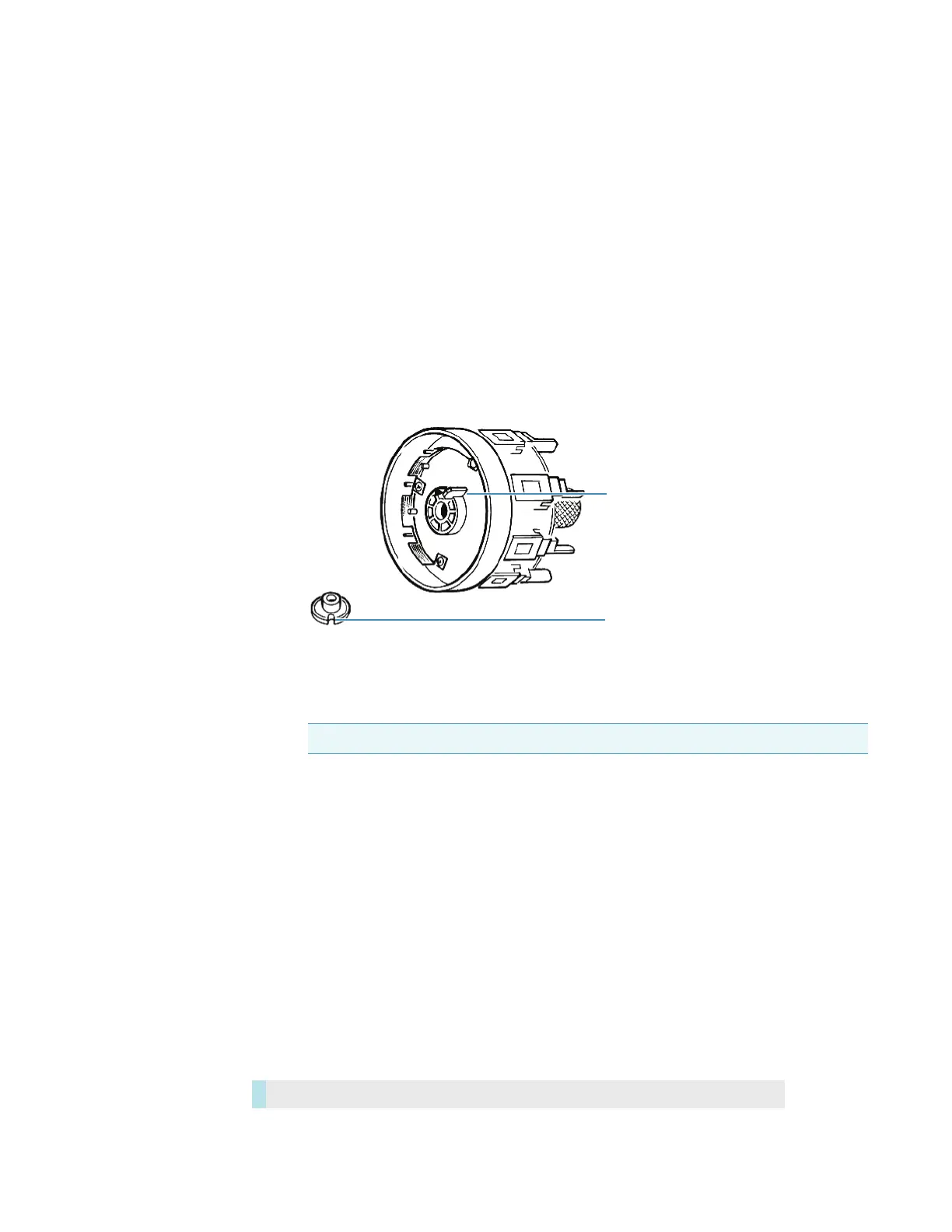
• Identify the position of the notch on the motor shaft of the Smart base unit.
• View the underside of the carousel to locate the position of the tab.
3. Place the carousel on the shaft; turn the knurled knob clockwise to tighten.
Related Topics
Installing Complete CVC in the Instrument
CVC Test Limits
Using the CVC
Maintenance
Installing Complete CVC in the Instrument
Install the Smart Accessory as described in Installing a Smart Accessory.
Note Ensure a positive location of the tab in the notch.
Tab on underside
of carousel
Notch on motor
shaft of Smart
base unit.
Contents









 To Next Page