19
TPS-1500W Sealed Peltier Recirculator
300 Evolution 200 Series User Guide Thermo Scientific
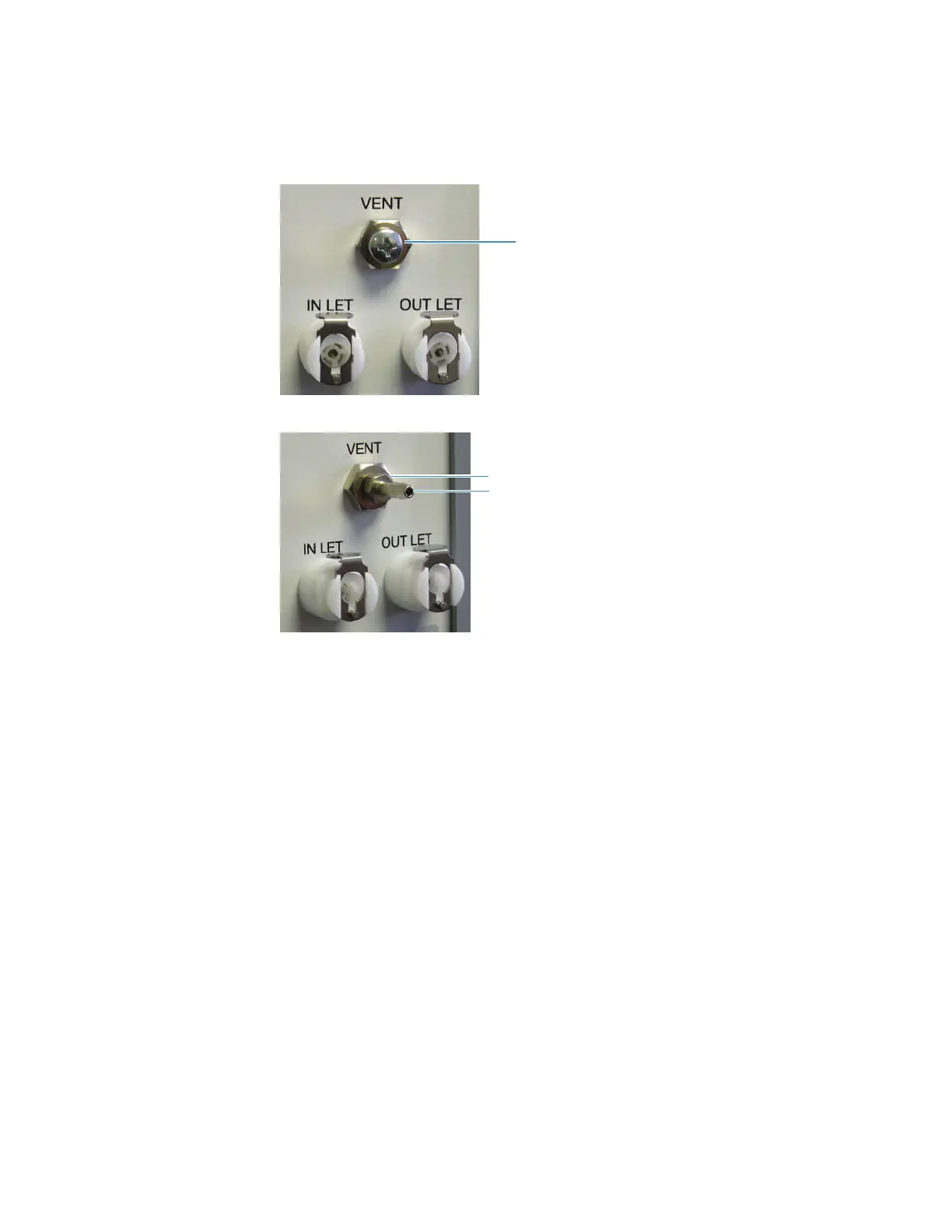
2. Remove the screw from the vent on the recirculator back panel. Store the screw in a safe
place and use it to plug the vent before shipment.
3. Screw in the vent connector supplied with the instrument.
4. Close the vent by turning the control ring clockwise until it is tight.
5. Connect the supplied tubes to the Inlet and Outlet ports on the recirculator back panel.
The ports and tubes are equipped with quick connect fittings.
6. Connect the other ends of the tubes to the fluid in and out ports on any thermostatted
accessory or to the fluid in and out ports on the spectrophotometer. See Installing a
Liquid Thermostatted Accessory. Use the provided adapters if necessary.
7. Connect the power cord to the power connector on the recirculator back panel and turn
on the power switch.
Remove and save this screw
(replace for shipment)
Vent connector
Vent control ring









 To Next Page