28
Smart Sipper
416 Evolution 200 Series User Guide Thermo Scientific
Y To calibrate the Smart Sipper
1. Fill a measuring cylinder with laboratory grade purified water or the solvent to be used for
sample measurements.
The calibration will be more accurate if the viscosity of the solution used for calibration is
similar to the viscosity of the sample solution.
2. Place the Sipper intake tube in the cylinder.
3. Open INSIGHT software and click System Settings > Calibrations.
A prompt appears.
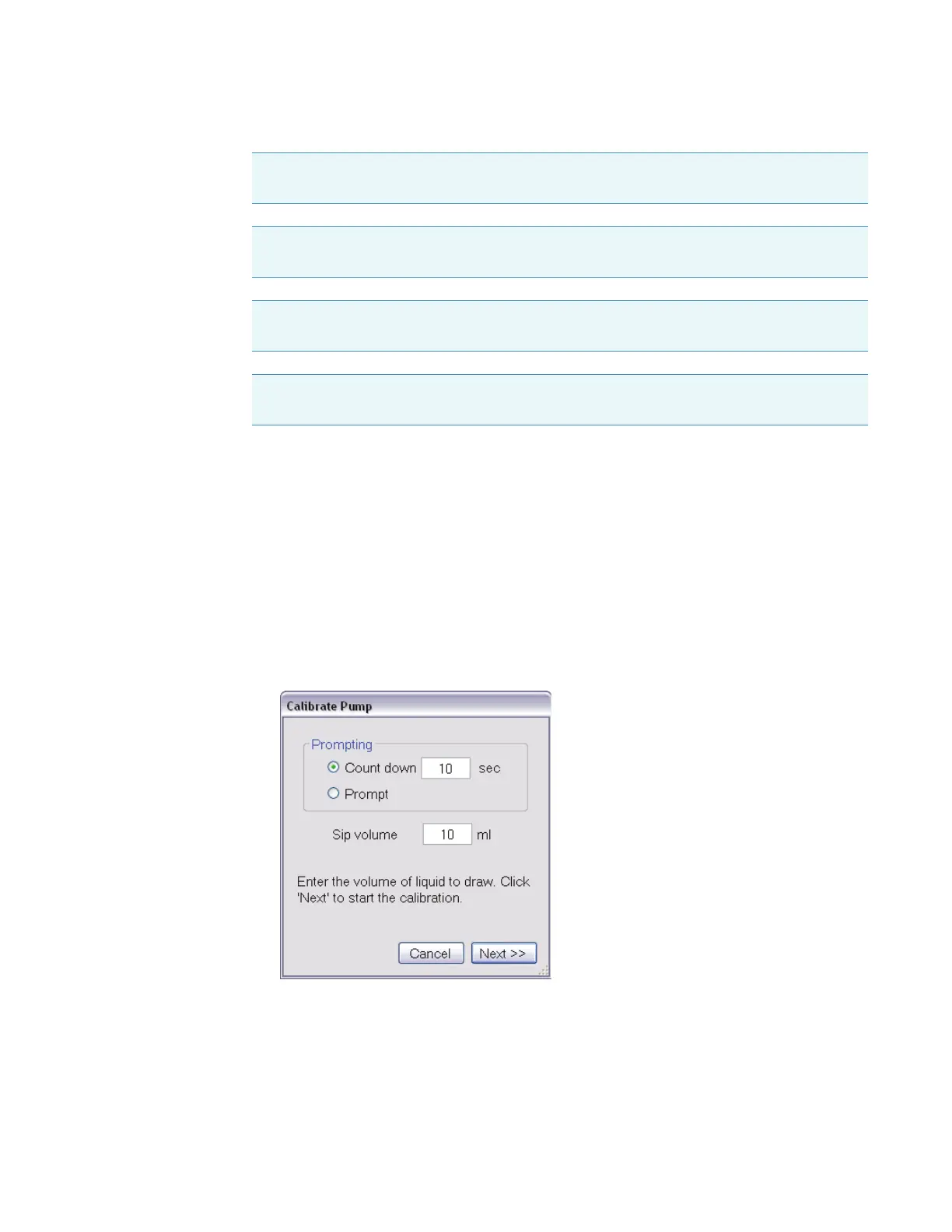
4. Enter the volume to be drawn for the calibration test in the Sip Volume box (typically
10 ml).
5. To display a prompt before each test, select Prompt.
To sip automatically after a period of time, select Count down and enter the time.
Remarque Évitez les risques de pincement. Éloignez les mains et les objets de l’accessoire
pendant son fonctionnement.
Anmerkung Quetschungen sind zu vermeiden. Hände und Objekte sind während des
Betriebs vom Zubehör fern zu halten.
N.B. Evitare il rischio di pizzicamento.Tenere mani e oggetti lontano dall’accessorio
durante l’operazione.
Nota Evite riesgos de atrapamiento. Mantenga manos y objetos alejados del accesorio
durante el funcionamiento.









 To Next Page