BRAKES
8-5TX525 Service Manual Rev. 000
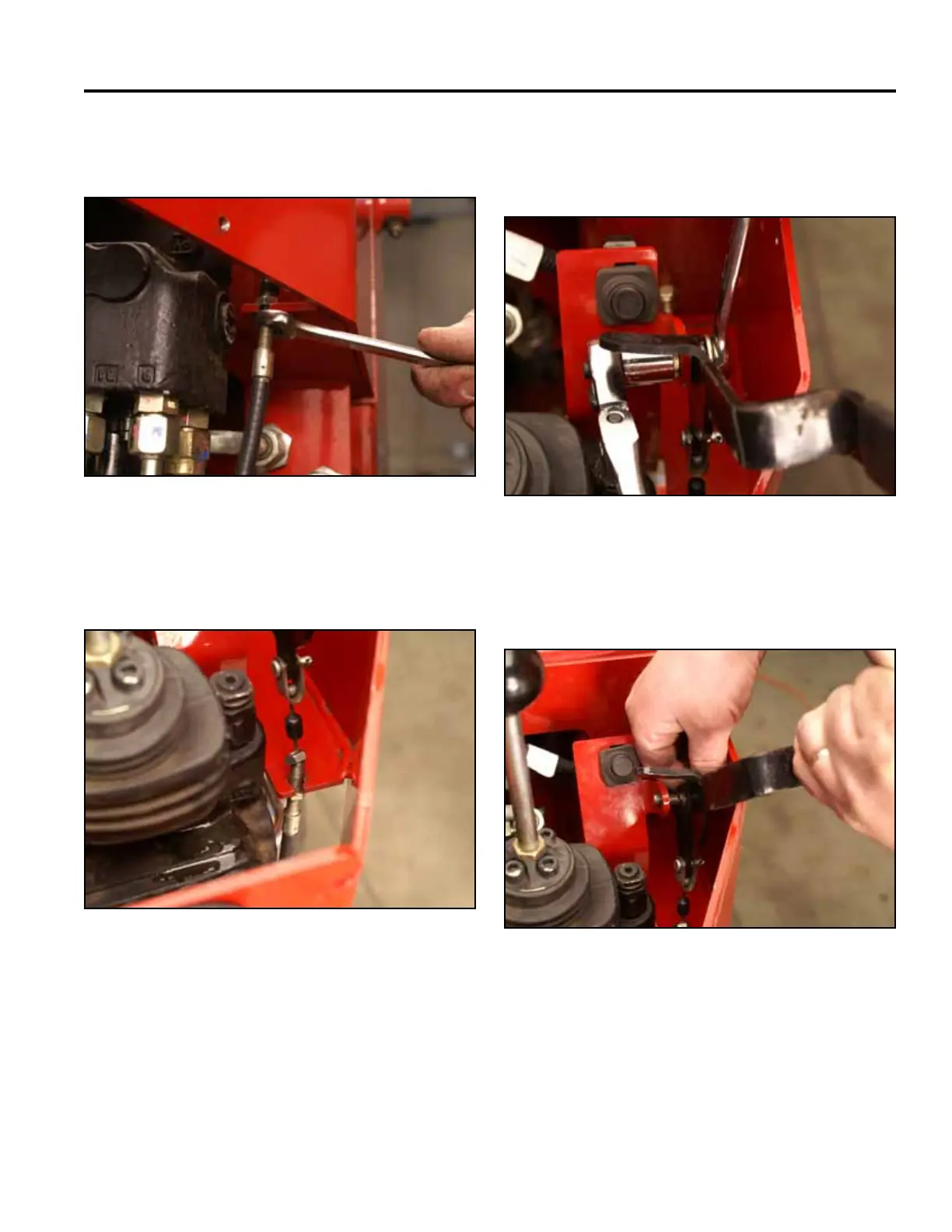
19. Using a 1/2” wrench, loosen the bottom nut on the
brake cable (Fig. 1650).
Fig 1650 PICT-4272
20. Slide the rubber boot up the brake cable and un-
thread the top nut (Fig. 1651).
Fig 1651 PICT-4283
21. Using a 9/16” socket and wrench, remove the nut
from the shoulder bolt securing the brake handle to
the brake switch support bracket (Fig. 1652).
Fig 1652 PICT-4284
22. Remove the brake handle, shoulder bolt and 2
spring washers. (Fig. 1653).
Fig 1653 PICT-4285



 To Next Page