Example 1: Standard CW Power Measurements Measurement Examples
7-6 PN: 10585-00001 Rev. P ML2437A/38A OM/PM
To return to the Measurement screen press any hard key.
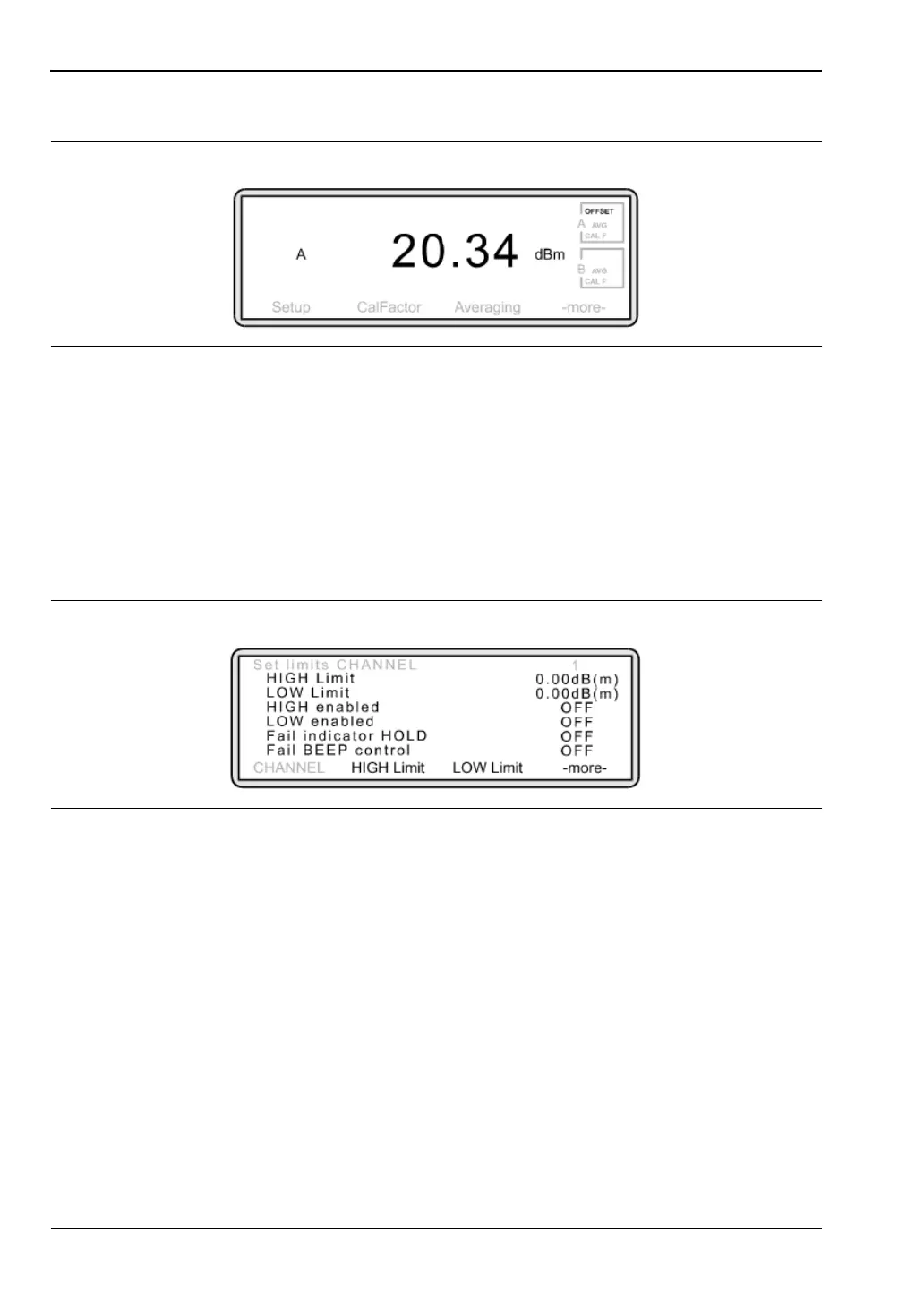
Note that box A in the top right hand corner of the screen now indicates that an
OFFSET has been applied to the Sensor.
9. Using measurement limits
When using limits, if the power from the device under test falls outside a pre-defined
range, the meter will inform you — visually, audibly or both.
Press [Channel]
> [LIMITS]
The following screen is displayed:
Figure 7-10.
Figure 7-11.
[-more-] To access further soft keys.
[HIGH Limit] The upper test value. If the power remains below this value, the
Measurement screen will show PASS alongside display. If the
power rises above this value, the screen will show FAIL.
[LOW Limit] The lower test value. If the power remains above this value, the
Measurement screen will show PASS alongside the display. If the
power drops below this value, the display will show FAIL
[HIGH State] This setting is automatically set to ON when an upper test value is
entered. Toggle the setting on or off.
[LOW State] This setting is automatically set to ON when a lower test value is
entered. Toggle the setting on or off.












 To Next Page