Example 8: Profiling Pulse Signals Measurement Examples
7-20 PN: 10585-00001 Rev. P ML2437A/38A OM/PM
Press [MODE] and toggle this setting until "Profile" is displayed. Press any hard key to
display the Measurement screen.
2. Set up the triggering attributes.
Press [Trigger]
> [Setup].
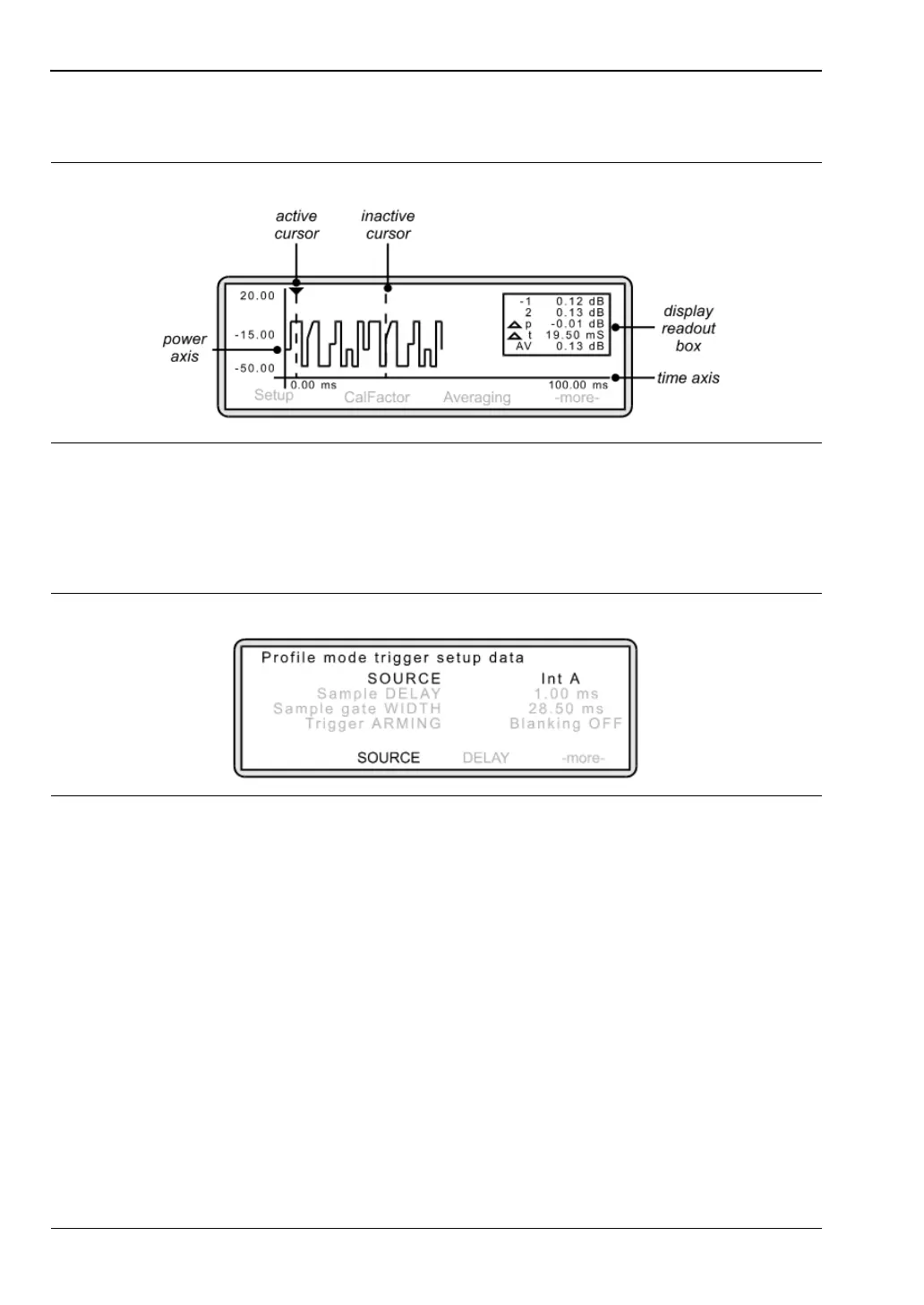
The following screen is displayed:
Press [SOURCE] and toggle this setting until the trigger source you require is
displayed:
For this example, toggle this setting until "Int A" is displayed.
To set the trigger for a falling edge, press [-more-]
> [TYPE] and toggle this setting until
"Fall (Int A)" is displayed. Press [LEVEL] if you wish to change from the default trigger
level of –15 dB.
Figure 7-31.
Figure 7-32.
Int A Take trigger from sensor A
Int B Take trigger from sensor B (ML2438A only)
EXTTTL Take trigger from an external source
MANUAL User triggers measurement from front panel soft key
CONTINUOUS Automatic continuous trigger on completion of measurement cycle












 To Next Page