Message Display
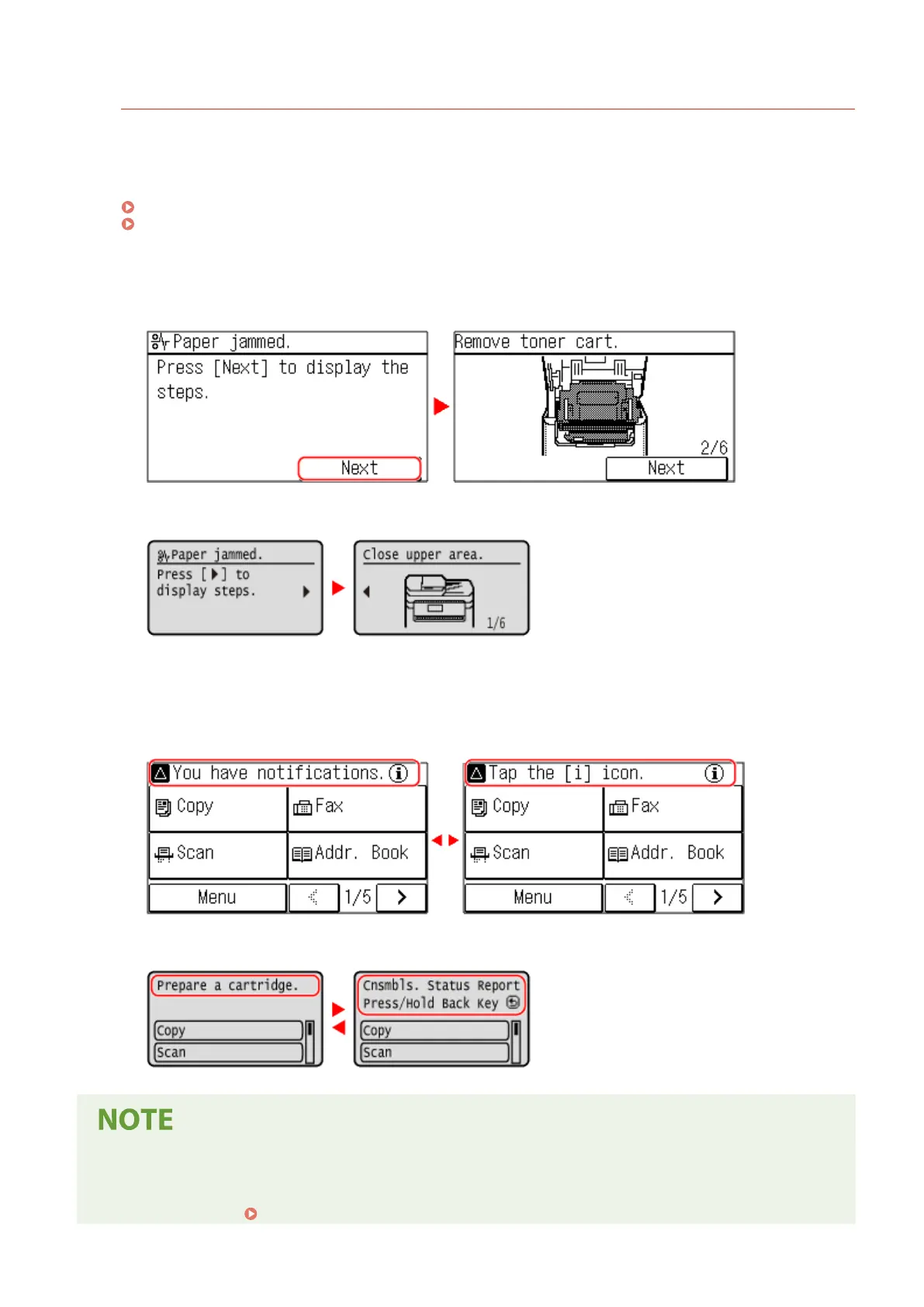
Messages are displayed on the screen when errors occur and the machine is out of paper or toner in the toner
cartridge.
If a tr
oubleshooting solution is displayed, follow the on-screen instructions to solve the problem.
If a troubleshooting solution is not displayed, check the cause and solution by referring to the message or error
code.
A Message Appears(P. 560)
An Error Code Is Displayed(P. 575)
Display example:
● When an Err
or Occurs
Touch Panel Model
5 Lines L
CD Model
● When a Message Appears on the Scr
een
If the message is too long to display at once, it may be separated into smaller segments and displayed
alternately.
Touch Panel Model
5 Lines L
CD Model
Changing the Screen Display
● Y
ou can change the operation panel display such as by changing the display language and units, and show
or hide messages.
[Display Settings](P. 380)
Basic Operations
111











 To Next Page