Entering Characters
94LS-0J7
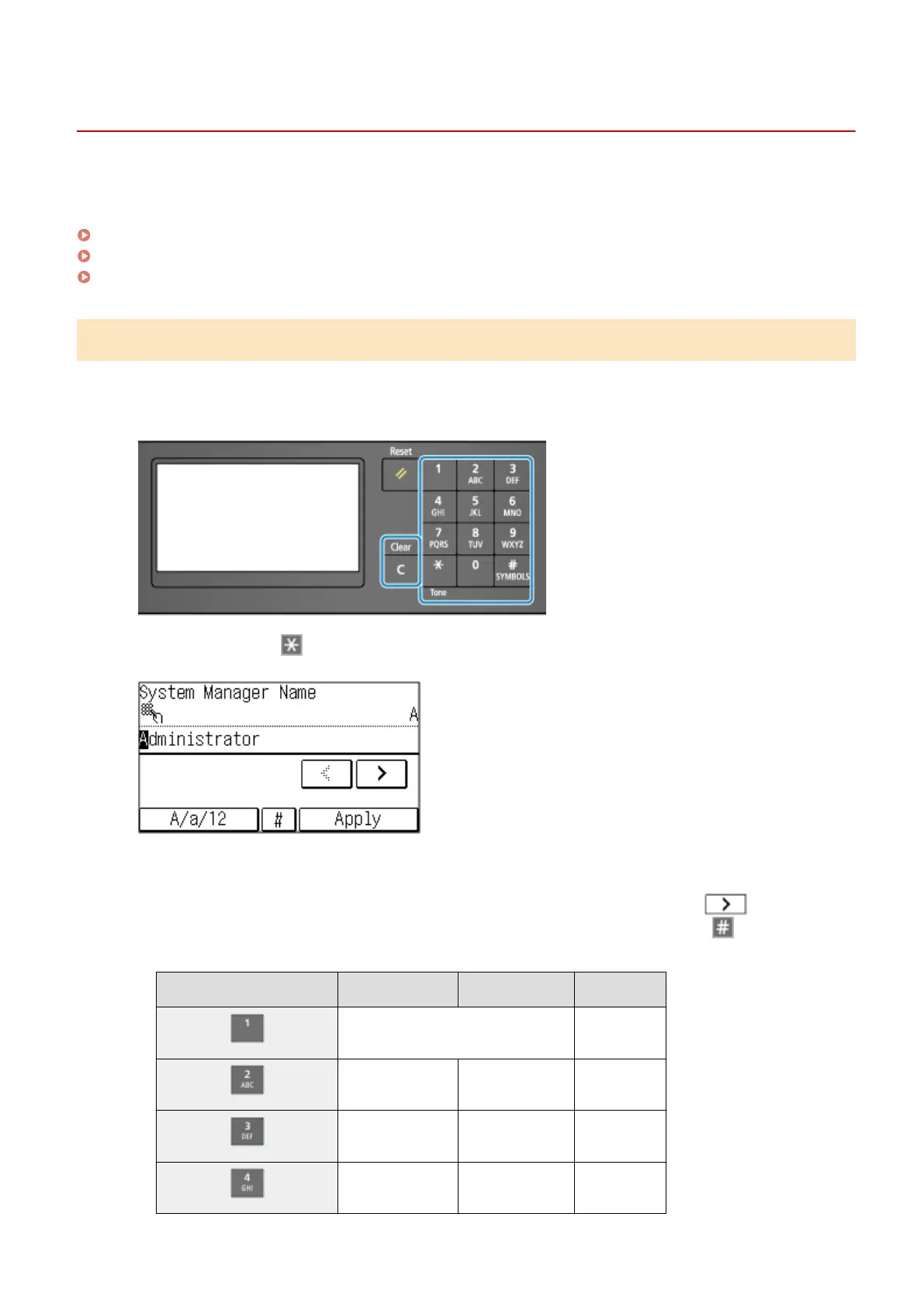
Enter alphanumeric char
acters using the keys and numeric keys on the operation panel or the keys displayed on the
screen.
Entering Characters Using the Operation Panel (Touch Panel Model)(P. 122)
Entering Characters Using the Operation Panel (5 Lines LCD Model)(P. 123)
Entering Characters Using Keys Displayed on the Operation Panel (5 Lines LCD Model)(P. 125)
Entering Characters Using the Operation Panel (Touch Panel Model)
You can enter letters, numbers, and symbols using the operation panel.
The type of characters that you can enter may be limited depending on the item.
If the value input range is limited, the value that you can enter is displayed in parentheses ( ) next to the input eld.
Character Type
T
ap [A/a/12] or press
to switch the type of character that is entered. The currently selected type of
char
acter is indicated by the "A", "a", or "12" displayed above and to the right of the text input eld.
Entering Characters, Spaces, and Symbols
Enter char
acters and symbols using the numeric keys. The following are the usable keys and characters that
can be entered:
You can enter a space by moving the cursor to the end of the characters and pressing
.
When "
A" or "a" is displayed above and to the right of the text input eld and you press
, symbols are
displayed.
Key A a 12
@ . - _ / 1
ABC abc 2
DEF def 3
GHI ghi 4
Basic Operations
122











 To Next Page