Registering Non-standard Size Paper to the Computer
(Custom Size)
94LS-04J
Custom size paper is non-standar
d size paper whose side lengths can be freely dened.
If the document or paper to print is a non-standard size, you must register the size to the printer driver in advance.
When Using Windows(P. 192)
When Using macOS(P. 192)
◼ When Using Windo
ws
1
Click [
] (Start) [ ] (Settings) [Devices] [Printers & scanners].
➠ The [Printers & scanners] scr
een is displayed.
2
Click the printer driver of the machine
[Manage] [Printing preferences].
➠ The [Printing pr
eferences] screen of the printer driver is displayed.
3
On the [Page Setup] tab, click [Custom Paper Size].
4
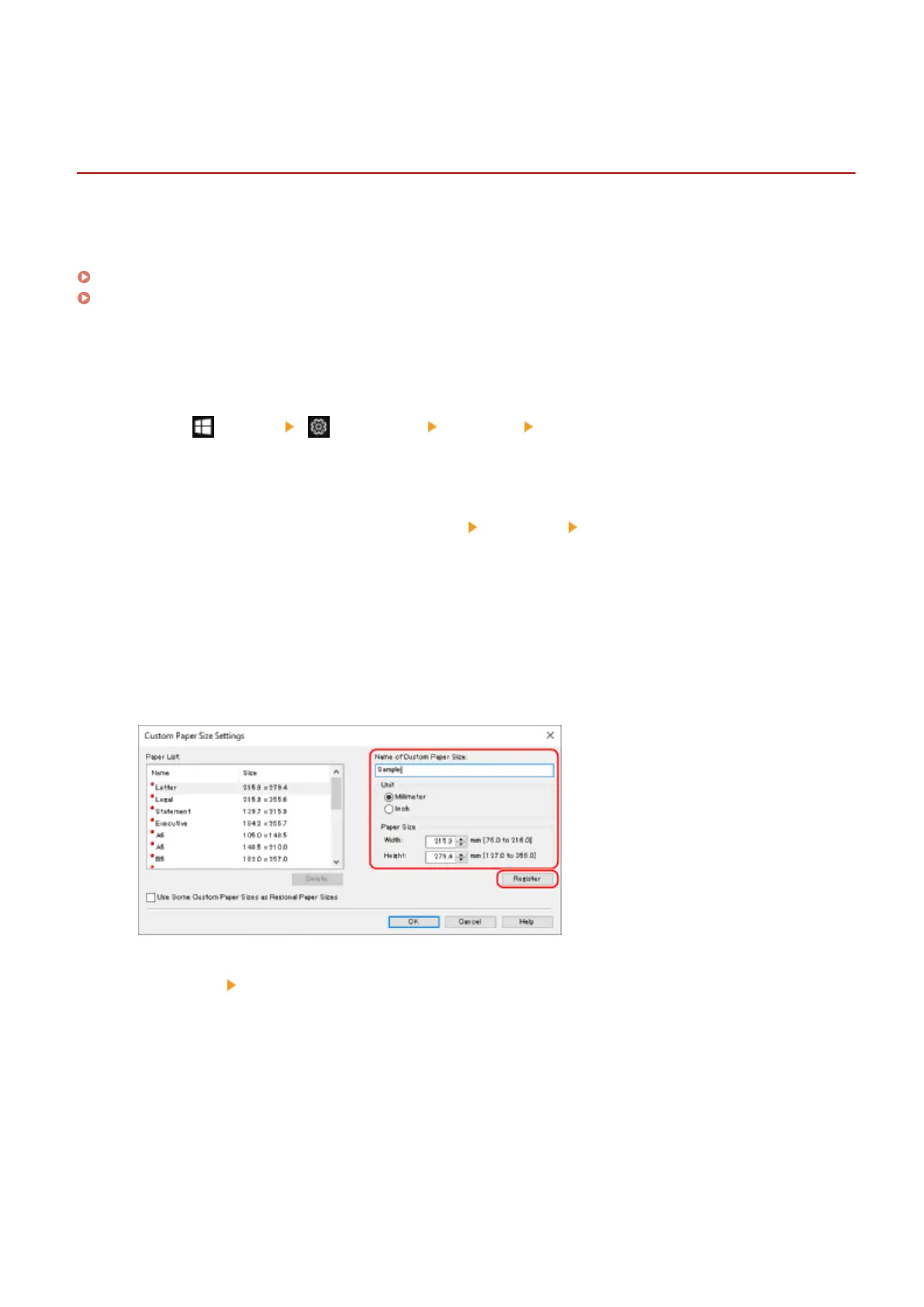
Enter the custom size paper name and paper size, and click [Register].
5
Click [OK]
[OK].
➠ The custom size paper is r
egistered.
◼ When Using macOS
1
On your computer, open the document you want to print.
Printing
192











 To Next Page