Printing from a Computer
94LS-04H
You can print documents from a computer using a printer driver.
By changing the settings on the printer driver, you can print accor
ding to the
document and purpose, such as by using 2-sided printing or adjusting the quality.
This section describes the general procedure for this operation. Check the manual of the application you are using for
detailed oper
ations on how to use it.
Required Preparations
● Install the printer driver on the computer, and congur
e the settings according to your usage environment.
Preparing to Print from a Computer(P. 177)
● If the document or paper to print is a non-standar
d size, register the size to the printer driver.
Registering
Non-standar
d Size Paper to the Computer (Custom Size)(P. 192)
When Using Windows(P. 189)
When Using macOS(P. 190)
◼ When Using Windows
1
On your computer, open the document you want to print.
2
In the application used to open the document, select the command to print.
3
Select the printer driver of the machine, and click [Preferences] or [Properties].
➠ The [Printing pr
eferences] screen of the printer driver is displayed.
4
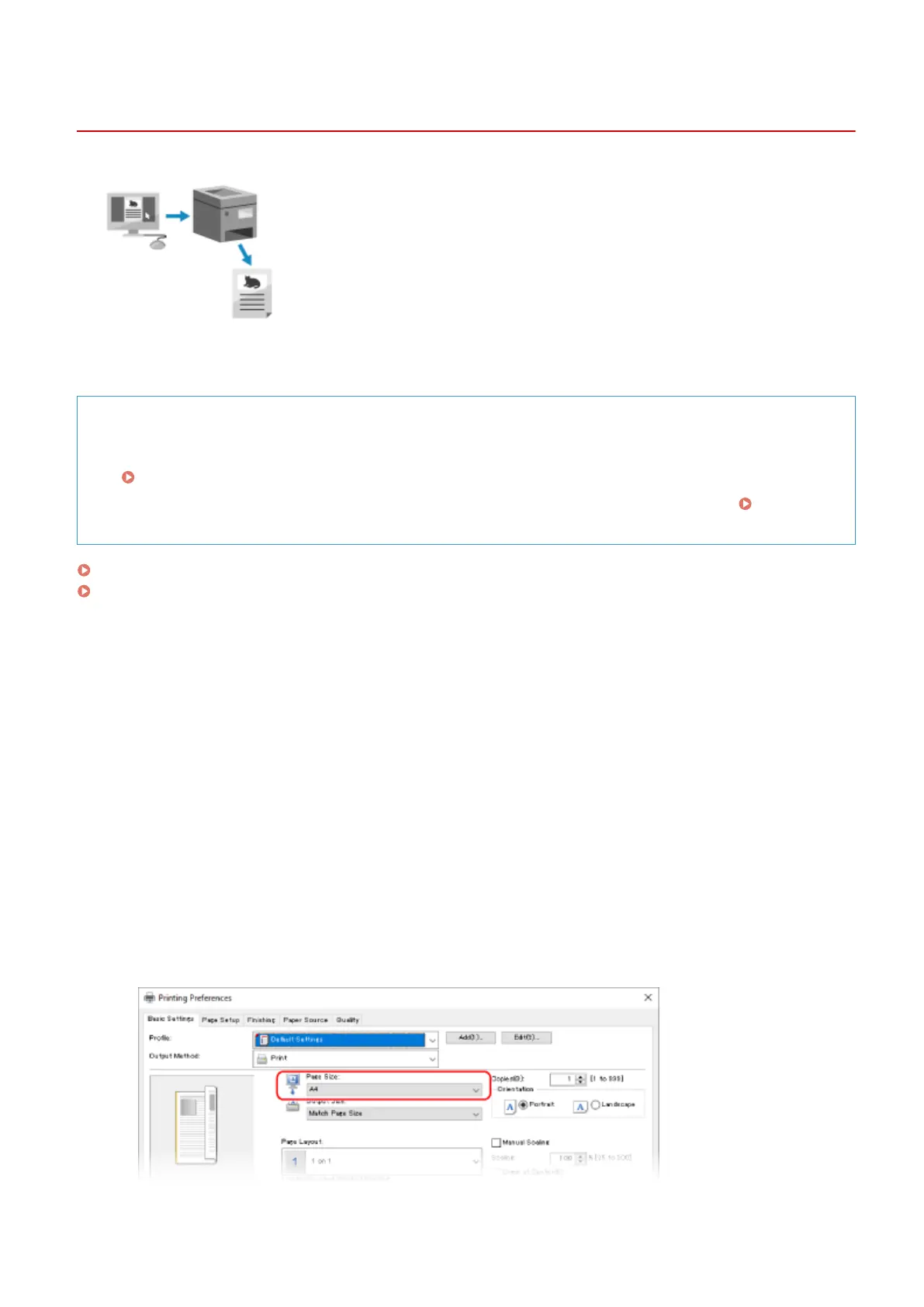
In [Page Size] on the [Basic Settings] tab, select the paper size of the document.
Printing
189











 To Next Page