Paper Jams in the Feeder
94LS-0E7
Remo
ve the original jammed inside or at the rear side of the feeder. If the original tears, be sure to remove the parts
so that no pieces remain.
1
If another original is placed in the feeder, remove that original.
2
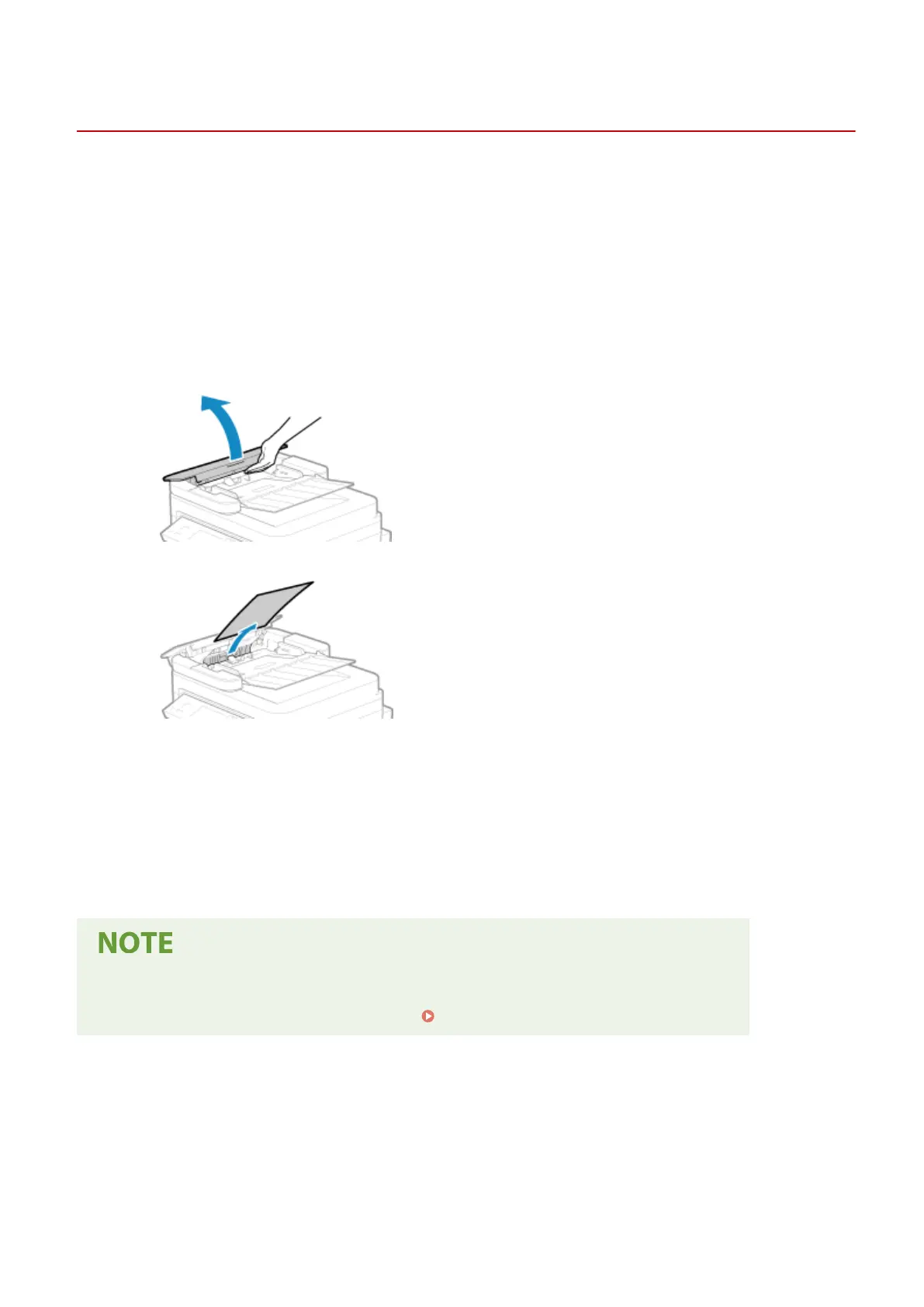
Remove the original jammed inside the feeder.
1
Open the feeder cover.
2
Gently pull out the original.
3
Close the feeder cover.
3
Place the original in the feeder again.
➠ The message [Paper jammed.] disappears, and you can scan the original.
Jobs in which an original jammed ar
e canceled automatically. The job does not resume even if you place
the original again, so execute the job again.
If Paper Jams Occur Repeatedly
● Check the status of the machine and original. Paper Jams That Occur Repeatedly(P. 494)
Troubleshooting
493











 To Next Page