Cleaning the Machine
94LS-0CC
T
o ensure ecient use of the machine, regularly clean the various parts and keep them clean.
If the original or paper becomes dirty, or the print quality has deteriorated, clean the parts causing the problem
according to the symptoms.
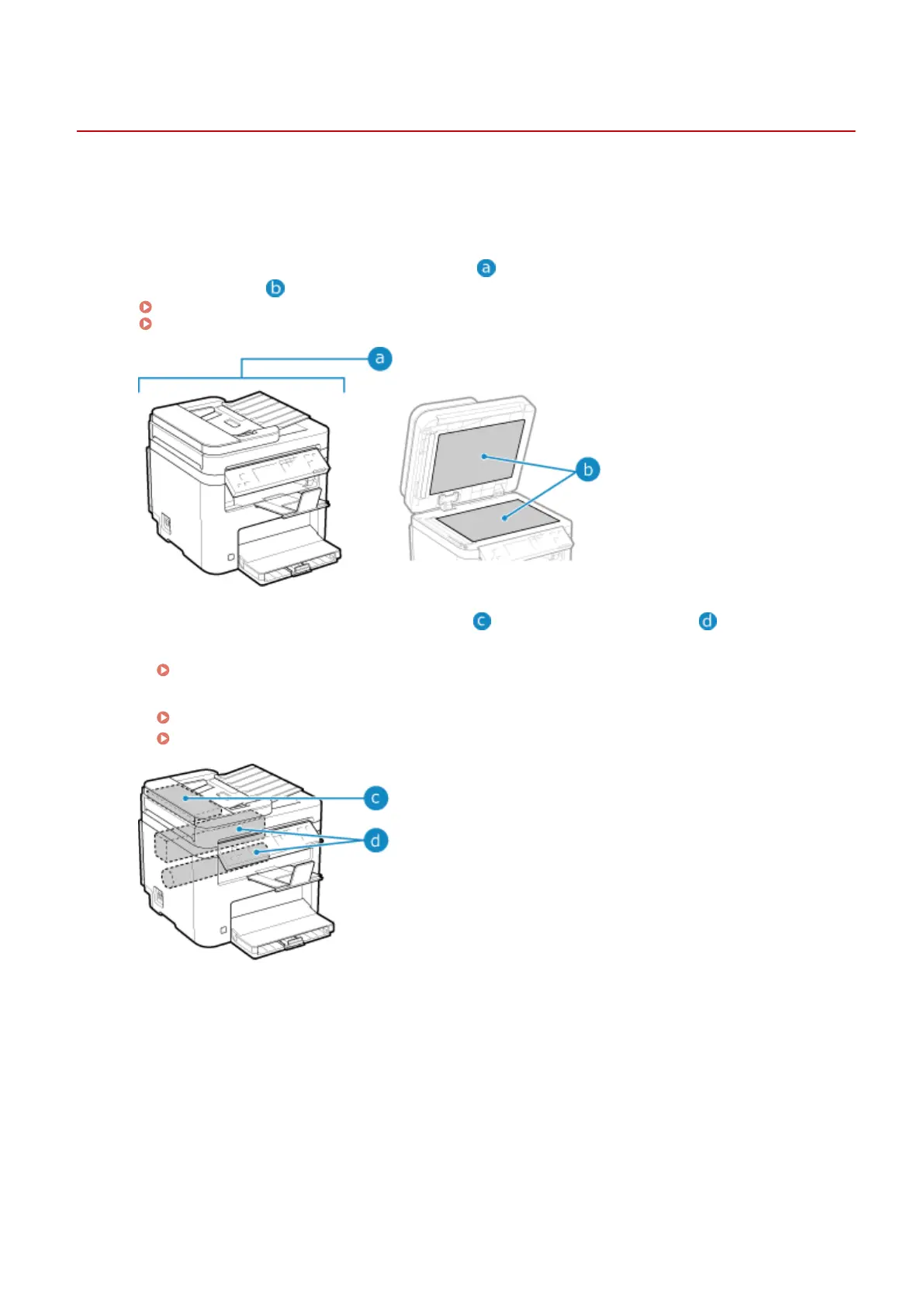
Parts to Clean on a Regular Basis
Regularly clean the upper surfaces of the machine (
) and the underside of the platen glass/feeder or
platen glass co
ver (
).
Cleaning the Surface of the Machine(P. 464)
Cleaning the Platen Glass(P. 465)
Parts to Clean When Symptoms Occur
If the follo
wing symptoms occur, clean the feeder (
) or xing assembly and drum ( ) inside the machine.
● Original becomes dirty
, paper is jammed, or smudges appear on printouts.
Cleaning the Feeder(P. 466)
● Paper becomes dirty or print quality has deterior
ated.
Cleaning the Fixing Assembly(P. 468)
Cleaning the Drum(P. 469)
Maintenance
463











 To Next Page