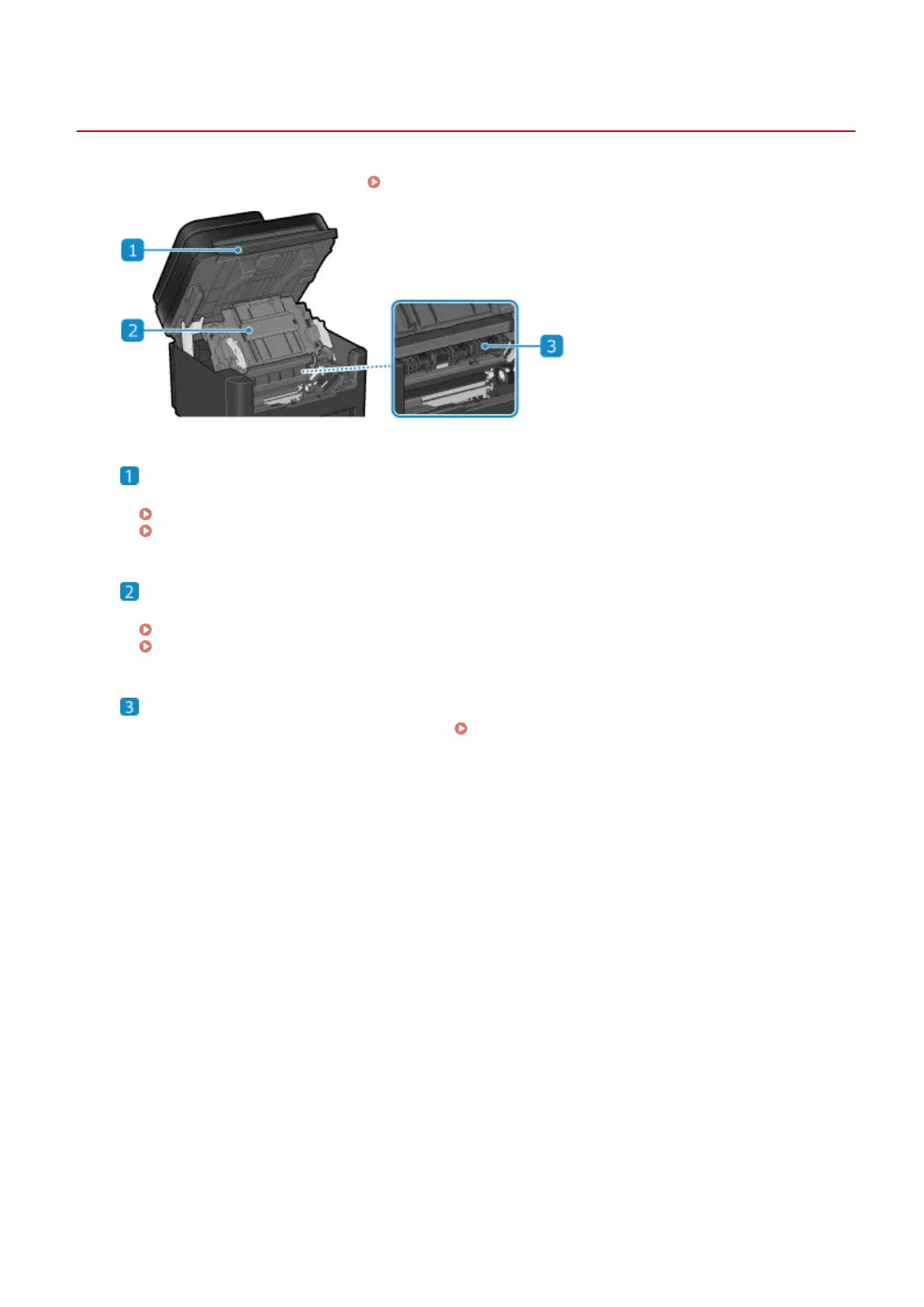
Interior
94LS-008
Install the toner cartridge into the machine. Replacing the Toner Cartridge(P. 471)
Operation panel
Lift up the oper
ation panel when replacing the toner cartridge and clearing paper jams.
Replacing Toner Cartridge(P. 474)
Paper Jams in the Paper Drawer, Output Tray, and Rear Side(P. 489)
Toner cover
Open the toner co
ver when replacing the toner cartridge and clearing paper jams.
Replacing Toner Cartridge(P. 474)
Paper Jams in the Paper Drawer, Output Tray, and Rear Side(P. 489)
Paper exit guides
Open the paper e
xit guides to clear paper jams.
Paper Jams in the Paper Drawer, Output Tray, and Rear
Side(P
. 489)
About the Machine
12











 To Next Page