Paper Creases
94LS-0F0
T
roubleshoot by checking the items below.
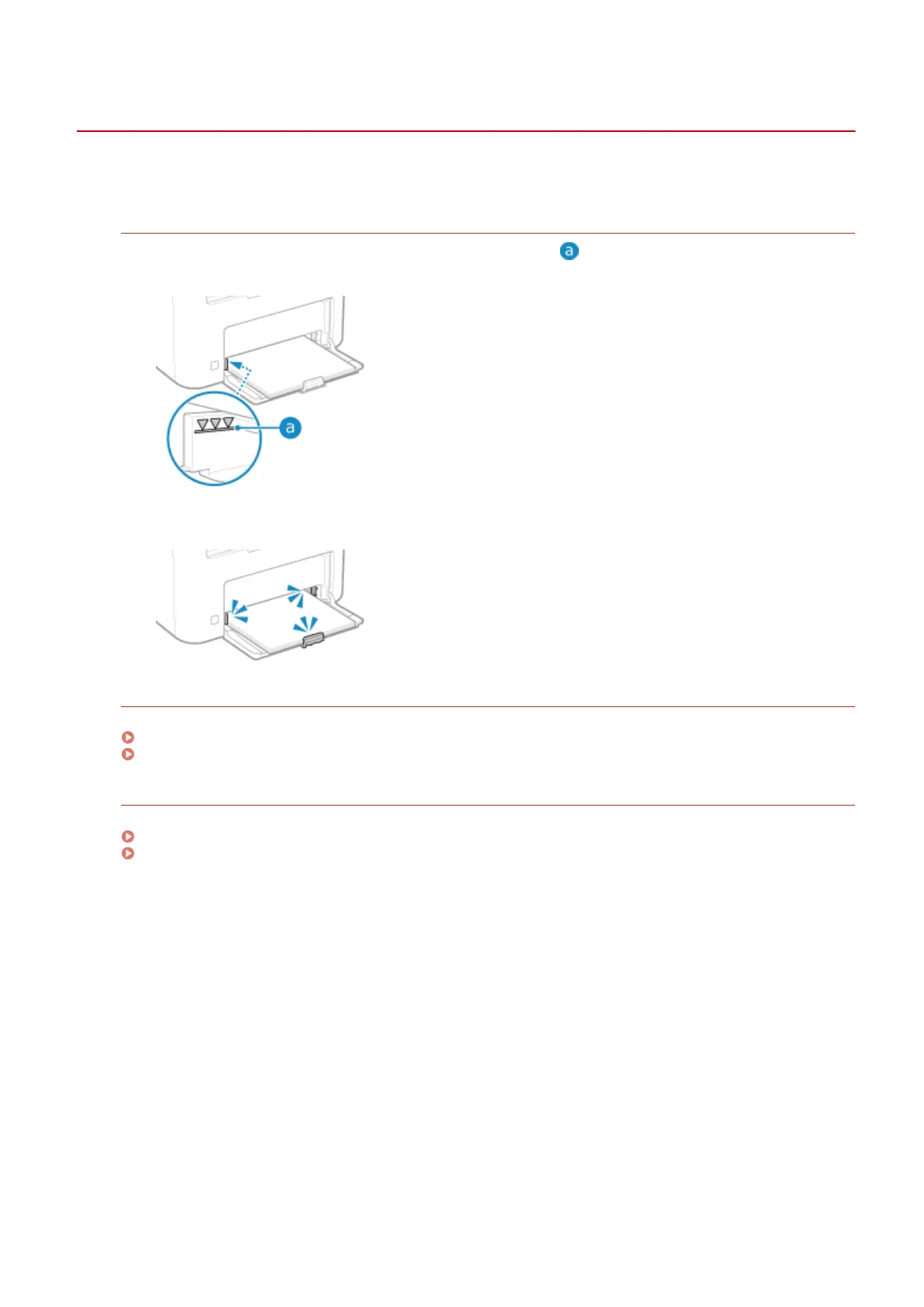
Is Paper Loaded Correctly?
● Mak
e sure the loaded paper does not exceed the load limit line (
).
● Check that the paper guides ar
e aligned with the markings and are not too loose or too tight.
Are You Using Paper That Has Absorbed Moisture?
Check the precautions, and replace the paper with dry paper.
Precautions When Handling Paper(P. 23)
Loading Paper(P. 133)
Ar
e You Using Appropriate Paper?
Check whether the paper in the machine is usable, and replace it with appropriate paper, as needed.
Usable Paper(P. 20)
Loading Paper(P. 133)
Troubleshooting
520











 To Next Page