Sending Faxes
94LS-066
You can scan a document, photo, or other printed materials (originals) with the
machine, converting it to a black and white image, and then send it.
Y
ou can also send a fax after a phone conversation.
Sending a Fax after a Phone
Conversation (Manual Sending)
(P. 231)
1
Place the original.
Placing Originals(P. 130)
2
On the operation panel, press [Fax] in the [Home] screen.
[Home] Screen(P. 113)
➠ The Fax scr
een appears.
3
Press
.
If the destination setting for the previously sent fax remains, a fax may be sent to an incorrect destination.
Reset the setting befor
e operating.
4
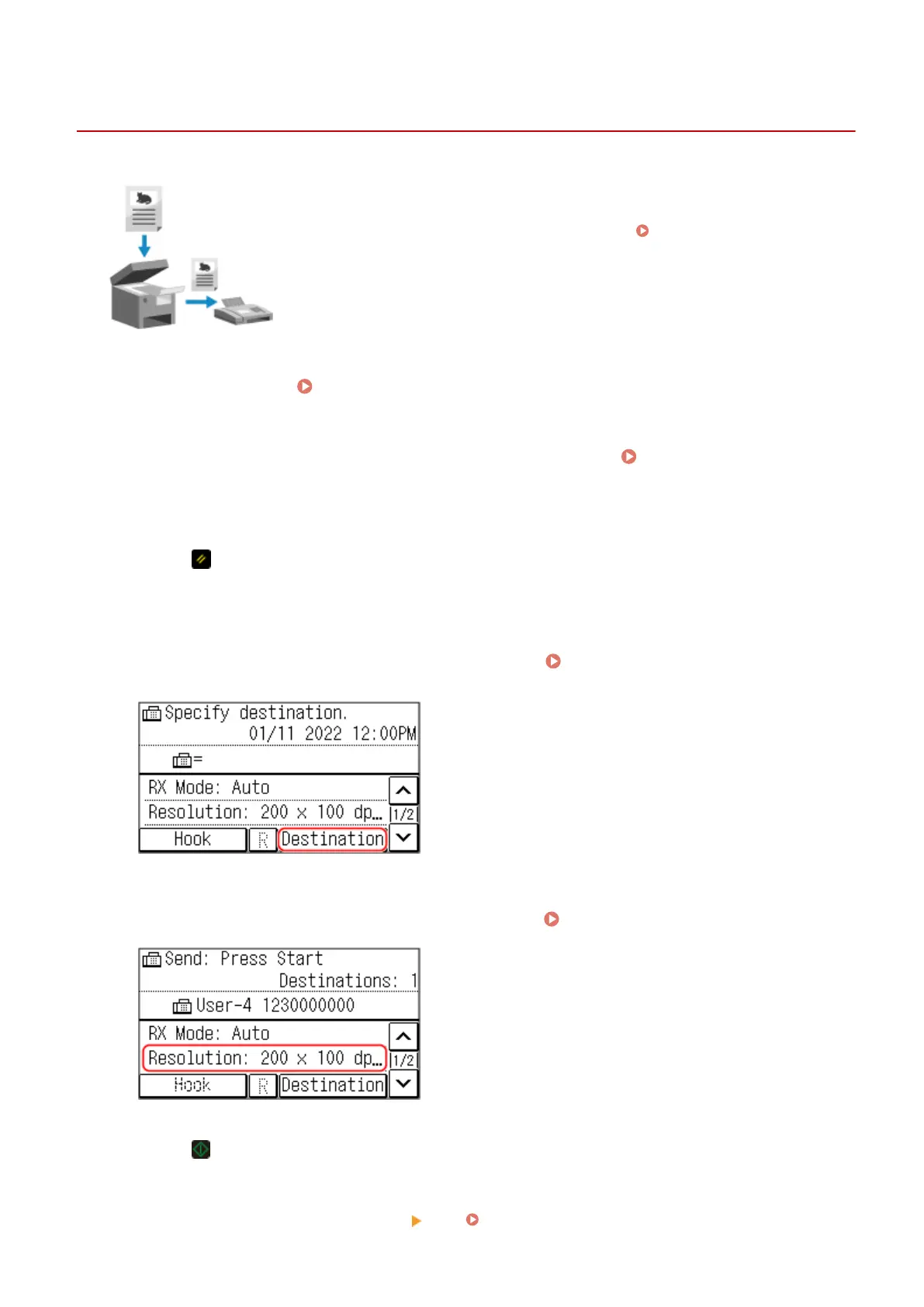
Press [Destination], and specify the destination.
Specifying Destinations (Touch
Panel Model)(P. 161)
Enter the fax number with the numeric keys, or select a registered destination.
5
Congure the original scan settings, as needed. Fax Original Scan Settings(P. 237)
6
Press .
➠ Scanning of the original starts.
● T
o cancel sending of a fax, press [Cancel]
[Yes]. Canceling Fax Sending(P. 242)
Faxing
229











 To Next Page