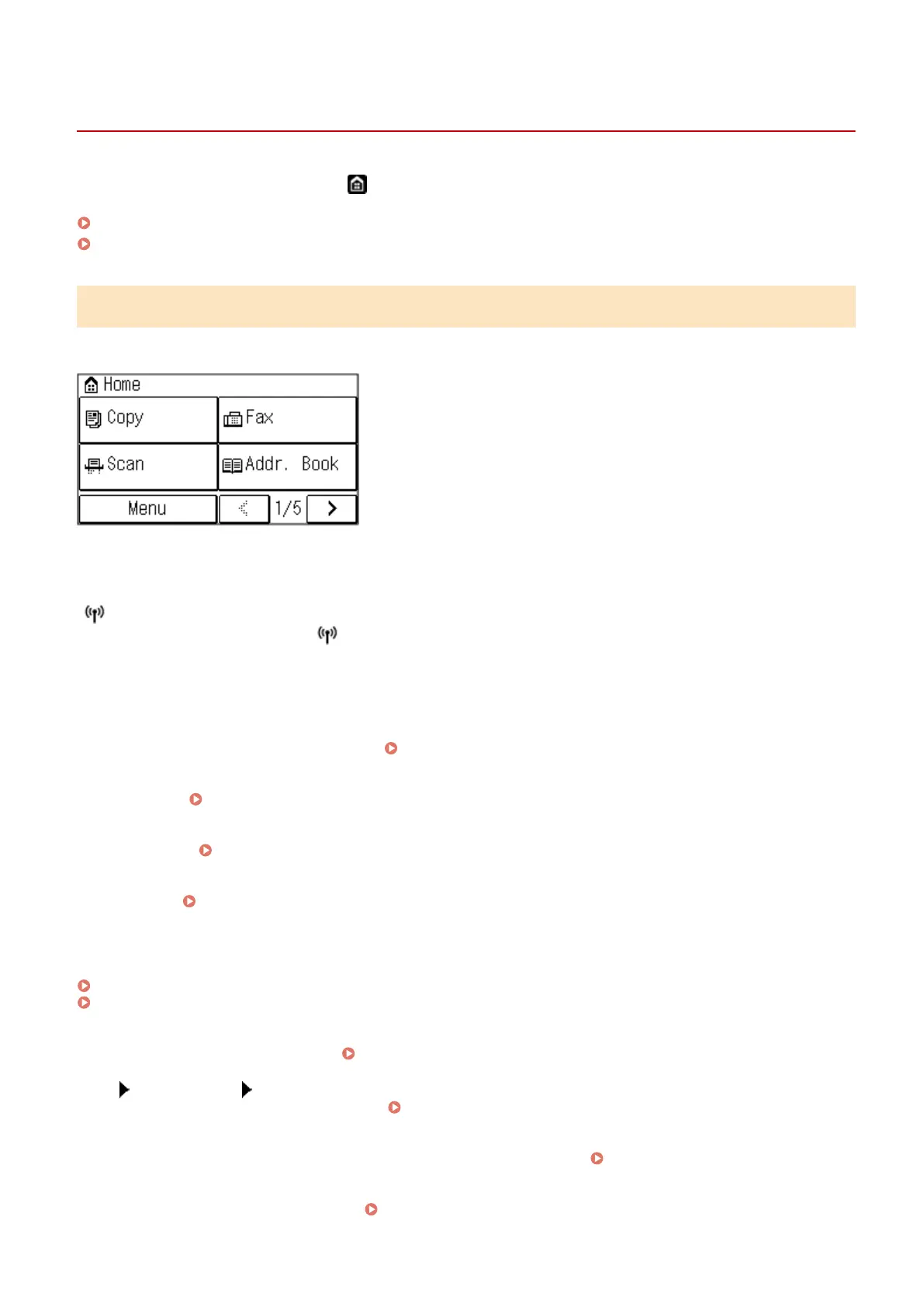
[Home] Screen
94LS-0J5
This scr
een is displayed when you press [
] on the operation panel.
[Home] Screen of the Touch Panel Model(P. 113)
[Home] Screen of the 5 Lines LCD Model(P. 114)
[Home] Screen of the Touch Panel Model
The status of the machine is displayed at the top of the screen for quick viewing and operations, as needed.
◼ Status of the Machine
[
]
When connected to a wir
eless LAN, [
] is displayed.
◼ Function and Setting Buttons
[Menu]
Congur
e the various settings of the machine.
Settings Menu Items(P. 377)
[Cop
y]
Copies originals.
Copying(P. 246)
[Fax]
Fax
es documents.
Faxing(P. 219)
[Scan]
Scans originals. Scanning(P. 201)
[Addr. Book]
Register destinations when sending fax
es. You can specify destinations from the Address Book, and call up the send
function.
Registering Destinations (Address Book) (Touch Panel Model)(P. 149)
Specifying Destinations (Address Book) (Touch Panel Model)(P. 162)
[Paper Set.]
Connect mobile de
vices to the machine.
Connecting a Mobile Device to the Machine(P. 288)
[Scan PC1] and [Scan PC2]
Scan using the settings r
egistered beforehand.
Scanning Using the Shortcut Key(P. 207)
[Paper Save]
Copies 2-page or 4-page originals so that the
y t onto a single sheet of paper.
Using Paper Save Copy(P. 263)
[ID Car
d Copy]
Copies the front and back sides of ID cards.
Copying Both Sides of ID Cards onto One Sheet(P. 267)
Basic Operations
113











 To Next Page