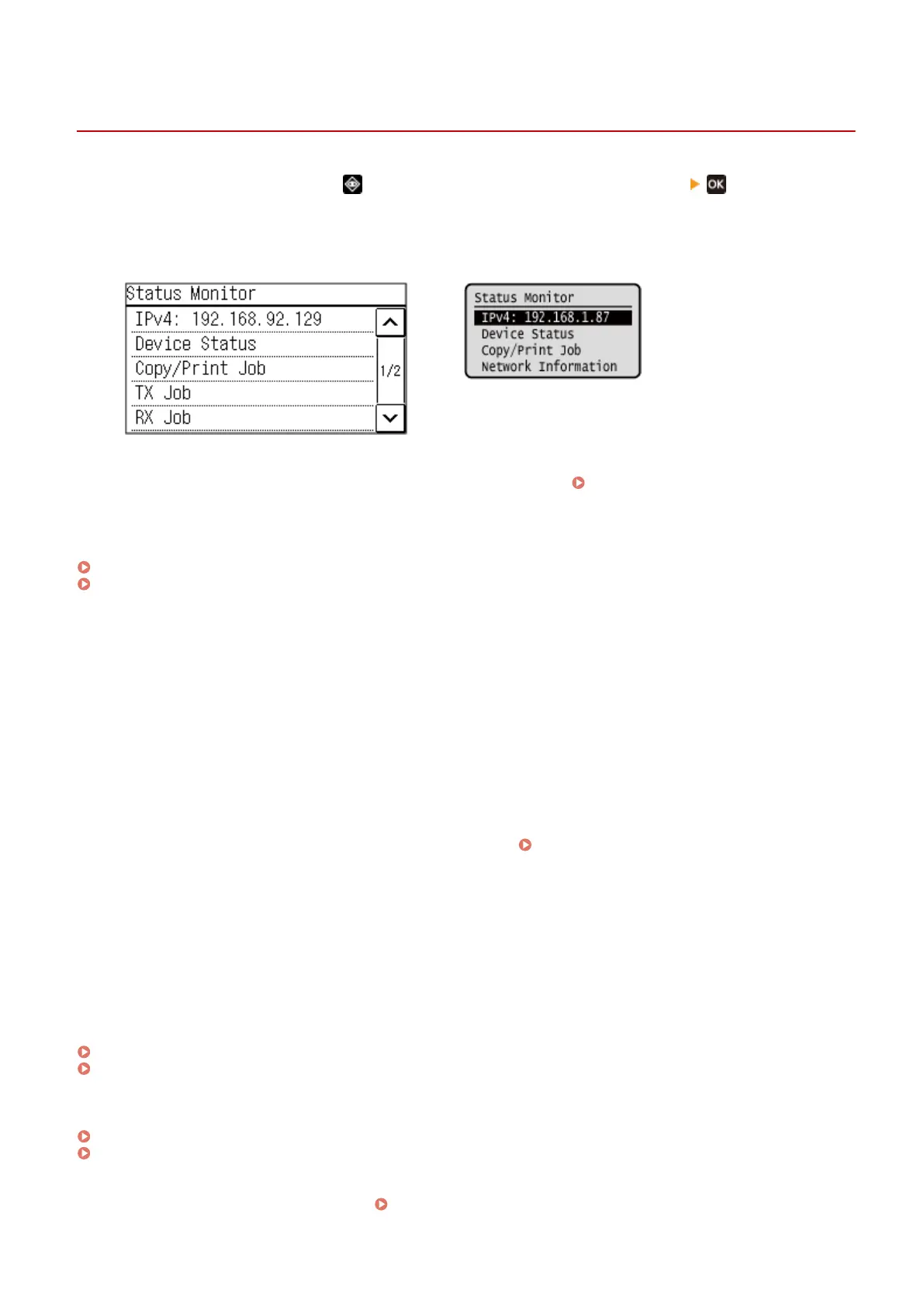
[Status Monitor] Screen
94LS-02F
This scr
een is displayed when you press
on the operation panel or press [Status Monitor] on the [Home]
scr
een and other locations.
Use this screen to check the information of the machine, usage and logs, network settings, and error information.
Touch Panel Model
5 Lines LCD Model
[IPv4]
Displays the IPv4 addr
ess of the machine by default. You can also hide this.
[Display IP Address](P. 382)
[Err
or Information/Notication]
You can check the information of errors that occur on the machine. Take troubleshooting measures according to the
error details.
A Message Appears(P. 560)
An Error Code Is Displayed(P. 575)
[De
vice Status]
[Paper Information]
Check the remaining amount of paper for the paper source.
[Cartridge Level]
Check the remaining amount of toner in the toner cartridge.
Other internal parts may reach the end of their lifetime before the toner runs out.
[Check Toner Cartridge Name]
Check the toner cartridge name.
[Check Counter]
Check the total number of pages printed, faxed, and copied.
Checking the Number of Printed Pages (Check
Counter)(P
. 357)
[Version Information]
Displays the rmware version information of the machine.
[Serial Number]
Displays the serial number of the machine.
[Copy/Print Job]
Displays the copy or print processing status and log.
Checking the Copy Status(P. 277)
Viewing the Print Job Status and Log(P. 198)
[TX Job] (touch panel model only)
Displays the status and log of sent fax
es.
Checking the Save Status and Log of Scanned Data (Touch Panel Model)(P. 217)
Checking Sent and Received Faxes(P. 243)
[RX Job] (touch panel model only)
Displays the status and log of r
eceived faxes.
Checking Sent and Received Faxes(P. 243)
Basic Operations
116











 To Next Page