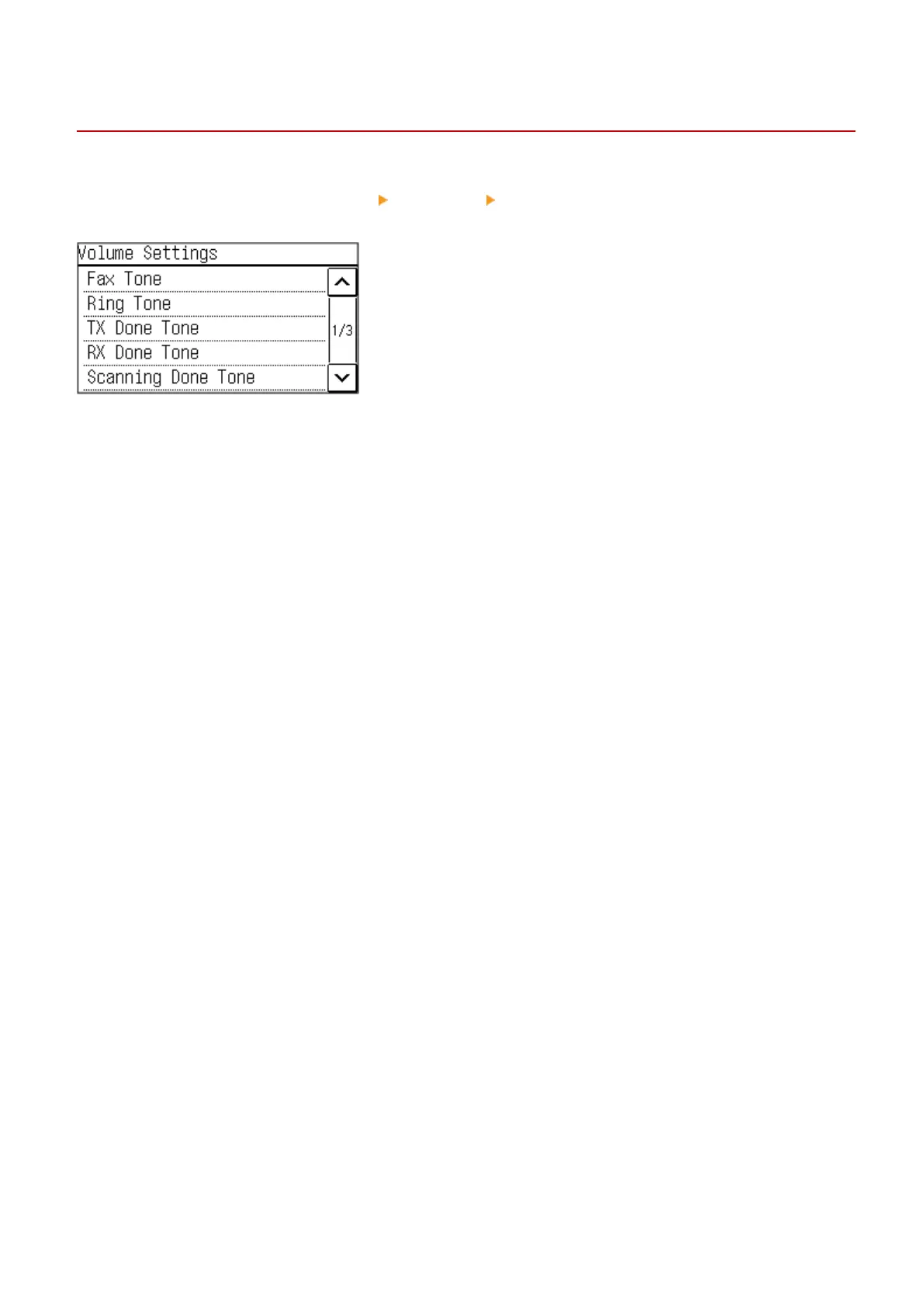
[Volume Settings] Screen (Touch Panel Model)
94LS-044
Y
ou can set whether the machine emits sounds notifying you of operations and statuses.
When you press [Menu] in the [Home] screen
[Preferences] [Volume Settings], the [Volume Settings] screen is
displayed.
[Ring Tone], [TX Done Tone], [RX Done Tone], [Scanning Done Tone]
Y
ou can adjust the volume of the incoming fax sound and the sounds notifying you when faxes are successfully sent
and received, and when originals are successfully scanned.
[Entry Tone]
Set whether to emit a sound when you press the keys and buttons on the operation panel.
[Invalid Entry Tone]
Set whether to emit a sound when an invalid key is pressed, such as when you enter a value outside the setting range.
[Restock Supplies Tone]
Set whether to emit a sound when the toner cartridge is nearing the end of its lifetime.
[Warning Tone]
Set whether to emit a sound when the machine has a paper jam or other malfunction.
[Job Done Tone]
Set whether to emit a sound when the copy, scan, or other operation on the machine is completed.
[Energy Saver Alert]
Set whether to emit a sound when the machine enters and exits sleep mode.
[Original in Feeder Detection Tone]
Set whether to emit a sound when the machine detects an original that has been placed on the feeder.
Basic Operations
173











 To Next Page