Cannot Connect to Wireless LAN
94LS-0F6
T
roubleshoot by checking the status of the computer, wireless LAN router (access point), and machine with the steps
below.
Step 1: Checking the Status of the Computer and Wireless LAN Router(P. 526)
Step 2: Checking the Status of the Machine and Wireless LAN Router(P. 526)
Step 3: Reconnecting to a Wireless LAN(P. 526)
Step 1: Checking the Status of the Computer and Wireless LAN Router
Have You Congured the Settings of the Computer and Wireless LAN Router?
Congure the r
equired settings if they have not been congured.
Are the Power Cables and Ethernet Cable Connected Correctly?
If any cables are connected incorrectly or disconnected, connect them correctly.
Is the Po
wer of Wireless LAN Router On?
If you cannot establish a connection even if the power is on, turn off the power of the computer and router and
turn it on again.
Step 2: Checking the Status of the Machine and Wireless LAN Router
Is the Power of the Machine ON?
If the power is ON, turn OFF the power and turn it ON again.
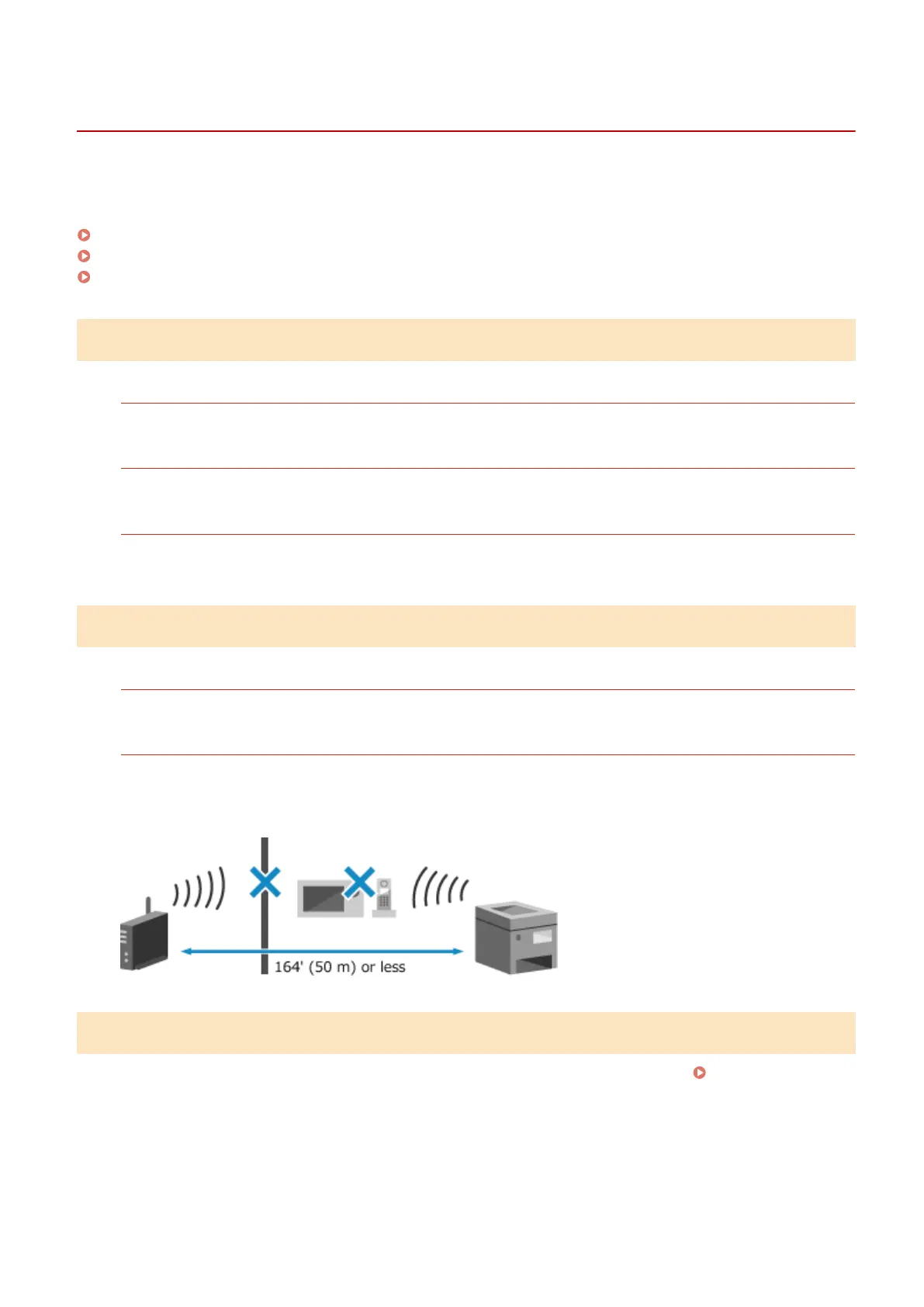
Is the Location Appr
opriate?
● The machine and wir
eless LAN router should be installed in a location without walls or other obstructions
between the devices and within range of 164' (50 m).
● Do not install near a microwave oven, cordless telephone, or other device that generates radio waves.
Step 3: Reconnecting to a Wireless LAN
Connect to the wir
eless LAN using the connection type according to your wireless LAN router.
Connecting to a
Wir
eless LAN(P. 55)
Troubleshooting
526











 To Next Page