Canceling Printing
94LS-04Y
Y
ou can cancel printing from a computer. To cancel printing after the print data has been sent to the machine, use the
operation panel or Remote UI.
Canceling Printing from a Computer(P. 195)
Canceling Printing with the Operation Panel(P. 196)
Canceling Printing with Remote UI(P. 197)
Canceling Printing from a Computer
When Using Windows(P. 195)
When Using macOS(P. 195)
◼ When Using Windo
ws
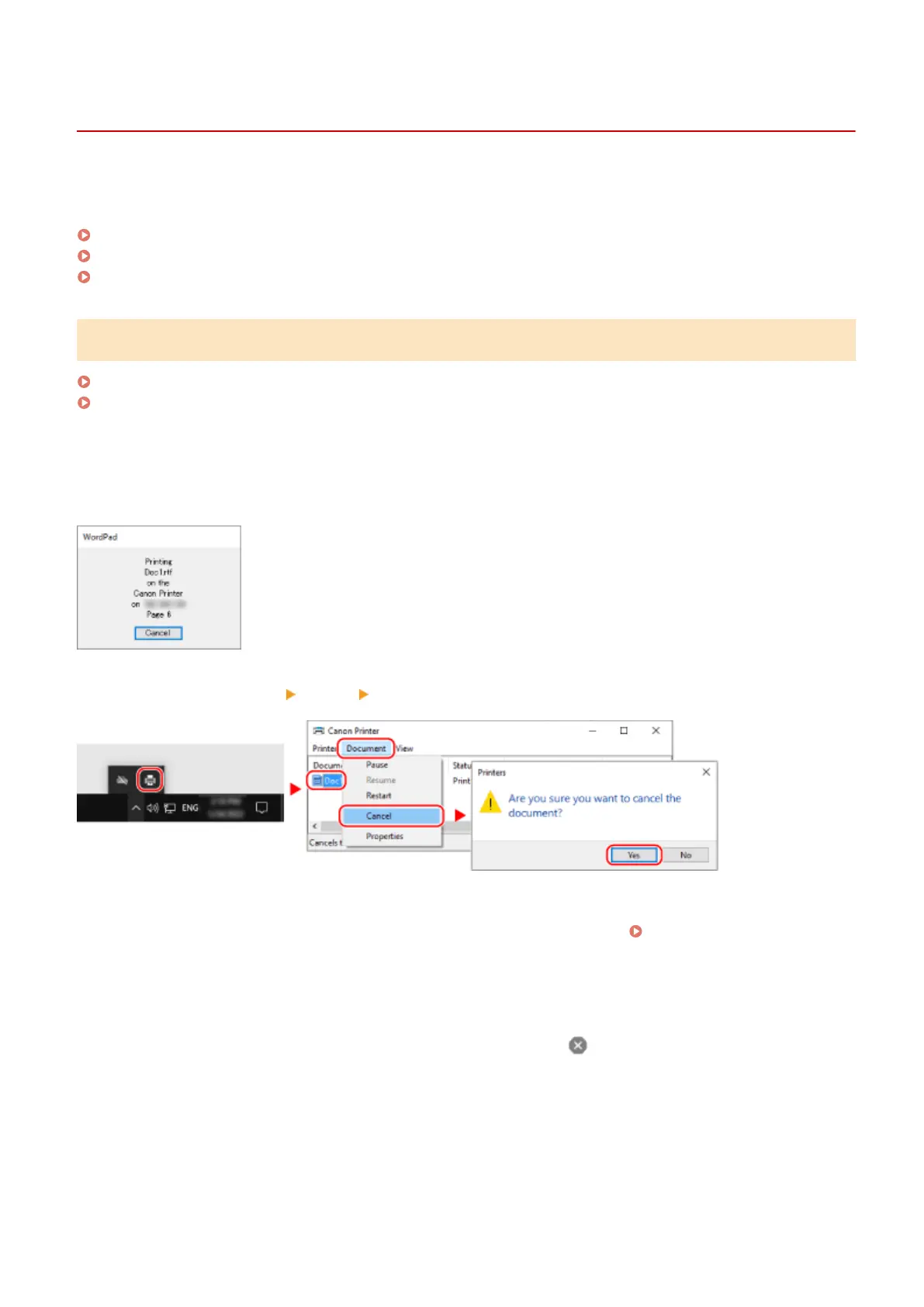
If the printing screen is displayed, click [Cancel].
If the above screen is not displayed, double-click the printer icon in the Windows notication ar
ea, select the document
to cancel, and click [Document]
[Cancel] [Yes].
If the printer icon is not displayed in the Windows notication ar
ea or the document to be canceled is not displayed,
the print data is sent to the machine after being processed on the computer.
In this case, cancel printing using the operation panel of the machine or Remote UI.
Canceling Printing with the
Oper
ation Panel(P. 196)
◼ When Using macOS
Click the printer icon in the Dock, select the document to cancel, and click [
].
Printing
195











 To Next Page