Cannot Send a Fax
94LS-0H0
T
roubleshoot by checking the following steps:
Step 1: Checking the Original(P. 547)
Step 2: Checking the Status of the Machine(P. 547)
Step 3: Checking the Send Status(P. 548)
Step 1: Checking the Original
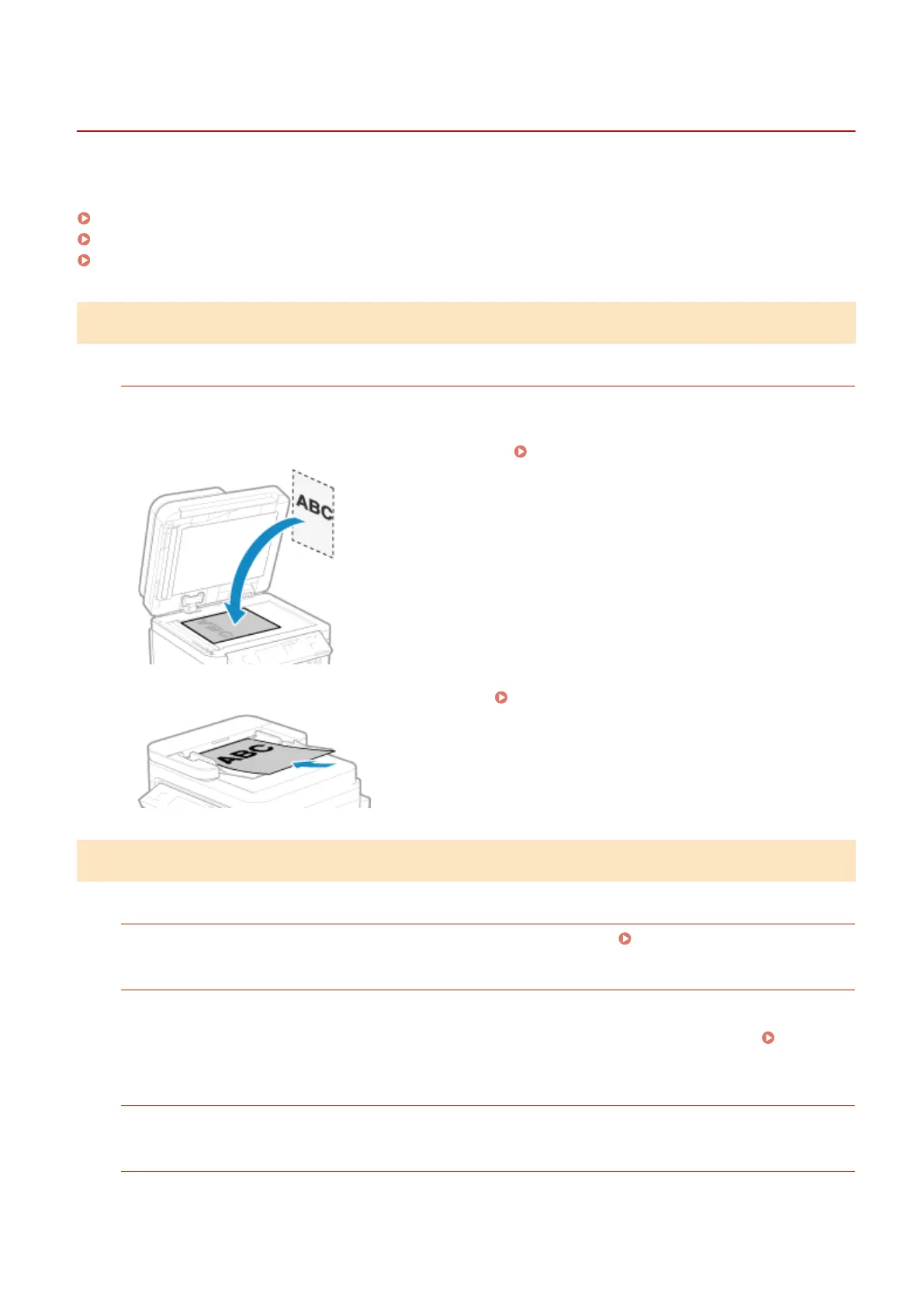
Is Original Placed Correctly?
Place the original correctly while paying attention to the orientation of the side to be scanned.
When Placing It on the Platen Glass
Place the original with the side to be scanned face do
wn.
Placing Originals on the Platen Glass(P. 130)
When Placing Originals in the Feeder
Place the original with the side to be scanned face up. Placing Originals in the Feeder(P. 131)
Step 2: Checking the Status of the Machine
Is the Data Indicator on the Oper
ation Panel Lit or Blinking?
If so, data is being processed. Data is sent after the data indicator turns off. Operation Panel(P. 13)
Is the T
elephone Cord Connected Correctly?
Check that the supplied telephone cord is connected correctly to the telephone line jack (LINE) on the machine
and the telephone line connector on the wall, and x the connection, as needed.
For details about the connection method, see the pr
ocedure for connecting to the telephone line.
Step 4:
Connecting to T
elephone Line(P. 97)
Are You Talking on a Telephone Connected to the Machine?
Send the fax after the call is completed.
Has an Err
or Occurred?
Check the fax sending status and log, and if a three-digit number (error code) starting with "#" is displayed,
check ho
w to troubleshoot the problem based on the error code.
Troubleshooting
547











 To Next Page