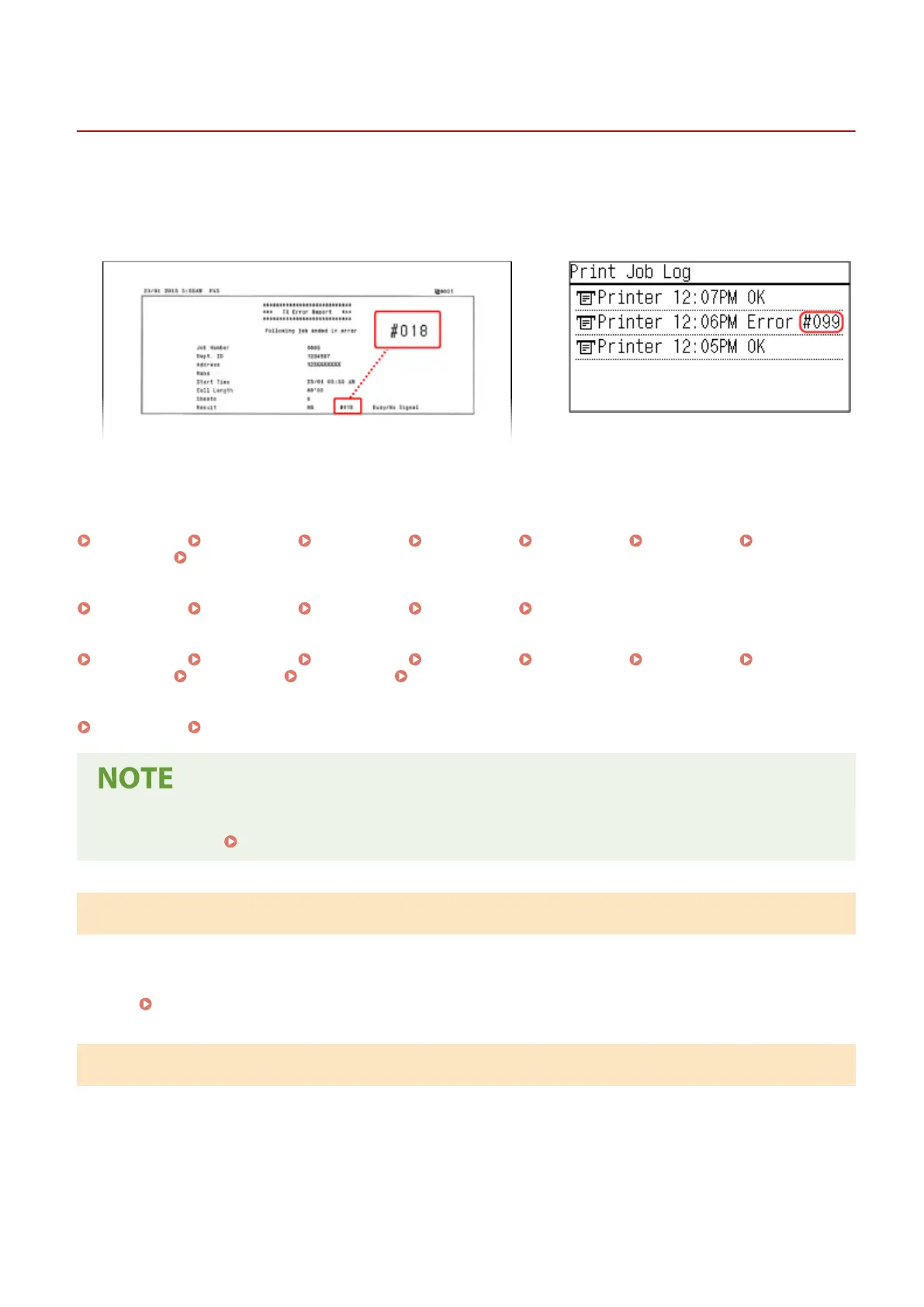
An Error Code Is Displayed
94LS-0HF
If printing cannot be performed, or a fax cannot be sent or r
eceived, or another error occurs, an error code (three-digit
number starting with "#") is displayed in the report or job log.
Report
Job Log
Select the err
or code from the list below, and check how to troubleshoot the problem.
#001 to #099
#001(P. 575) #003(P. 575) #005(P. 576) #012(P. 576) #018(P. 576) #022(P. 576)
#037(P. 577) #099(P. 577)
#701 to #799
#703(P. 577) #751(P. 578) #753(P. 578) #755(P. 578) #766(P. 578)
#801 to #899
#818(P. 579) #819(P. 579) #820(P. 579) #821(P. 579) #827(P. 579) #829(P. 579)
#852(P. 579) #853(P. 579) #861(P. 580) #863(P. 580)
#901 to #999
#934(P. 580) #995(P. 580)
● If the pr
oblem persists even after trying the troubleshooting methods, contact your dealer or service
representative.
If the Problem Persists(P. 581)
#001
The original is jammed in the feeder.
Remo
ve the Jammed Original.
Paper Jams in the Feeder(P. 493)
#003
The data volume is too lar
ge to send or receive a fax.
Divide the Original or Lower the Resolution.
Cannot Send a Fax
● When sending an original with many pages, divide the original and send it.
Troubleshooting
575











 To Next Page