Registering Groups to the Address Book (Operation
Panel) (T
ouch Panel Model)
94LS-03C
Y
ou can register a group of multiple destinations to the Address Book using the operation panel.
You can register only the same type of destinations for a group.
Required Preparations
● Register the destinations to be added to a gr
oup to the Address Book of the machine.
Registering
Destinations to the Addr
ess Book (Operation Panel) (Touch Panel Model)(P. 152)
1
On the operation panel, press [Addr. Book] in the [Home] screen. [Home]
Screen(P. 113)
2
Press [Regist Dest.].
➠ The [Register As] scr
een is displayed.
● If the [Address Book PIN] screen is displayed, enter the PIN, and press [Apply].
● Select the index at the top of the screen of the Address Book to lter and display the destinations.
3
Press [Coded Dial] or [One-Touch], and press [Group].
➠ The [Gr
oup] screen is displayed.
● If [Coded Dial] is selected, unregistered coded dialing numbers are automatically set and the [Group]
screen is displayed.
● When [One-Touch] is selected, select the number to register.
You can change this number to another number later.
4
Press [Name] and enter the name, and then press [Apply].
You can register a destination without entering its name, but by entering the name, you can search for it by
its initials when specifying the destination.
5
Press [Number of Destinations].
6
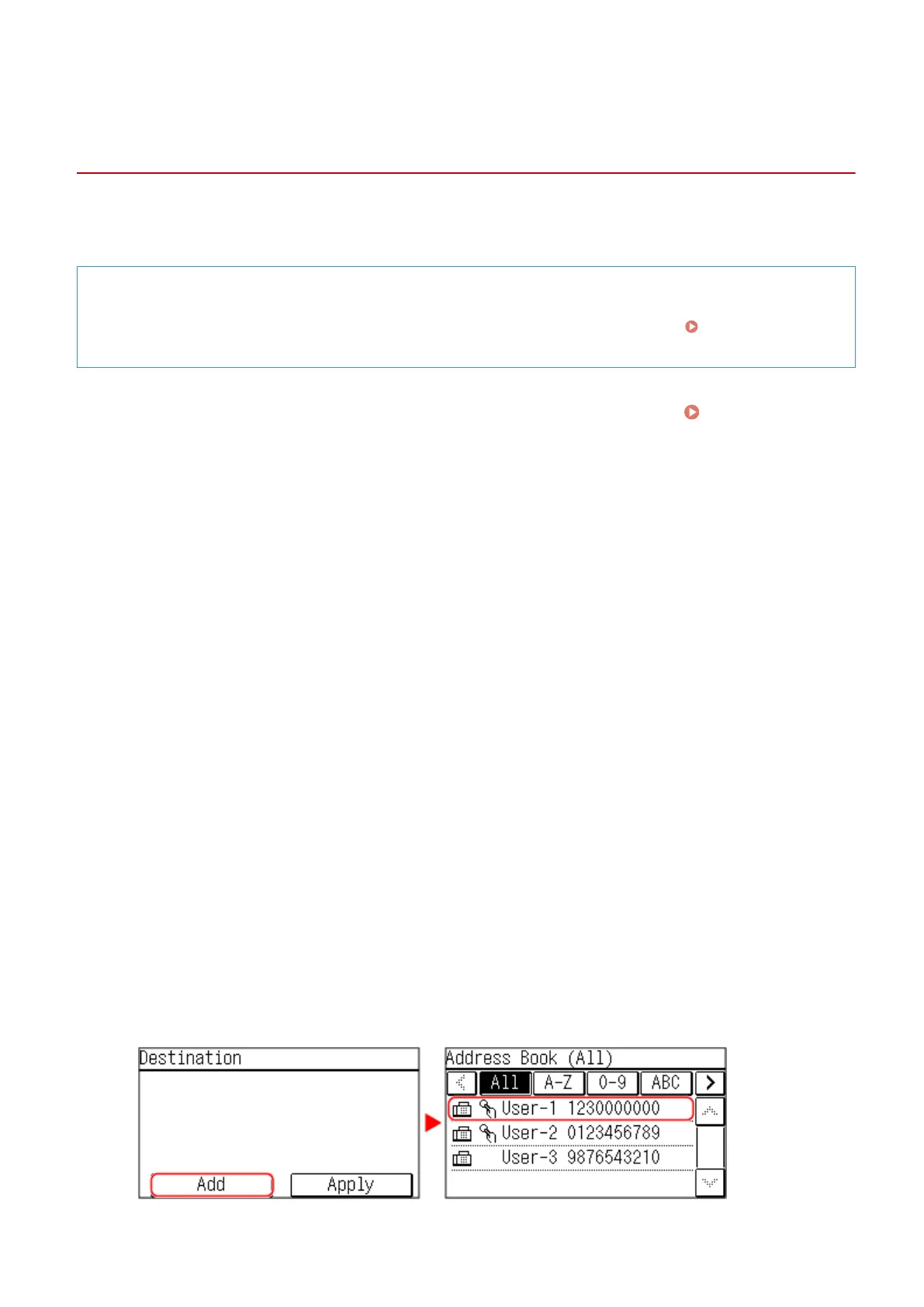
Press [Add], and select the destinations to add to the group.
Repeat this step to add multiple destinations.
Basic Operations
154











 To Next Page