If the Problem Persists
94LS-0HH
If the pr
oblem persists even after trying the troubleshooting methods, contact your dealer or service representative.
Do not disassemble or repair the machine yourself.
● Disassembling or r
epairing the machine yourself may void the warranty.
Checks Before Contacting Us
● Pr
oduct name (MF275dw / MF273dw / MF272dw)
● Dealer purchased from
● Details of the problem (such as operation details and their results)
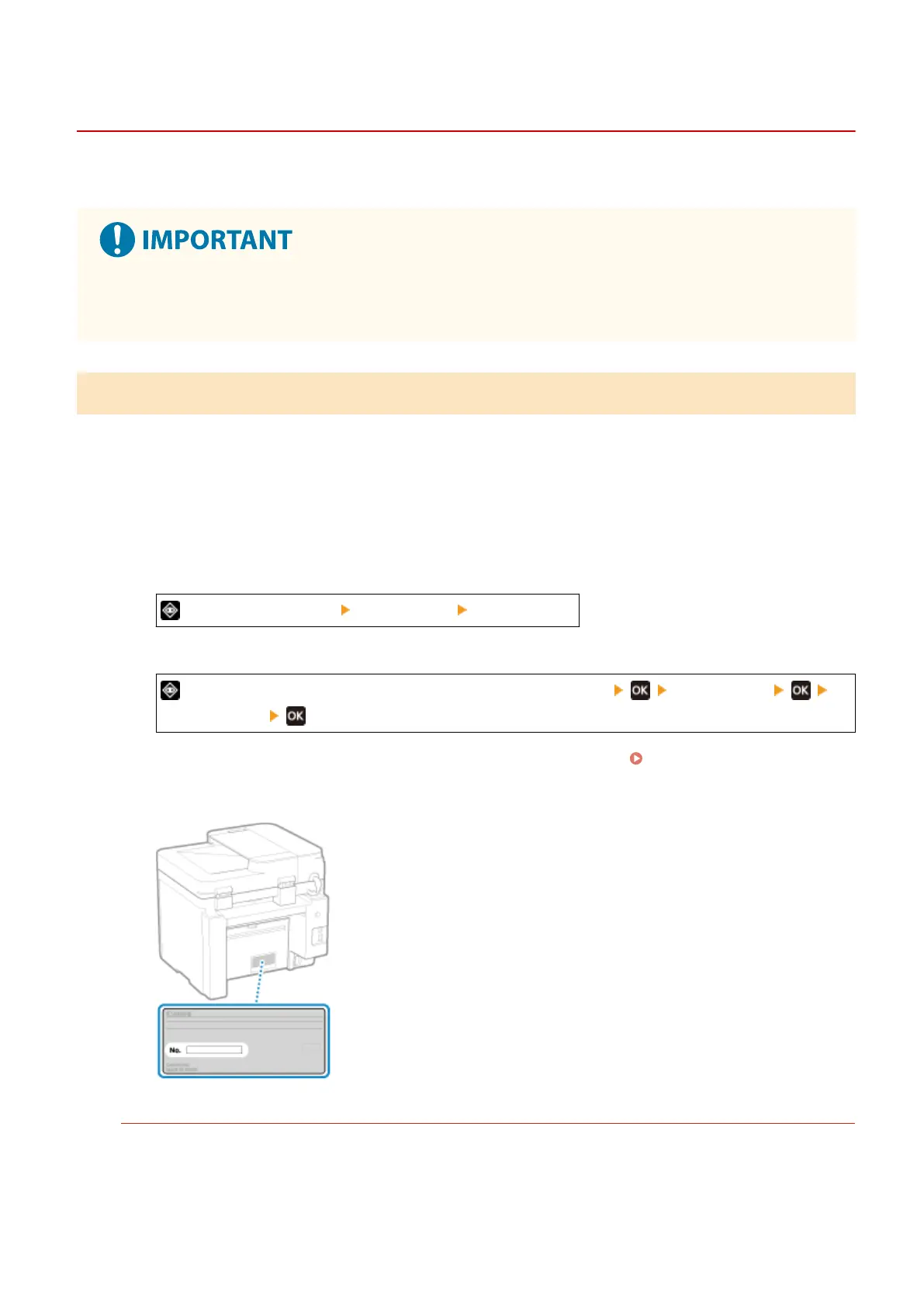
● Serial number
How to Look Up the Serial Number
Touch Panel Model
on the operation panel [Device Status] [Serial Number]
5 Lines LCD Model
on the operation panel or [Status Monitor] on the [Home] screen [Device Status]
[Serial Number]
● Y
ou can also check this information using Remote UI from a computer.
Managing the Machine from a
Computer (Remote UI)(P
. 349)
● You can also check this information on the label on the back of the machine.
Customer Support (U.S.A.)
If you cannot solve a problem by referring to the information in this chapter, for the fastest resolution, please
r
efer to available support materials (including the Knowledgebase FAQs and How to Video material) for your
product at www.usa.canon.com.
Troubleshooting
581











 To Next Page