Paper Jams in the Paper Drawer, Output Tray, and Rear
Side
94LS-0E5
Use the pr
ocedure below to check the paper drawer, output tray, rear side, and to remove any jammed paper. If the
paper tears, be sure to remove the parts so that no pieces remain.
1
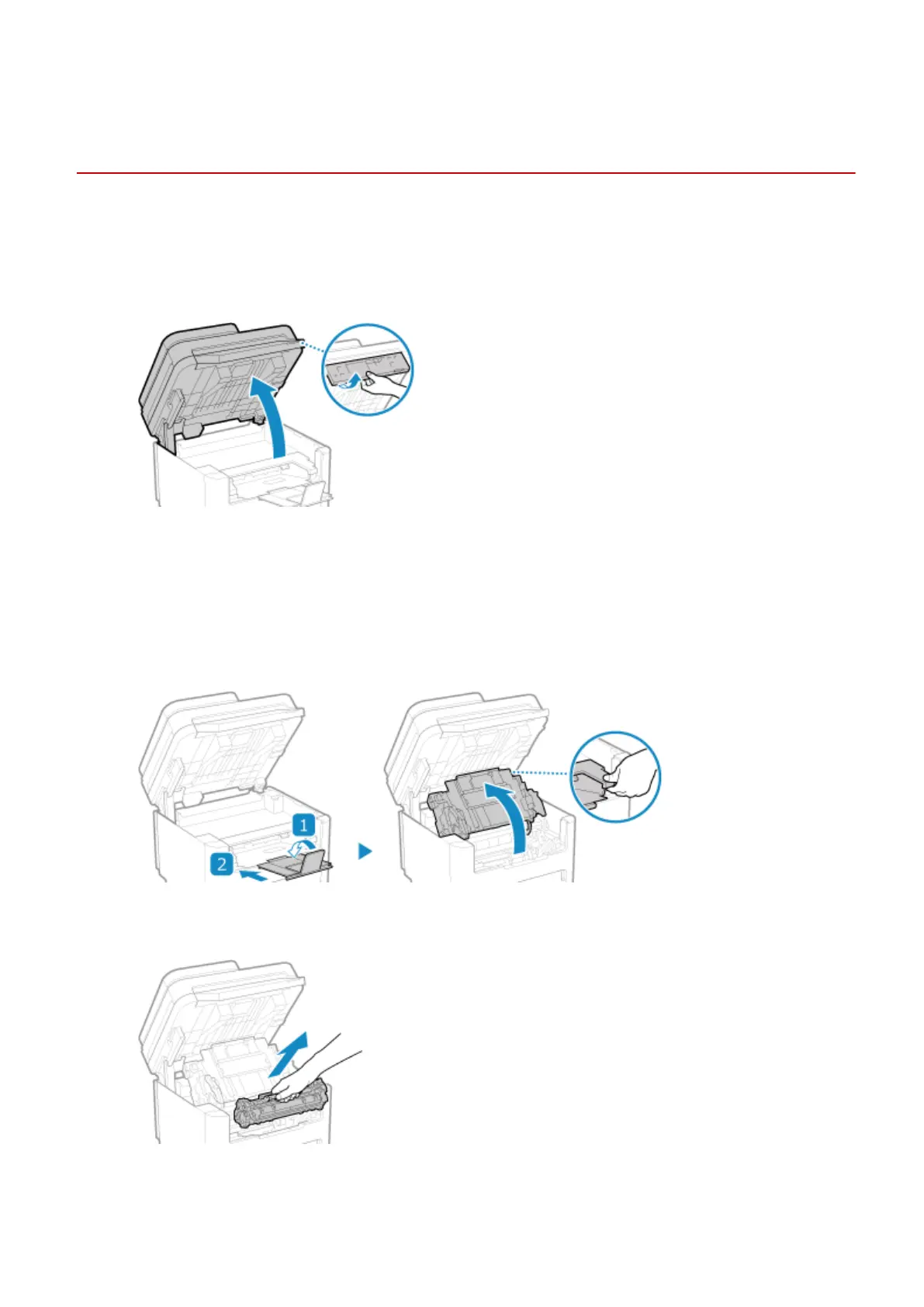
Lift the operation panel.
Check the following before lifting up the operation panel:
● The feeder or platen glass co
ver is completely closed
● There are no thick originals such as books placed on the platen glass
* Using excessive force to raise the operation panel could cause a fault.
2
Close the paper stopper before opening the toner cover.
3
Remove the toner cartridge.
Slowly pull it out at the same angle as the slot.
4
Remove the paper jammed in the paper drawer.
Troubleshooting
489











 To Next Page