1
Open the paper cover.
2
If other paper is loaded, remove that paper.
3
Gently pull out the paper.
4
Load the paper and close the paper cover.
5
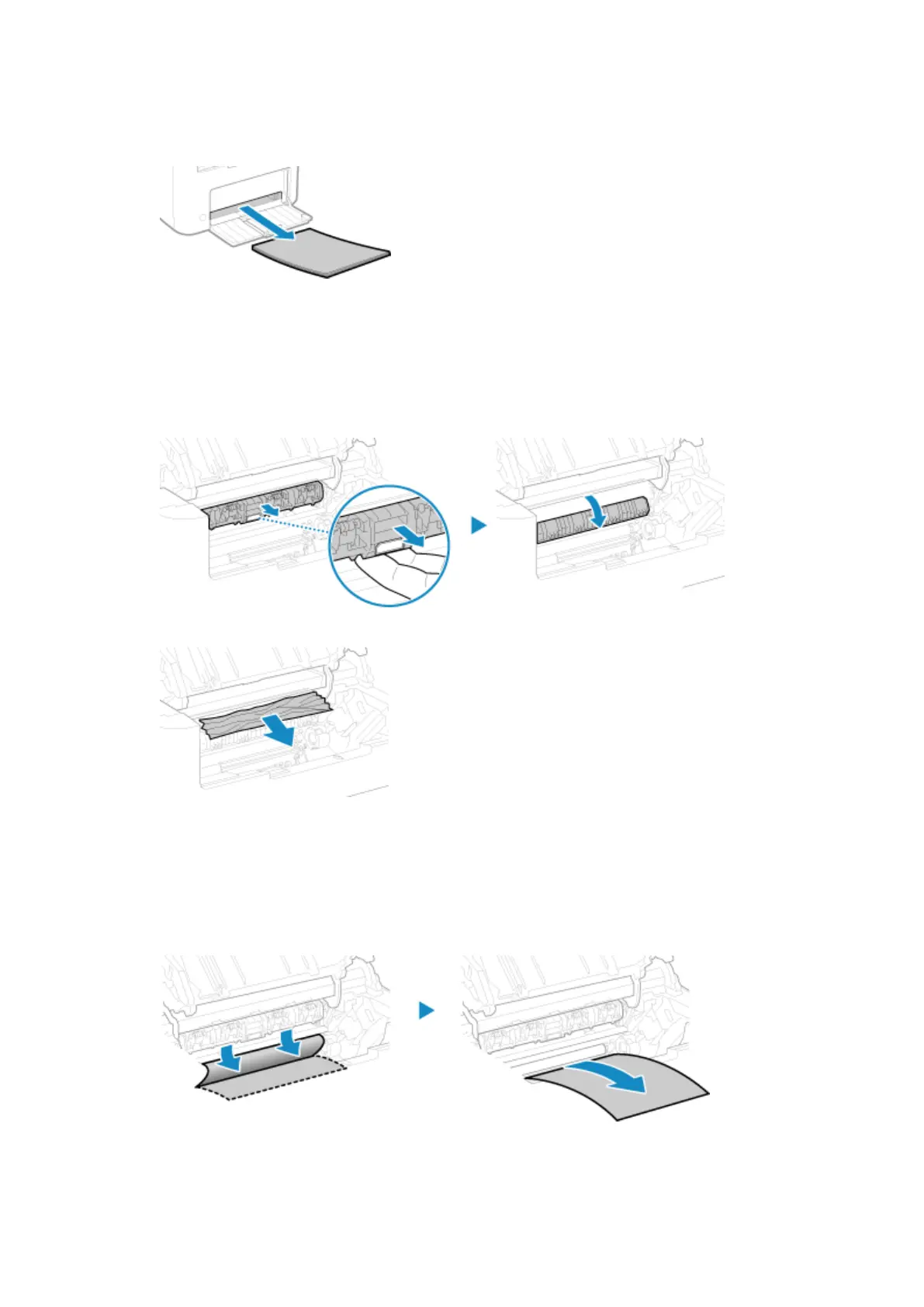
Remove the paper jammed inside the paper exit guide.
1
Pull out the transport guide.
2
Gently pull out the paper.
3
Close the paper exit guide.
6
Remove the paper jammed inside the machine.
1
Gently pull out the paper.
Holding both sides of the paper, pull the front edge of the paper out and downwards.
2
Check whether paper is jammed in the guides.
Troubleshooting
490











 To Next Page