Cannot Send a Fax to an International Destination
94LS-0H4
T
roubleshoot by checking the items below.
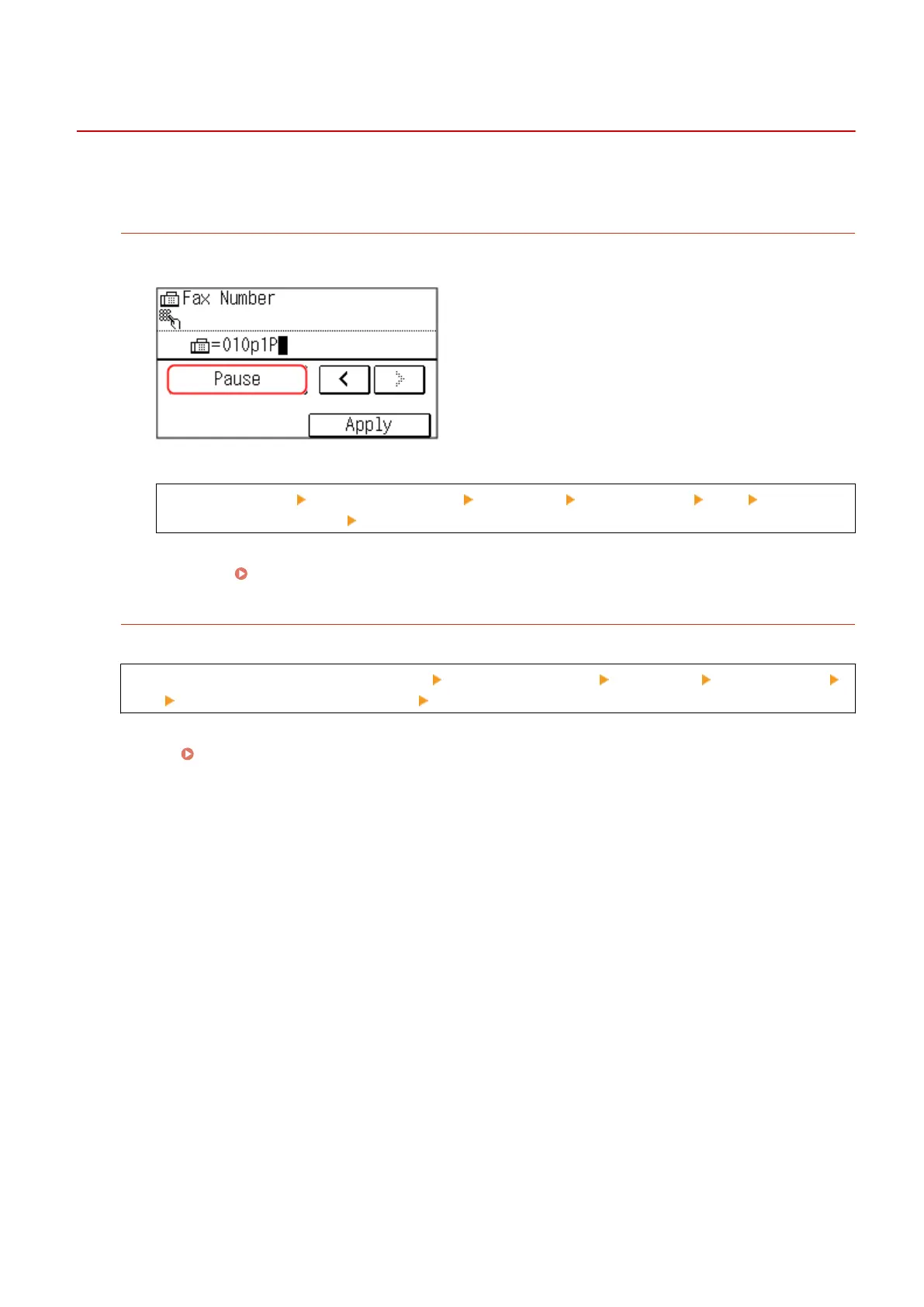
Enter the Wait Time (Pause).
● When sending a fax to an international destination, enter the international access number, country code, and
fax number of the destination in that or
der. Press [Pause] in between the numbers to add a pause.
● If you still cannot send a fax after entering a pause, change the pause time.
Log in to Remote UI [Settings/Registration] [TX Settings] [Fax TX Settings] [Edit] in [Set Pause
Time], enter the pause time [OK]
On the operation panel, select [Menu] in the [Home] screen, and then select [Function Settings] to change
the setting. [Set Pause Time](P. 437)
Lo
wer the Communication Start Speed.
Try sending a fax after lowering the communication start speed in phases.
Log in to Remote UI in System Manager Mode [Settings/Registration] [TX Settings] [Fax TX Settings]
[Edit] in [TX Start Speed], select the speed [OK]
On the operation panel, select [Menu] in the [Home] screen, and then select [Function Settings] to congur
e the
settings.
[TX Start Speed](P. 438)
Troubleshooting
553











 To Next Page