Loading Paper in the Paper Drawer
94LS-02W
Y
ou can load paper correctly by aligning the paper guides on the paper drawer with the paper.
When using envelopes or paper with logos, be careful of the orientation of the loaded paper and which side is face up.
Preparations and Orientation for Loading Envelopes(P. 136)
Orientation for Loading Paper with a Logo(P. 138)
1
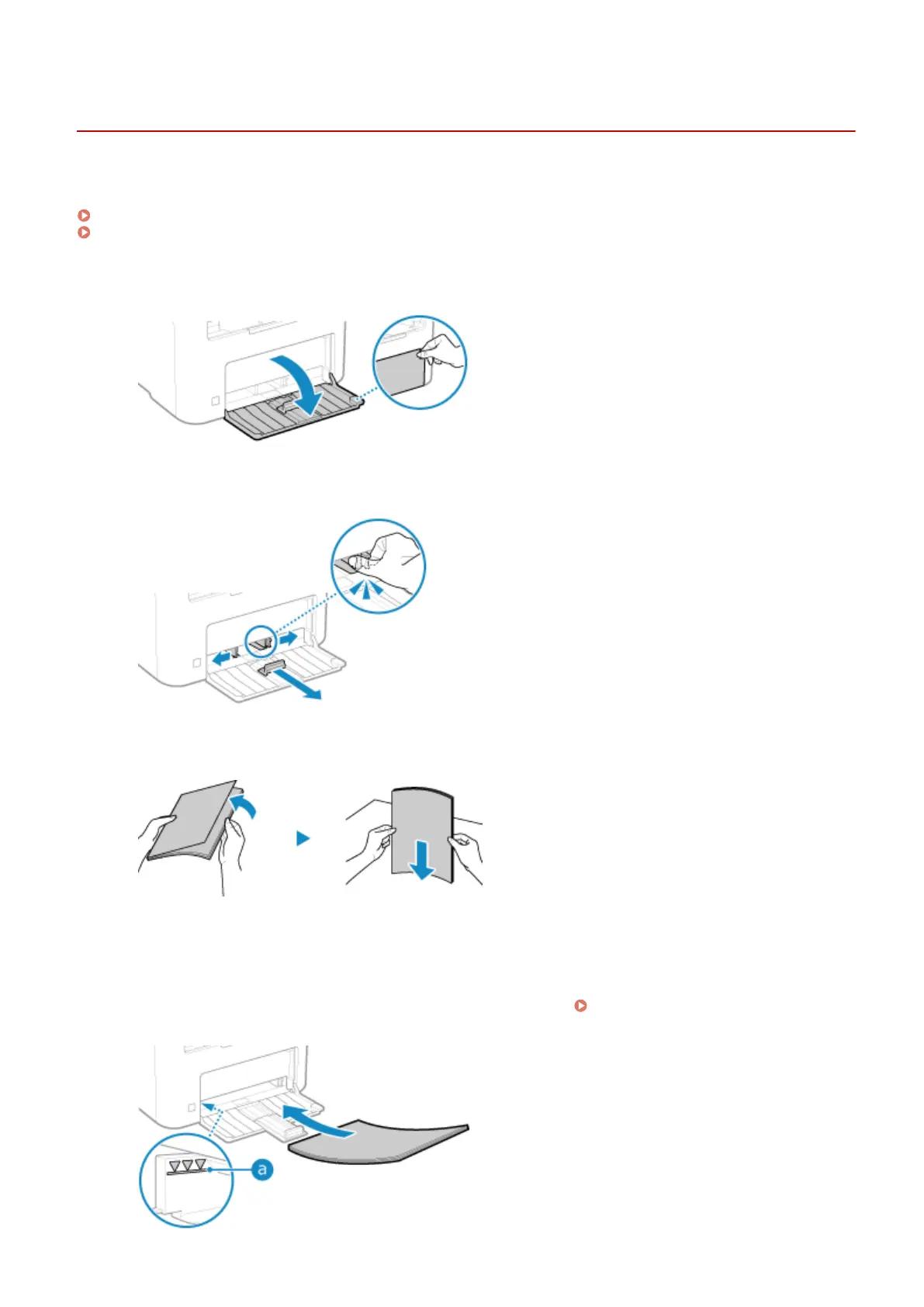
Open the front cover.
2
Slide the paper guides to the outside.
3
Fan the paper and align the edges.
Fan the paper in small batches, and align the edges by tapping the paper on a at surface a few times.
4
Load the paper with the print side face up.
➠ By default, the Paper Settings conrmation scr
een is displayed.
[Notify to Check Paper Settings]
(P
. 453)
Basic Operations
134











 To Next Page