Copying Both Sides of ID Cards onto One Sheet
94LS-06W
You can use the ID Card Copy function to copy the front and back sides of a driver's
license or other ID car
d on the same sheet of paper at 100% magnication.
This can be quickly performed from the operation panel [Home] screen or using
. This is useful such as when copying ID cards at reception.
Placing the ID card on the platen glass(P. 267)
Copying ID Cards (Touch Panel Model)(P. 268)
Copying ID Cards (5 Lines LCD Model)(P. 269)
Placing the ID card on the platen glass
1
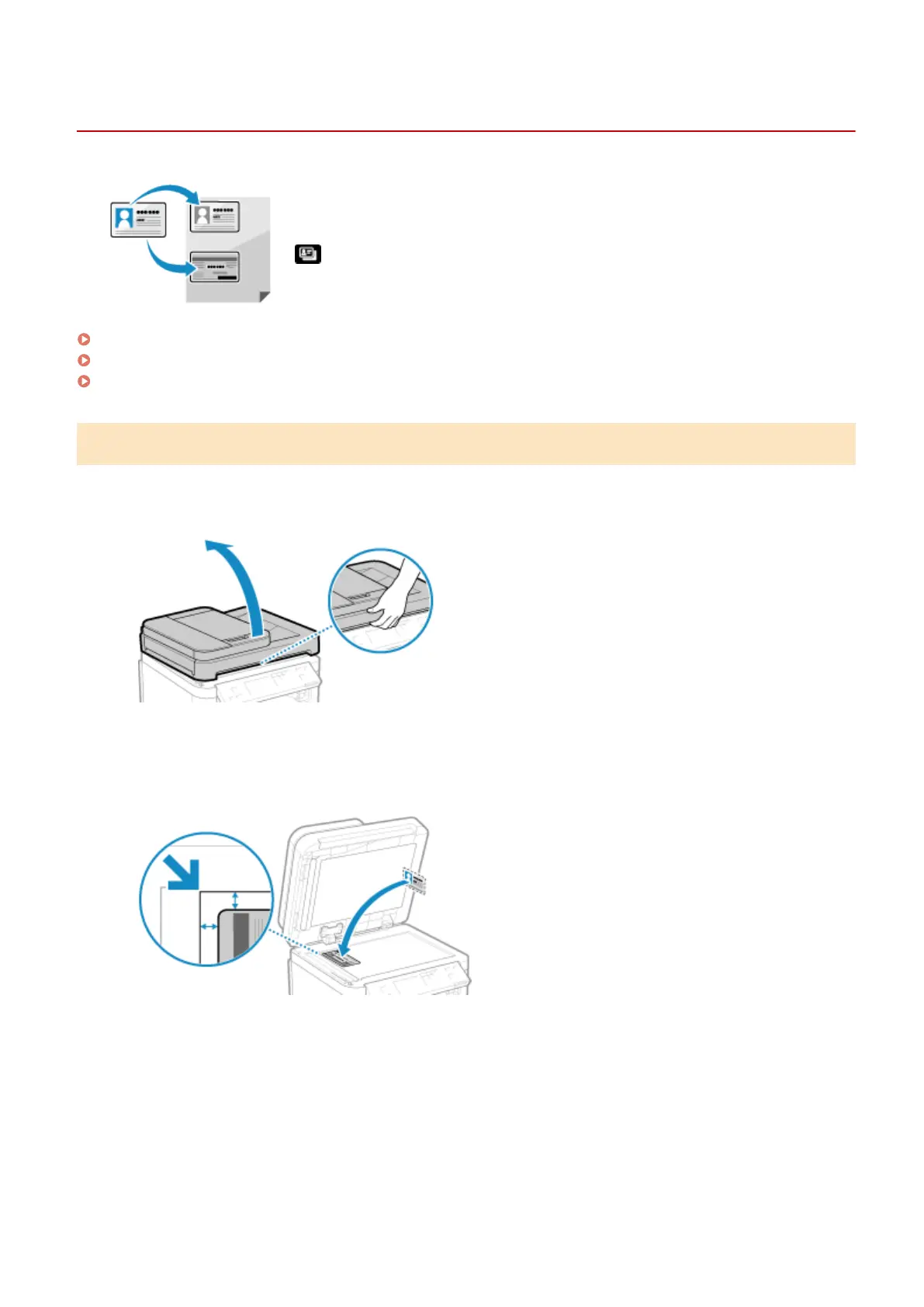
Open the feeder or platen glass cover.
2
Place the front of the ID card face down on the platen glass in the portrait
orientation while aligning the corner of the ID car
d with the top left corner of the
platen glass.
Place the ID card slightly away from the edge of the platen glass.
3
Gently close the feeder or platen glass cover.
Copying
267











 To Next Page