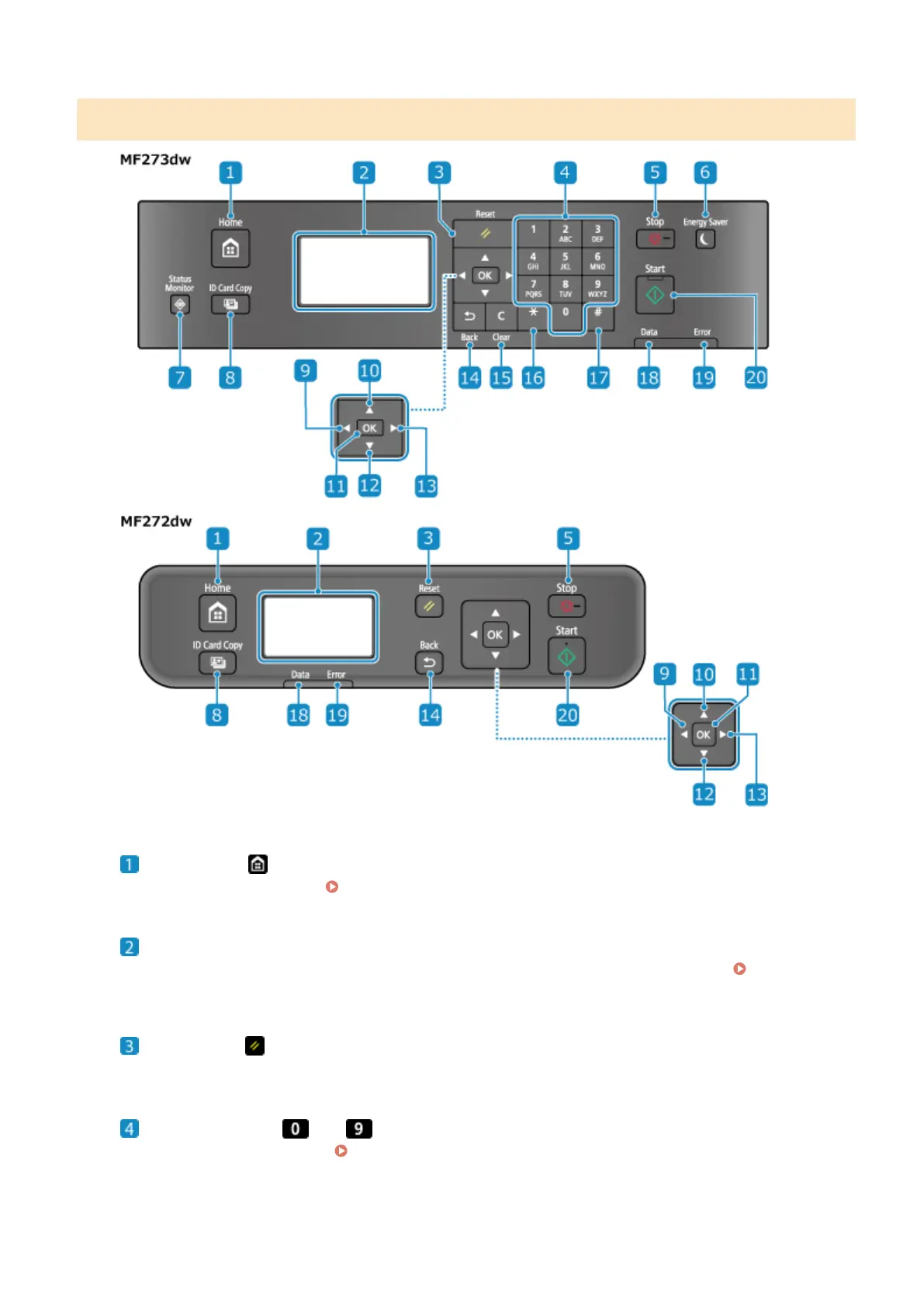
Operation Panel of 5 Lines LCD Model
Home key ( )
Displays the [Home] scr
een.
[Home] Screen(P. 113)
Display
Displays the scr
eens for operating the functions, usage, messages, and other information.
Using the
Oper
ation Panel(P. 109)
Reset key ( )
Clears the settings and r
eturns the printer to its previous status.
Numeric keys ( to ) (MF273dw)
Enter numbers or char
acters.
Entering Characters Using the Operation Panel (5 Lines LCD Model)
(P
. 123)
About the Machine
15











 To Next Page