➠ The [2-Sided] scr
een is displayed.
2
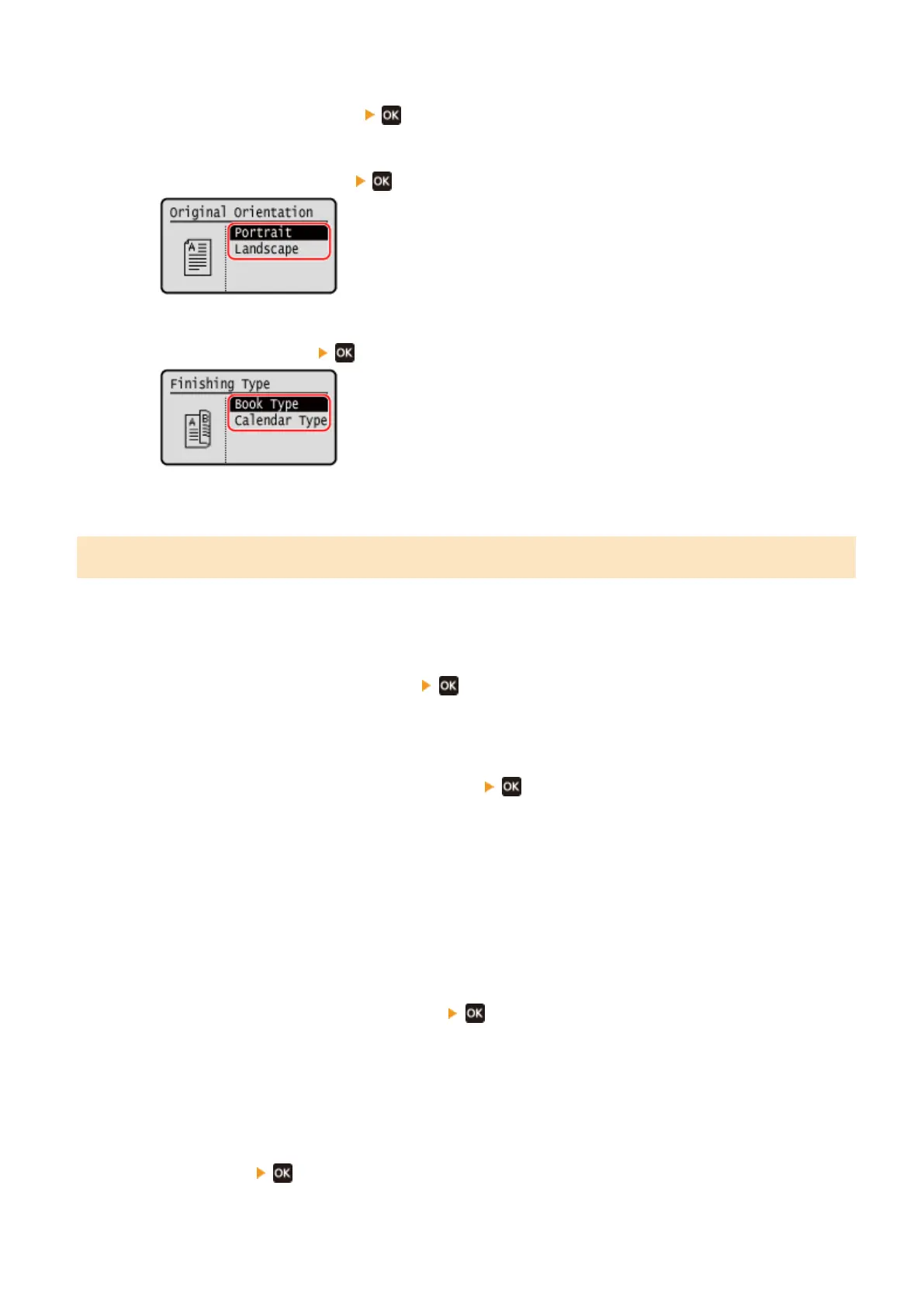
Press [Original/Finishing Type]
.
➠ The [Orig./Finishing T
ype] screen is displayed.
3
Select the orginal orientation
.
➠ The [Finishing T
ype] screen is displayed.
4
Select the nishng type
.
➠ The cop
y screen reappears.
Copying Multiple Originals onto One Sheet (N on 1)
Y
ou can reduce the size of a multiple-page original and arrange the pages on one sheet of paper when copying.
N on 1 is convenient when you want to save paper by copying on fewer sheets of paper than the original.
* This cannot be set at the same time as Erase Frame.
1
Press [N on 1] on the copy screen
.
➠ The [N on 1] scr
een is displayed.
2
Select the number of pages to combined
.
[OFF]
Pages ar
e not combined.
[2 in 1]
Combines a 2-page original onto one sheet of paper.
[4 in 1]
Combines a 4-page original onto one sheet of paper.
3
Select the size of the placed original
.
➠ The cop
y screen reappears.
4
Congure the layout (page or
der) when combining originals, as needed.
1
Press [N on 1]
➠ The [N on 1] scr
een is displayed.
Copying
258











 To Next Page