6
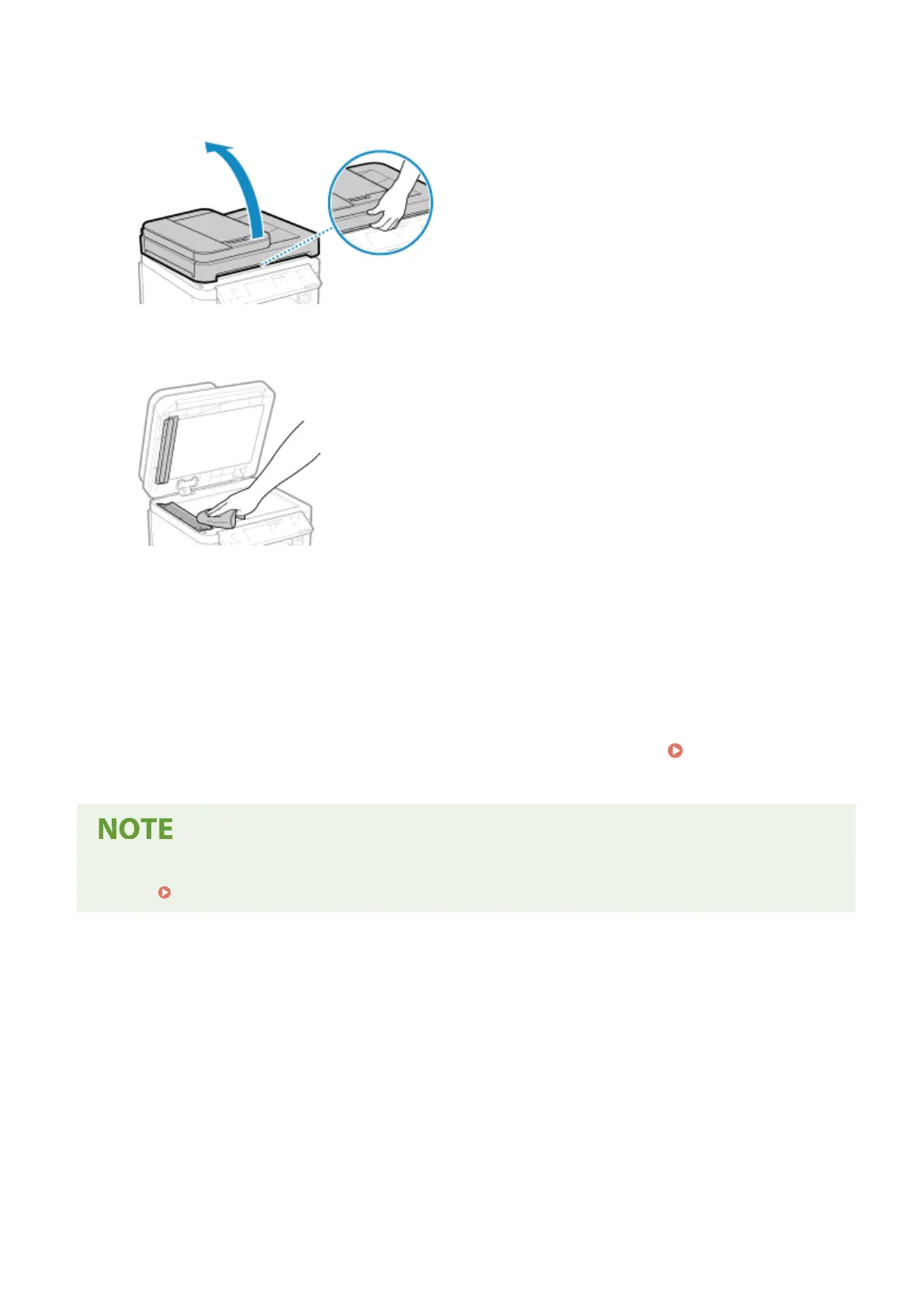
Open the feeder.
7
Wipe the feeder original scanning area.
Wipe with a cloth soaked in water and wrung out. Next, wipe with a soft, dry cloth.
8
Allow the parts to fully dry.
9
Gently close the feeder.
10
Plug the power cord into the outlet, and turn ON the machine.
Turning ON the
Machine(P
. 104)
● Y
ou can congure the machine to display a message when dirt is detected in the feeder’s original scanning
area.
[Notify to Clean Original Scanning Area](P. 383)
Maintenance
467











 To Next Page